

AI
Claude Code MCP Server Setup: Scopes, Auth, Tool Budget
August 202612 min read
Local is the default and loads a server only in the project you added it from, stored in your home configuration. Project scope lives in a committed .mcp.json and is shared with the team through version control. User scope loads in every project you open and stays private to you.
Much less than it used to. Tool search is enabled by default, so tool definitions are deferred and only tool names plus server instructions load at session start; Claude searches for a tool when a task needs one. A threshold mode also exists that loads definitions eagerly until they reach about a tenth of the window.
Because the folder is not trusted yet. Approvals committed inside a repository are ignored until you run Claude in that folder and accept the workspace trust dialog, so a cloned repository cannot approve its own servers. That is deliberate: cloning a repo must not silently let it start processes on your machine.
Two distinct ones. A server runs code or holds credentials, so you should only connect servers you trust. More subtly, any server that returns external content — web pages, issue comments, emails — can carry instructions aimed at the model, so treat its output as untrusted input rather than as data you asked for.
Whenever a good one already exists. Command line tools such as the GitHub CLI, cloud provider CLIs and psql add no per-tool listing to context and Claude can run them directly, which makes them more context-efficient for anything already scriptable. Reach for MCP when you would otherwise be pasting data into the session repeatedly.
Key Takeaway
Claude Code connects to MCP servers at three scopes — local in your home config, project in a committed .mcp.json, and user across all projects. Tool search defers tool definitions by default, so context cost stays low, and workspace trust decides whether a cloned repository's servers connect at all.
The moment an AI coding agent can read your issue tracker, query your database and check your error monitoring, the work changes character: you stop pasting context and start asking questions. The Model Context Protocol is the open standard that makes that possible, and Claude Code speaks it natively.
What is less discussed is the governance side. Every server you add is a surface — for context bloat, for credentials, and for content that arrives from outside your codebase. This is how to set them up properly, and where the sharp edges are.
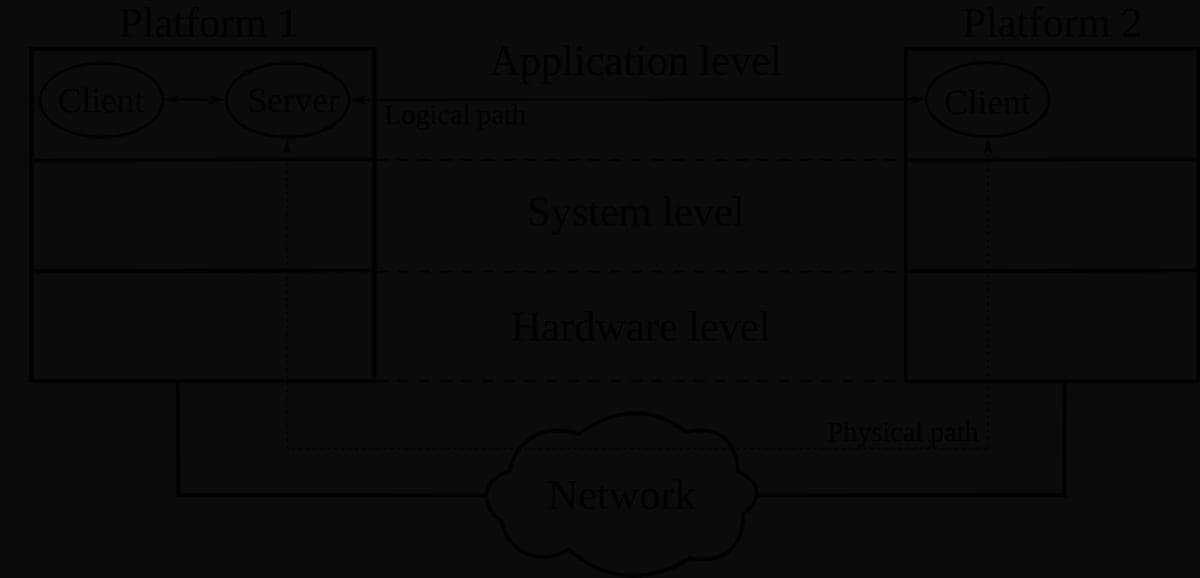
MCP is a client-server protocol. Claude Code is the client; each server exposes some combination of tools it can call, resources it can read, and prompts it can offer as slash commands. The protocol is open and not specific to Anthropic, which is why the same server can serve several different clients.
The practical trigger for adding one is simple: if you find yourself copying data into the session from another system — a ticket, a log, a schema — that system deserves a server. If you are not copying anything, you probably do not need it, and the documentation is explicit that a plain command line tool is often more context-efficient than an MCP server for the same job.
The scope you pick decides which projects a server loads in and whether your team gets it too. Choosing badly is how a personal experiment ends up in everyone's session, or how a team server has to be re-added by every new joiner.
| Scope | Loads in | Shared with the team | Stored in |
|---|---|---|---|
| Local (the default) | Only the project you added it from | No | Your home configuration, under that project's path |
| Project | Only that project | Yes, through version control | A committed .mcp.json in the project root |
| User | Every project you open | No | Your home configuration |
My rule of thumb: user scope for things that are about me — my notes, my calendar, my cloud account. Project scope for things that are about the codebase and that a colleague would need on day one. Local scope for anything experimental or holding a credential I have no intention of sharing.
Servers come in several transports: a local process over stdio, a remote HTTP endpoint, an SSE endpoint, and WebSocket for servers that push events. The command line covers all of the common ones, and the JSON form accepts streamable-http as an alias for http so configurations copied from a vendor's docs work unmodified.
# Remote HTTP server, shared with the team via .mcp.json
claude mcp add --transport http --scope project sentry https://mcp.sentry.dev/mcp

# Local stdio server: everything after -- is passed to the server untouched
claude mcp add --env DB_URL=postgres://localhost/dev --transport stdio db \
  -- npx -y @company/db-mcp --readonly

# Check what is configured and whether it actually connects
claude mcp list        # ✔ Connected / ! Needs authentication / ✘ Failed
claude mcp get sentry  # one server in detail
The verification step matters more than it looks. Adding a server only writes configuration; the status column tells you whether it connected, needs authentication, or failed. A server sitting at needs-authentication looks configured and does nothing, which is the most common form of I added it and Claude ignores it.
For stdio servers, remember that everything after the double dash is passed to the server untouched. That separator is what lets you pass the server its own flags without Claude Code trying to interpret them, and forgetting it produces confusing errors that look like the server is broken.
The obvious objection to connecting many servers is context. Historically every tool definition loaded into the window at session start, so a handful of chatty servers could consume a serious fraction of it before you typed anything. Tool search changes that.
This is worth internalising because it inverts old advice. Adding a well-described server is now cheap; adding a server with vague instructions and forty near-identical tools is what costs you, because Claude cannot tell when to use it.
A project-scoped server is configuration that arrives with a repository, which means cloning a repository must not silently grant it the ability to run processes on your machine. Claude Code handles this with workspace trust: until you have trusted a folder, approvals committed inside that repository are ignored and its servers stay pending rather than connecting.
The deeper risk is content, not configuration. Any server that fetches external material — a web page, an issue comment, a customer email — can carry instructions aimed at the model rather than at you. The official guidance is blunt about verifying that you trust a server before connecting it, and that guidance is about the data it returns as much as the code it runs.
Treat an MCP server's output as untrusted input, exactly like user input in a web application. The dangerous combination is a session that can read external content, access private data and make outbound requests at the same time; if a task needs all three, it deserves a separate, narrower session rather than your everyday one.
Four decisions cover most of what a team needs to agree about MCP before it spreads.
That last step is the one people skip, and it is the one that keeps the whole thing sustainable. A tidy set of four well-chosen servers is more useful than fifteen that nobody trusts.
MCP is not free, and three situations are usually better served another way.
MCP turns an agent that reasons about your code into one that can also see your systems, and Claude Code's implementation has taken most of the context cost out of that. What it cannot take away is the judgement call: which servers earn a place in a shared configuration, which credentials they hold, and how much you trust the content they return.