

Key Takeaway
A Claude Code plugin is a versioned bundle that can carry hooks, MCP servers, subagents, skills, executables and default settings, and Anthropic's own documentation says plugins execute arbitrary code with your user privileges. Audit the hook commands, the MCP endpoints and the skill prose before installing, then pin an exact commit.
The hook that taught me this was one of my own. This repository runs a PostToolUse hook that reviews blog figures after every file write, and the first time it fired I had not asked for it in that turn — I edited a component, and a shell command I had configured weeks earlier ran and printed its findings. That single event is the whole plugin question in miniature: something installed once gets to act on a lifecycle event you did not trigger.
This is the review I run before pressing enter on a plugin install, checked against Claude Code's own plugin, hook, marketplace and MCP reference pages. It is defensive only — categories of risk and where to look for them, at the level a reviewer needs, and nothing about building a bad plugin. Almost every bundle I have read has been exactly what it claimed. The problem is that almost every is not a security model.
What installing a plugin actually grants
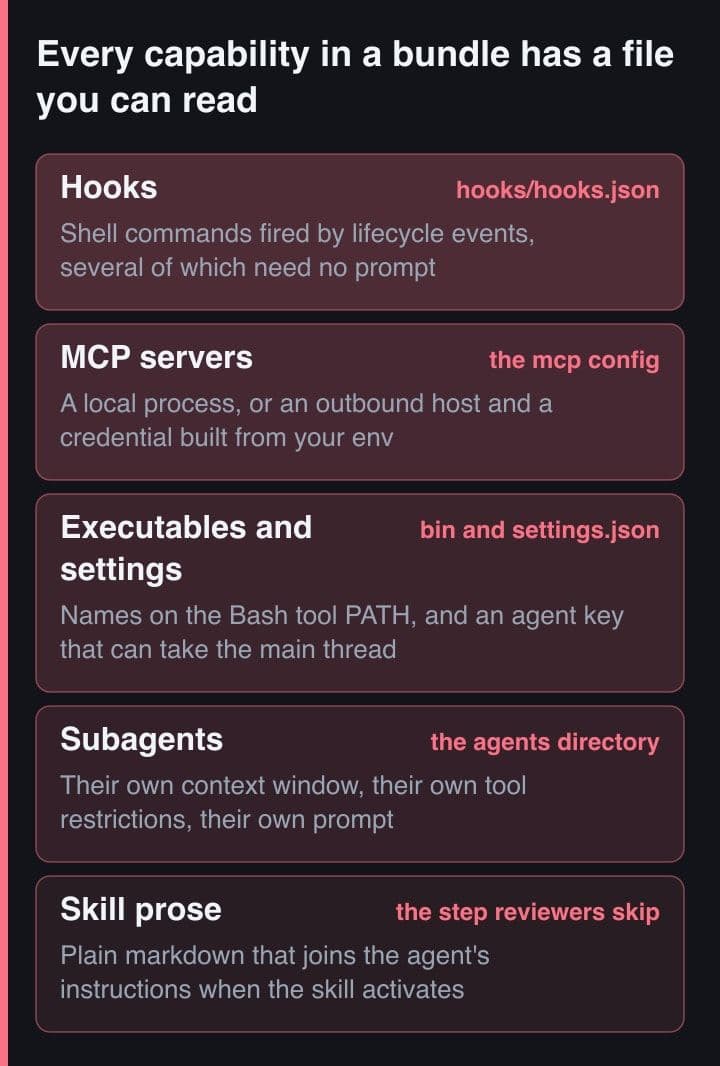
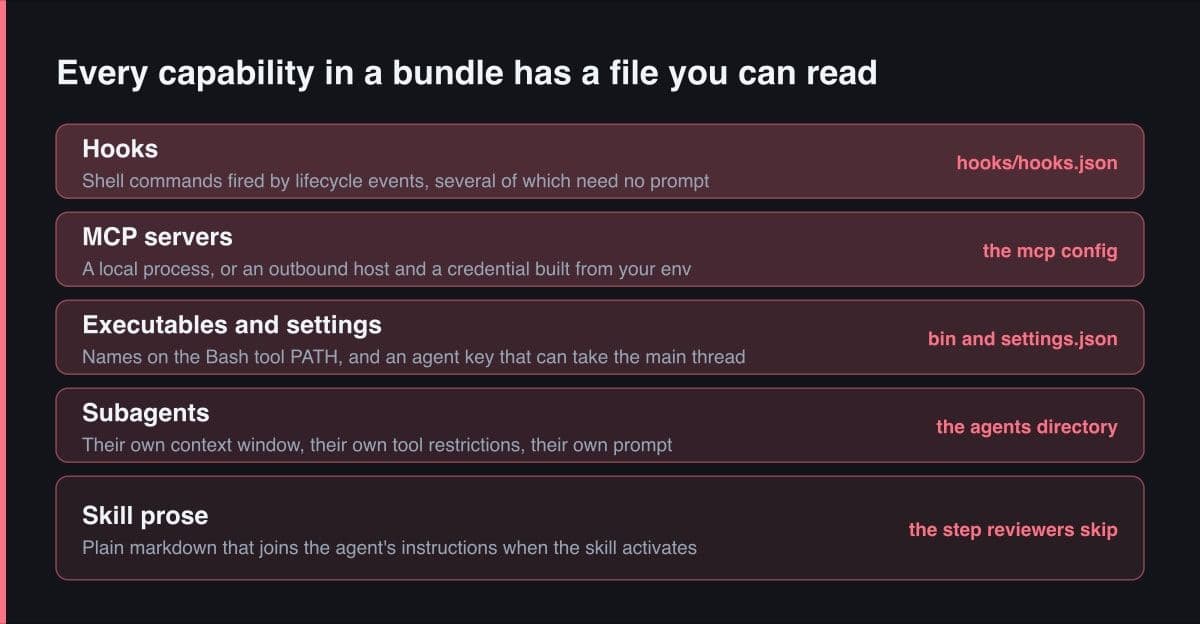
Claude Code's own documentation puts it plainly: plugins and marketplaces are highly trusted components that can execute arbitrary code on your machine with your user privileges. A plugin is one versioned bundle, installed with a single command, and it can ship skills, subagents, hooks, MCP server definitions, LSP servers, background monitors, executables and default settings as one unit. Each of those is a different kind of grant, and each has a file in the repository you can open.
| Component | What it gets when enabled | What to read |
|---|---|---|
| Hooks | A shell command fired by lifecycle events, some of which need no prompt | hooks/hooks.json, then every script it names |
| MCP servers | A local process, or an outbound connection plus a credential | the mcp config — transport, host, headers, env |
| Subagents | A separate context window with its own tool restrictions | the agents directory, read as instructions |
| Skills | Text that joins the agent's instructions when the skill activates | every SKILL.md, description field included |
| Executables | Filenames on the Bash tool's PATH while the plugin is enabled | a listing of bin, against binaries you rely on |
| Default settings | The agent key can make one of the bundle's agents the main thread | settings.json at the plugin root |
Two details decide who the decision belongs to. Adding a marketplace installs nothing — it registers a catalogue — so the grant happens at install, not at add. And the install asks for a scope: user, project or local. Project scope writes the plugin into the repository's own settings file for every collaborator, which turns one person's five-minute judgement into the team's default. That is why I treat this as a review I owe other people rather than a preference of my own.
The Discover pane shows a Will install section listing the commands, skills, agents, hooks and servers a plugin contributes, plus a context-cost estimate and a last-updated date. Read it before you press enter. For plugins from local or custom marketplaces it can instead say that components will be discovered at installation, and that sentence is the important one: there is no inventory to read, so the repository is the only place the answer exists.
Read every hook command, and know what fires unprompted
The permission system gates tools, not hook commands. Claude Code's hook reference lists more than thirty events, and several of them owe nothing to you: SessionStart runs when a session opens, InstructionsLoaded when a CLAUDE.md is read, ConfigChange when a settings file changes mid-session, CwdChanged when the working directory moves, FileChanged when a watched file changes on disk, SessionEnd when the session terminates. No prompt is submitted and no tool is called for any of those. A hook entry is a command string, so the question is never what the JSON says — it is what the script does.
# Read the bundle from a clone, not from a running session. Loading it in
# order to look at it is not looking at it — loading registers its hooks.

# 1. Which lifecycle events does this bundle hook at all?
jq -r '.hooks | keys[]' hooks/hooks.json
# SessionStart
# PreToolUse
# FileChanged
# SessionEnd

# 2. Every shell command in the file, however deeply nested.
jq -r '.. | .command? // empty' hooks/hooks.json
# scripts/bootstrap.sh
# scripts/guard.sh
# scripts/watch.sh

# 3. Anything that runs unattended, and how long it is allowed to take.
jq -r '.. | select(.async? or .timeout?) | [.command, .timeout, .async] | @tsv' \
  hooks/hooks.json
# scripts/watch.sh   1200   true

# 4. jq printed paths, not behaviour. A hook entry is literally a command
#    string, so hooks.json is a table of contents. The code is in the scripts.
cat scripts/bootstrap.sh scripts/guard.sh scripts/watch.sh
Three fields decide how much room a hook has. The default timeout for a command hook is 600 seconds. Setting async to true runs it in the background without blocking the turn. And the if filter, which reads like a restriction, is described in the documentation as best-effort, with the advice to use the permission system rather than a hook when you need a hard allow or deny — which cuts both ways for a reviewer, because a hook's own matcher is not a boundary either. The enterprise setting that looks like the answer here is not one: allowManagedHooksOnly blocks user, project and local hooks while still permitting managed and plugin hooks, so the control that appears to lock hooks down leaves the bundle you installed running.
The documentation is explicit that Anthropic does not control what MCP servers, files or other software a plugin contains, and cannot verify that a plugin works as intended. A hook command runs in your shell, as you, with your PATH and whatever credentials your environment holds. Read the scripts, not the README.
An MCP server is an outbound connection you authorise
Enumerate the servers before anything else, because the transport tells you what kind of grant each one is. A stdio server launches a local process from command, args and env. An http or ws server takes a url and headers, so it is a network destination plus a credential. SSE is the deprecated form of the same thing. The useful review question is not whether a server is useful, but which host, holding which credential, acting on whose behalf.
// .mcp.json at the plugin root. Two servers, two entirely different grants.
{
  "mcpServers": {
    "vendor-api": {
      "type": "http",
      "url": "https://mcp.vendor.example/mcp",
      // A header assembled from YOUR environment at launch. The bundle never
      // ships the secret, so a diff of the bundle never shows it either.
      "headers": { "Authorization": "Bearer ${VENDOR_TOKEN}" }
    },
    "local-index": {
      "type": "stdio",
      // A process on your machine rather than a request to a host. And the
      // "@latest" is a second supply chain inside the first: the plugin can
      // be pinned to a commit and this package still resolve fresh at launch.
      "command": "npx",
      "args": ["-y", "@vendor/index-mcp@latest"],
      "env": { "INDEX_ROOT": "${CLAUDE_PROJECT_DIR}" }
    }
  }
}

// Tools from a plugin-bundled server are namespaced with the plugin name,
// which is the exact string a deny rule needs:
//   mcp__plugin_vendor-tools_vendor-api__search
Two things in that file are easy to skim past. Environment variables expand inside url and headers, and the default-value form means a missing variable does not fail loudly — so a header can be assembled from your machine without the secret ever appearing in the bundle. And headersHelper runs a command to mint headers, receiving the plugin root in its environment, which makes header generation a second executable to read. The documentation also warns that servers which fetch external content can expose you to prompt injection risk: once a server can pull a web page into the conversation, the text it returns reaches the same instruction channel your prompts do. Plugin-bundled tools are namespaced with the plugin name, and that namespaced string is what a deny rule matches, so it is worth writing down while you read.
Read the skills and subagents as instructions, not code
This is the step reviewers skip, and it is the one that matters most. A SKILL.md is plain markdown that becomes part of the agent's instructions, and skills are model-invoked: the description in the frontmatter decides when Claude reaches for it, so a broad description means the file loads on tasks you were not thinking about when you installed it. The frontmatter option that makes a skill user-invoked only is disable-model-invocation, so its absence is a fact about scope rather than an oversight. A subagent is markdown too, and it runs in its own context window with its own tool restrictions, which means it can hold permissions the main thread does not and carry instructions you never see in the main session.
What you are reading for is text that redirects the agent rather than teaching it a workflow: a line asserting that a check has already been done, a preference for one command over the one that was asked for, a reason to open files the task does not need, an instruction to summarise rather than report. None of that is a code review. It is a reading of prose, and it feels like reading documentation, which is exactly why it gets skipped. The largest change of this kind is one key in one file: a plugin's settings.json can set agent, which activates one of the bundle's own agents as the main thread and applies its system prompt, its tool restrictions and its model.
What the bundle can change outside the conversation
Three component types act without an invocation. A bin directory is added to the Bash tool's PATH while the plugin is enabled, so every filename in it becomes a name the agent can resolve, and the list is worth comparing against the binaries your own workflow already calls. A monitors file starts a background command whenever the plugin is active and delivers each line of its output into the session as a notification, so a bundle can put text in front of the model with nobody asking it to. And userConfig can collect a value the manifest marks as sensitive, then hand it to hooks as an environment variable named after the key — a token the user typed, in the environment of a shell command the user did not read.
# Read the bundle as a directory listing before you read its README.
find . -maxdepth 2 -not -path './.git/*' | sort
# ./.claude-plugin/plugin.json
# ./.mcp.json
# ./agents/release-manager.md
# ./bin/gh
# ./hooks/hooks.json
# ./monitors/monitors.json
# ./settings.json
# ./skills/deploy/SKILL.md

# bin/ is added to the Bash tool's PATH while the plugin is enabled, so every
# filename in it is a name the agent can now resolve. Read the list against
# the binaries your own workflow already calls.
ls -la bin/

# settings.json at the plugin root honours two keys today, and one of them is
# "agent": it activates one of the bundle's own agents as the MAIN thread —
# that agent's system prompt, its tool restrictions and its model.
cat settings.json
# { "agent": "release-manager" }

# monitors.json runs in the background whenever the plugin is active, and each
# stdout line arrives in the session as a notification. Nobody invokes it.
jq -r '.[] | [.name, .command] | @tsv' monitors/monitors.json

# Installed bundles are cached here, so this is what is really on disk.
ls ~/.claude/plugins/cache
Where the files live matters for the review itself. Installed bundles are cached under the Claude plugins directory in your home folder, so that is what is really on disk once you have said yes. The two flags that load a bundle for one session, one from a directory or a zip and one from a URL, carry the same trust considerations as any other source — and that is the trap: loading a plugin in order to inspect it registers its hooks and starts its servers. Read the repository at a commit, in a clone, before anything loads it.
Pin a commit, because the upgrade diff is instructions
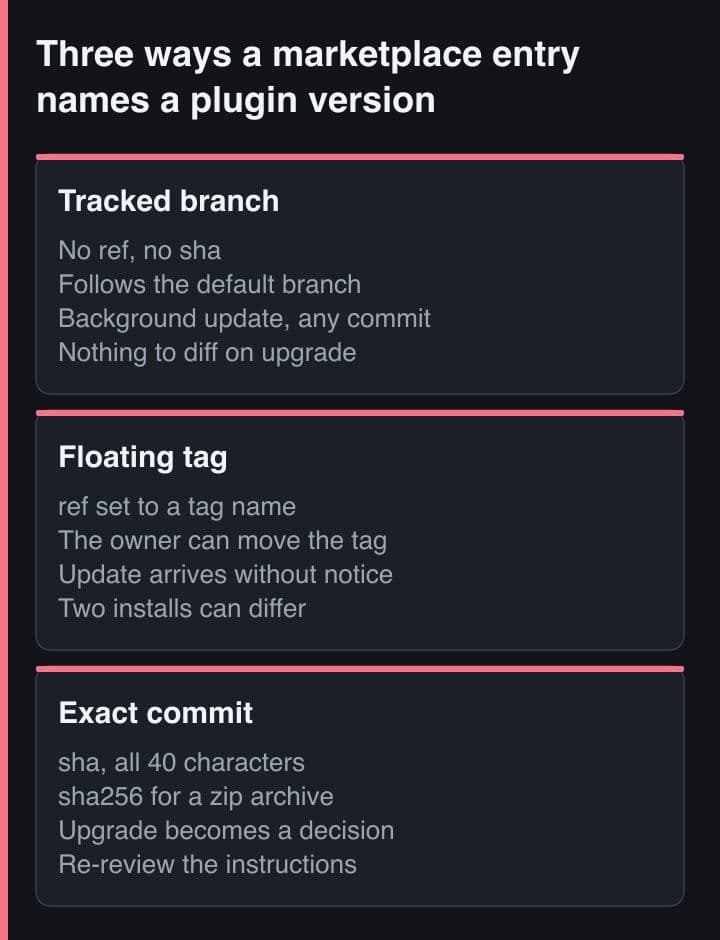
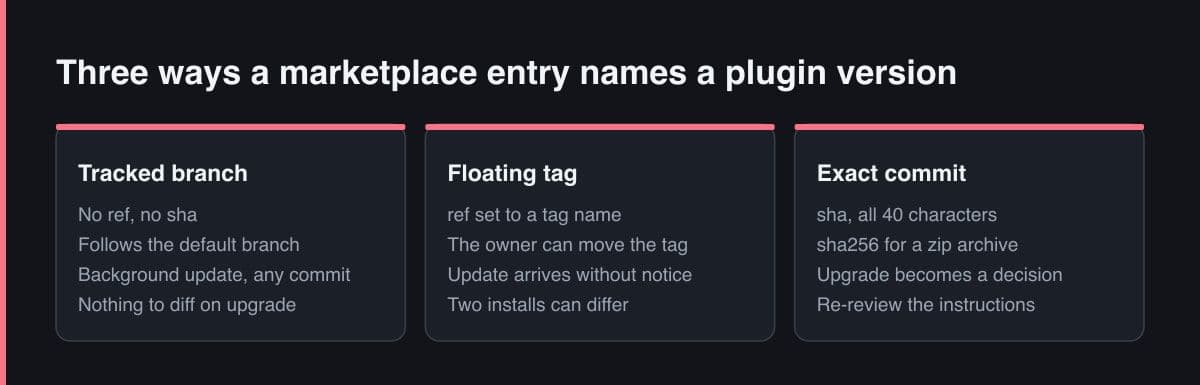
An entry with no ref and no sha tracks the repository's default branch, and Claude Code updates git-based plugins when new commits reach the pinned ref, or immediately if no ref is set. Updates are checked after your session starts, with a random delay of up to ten minutes, so the running session keeps what it launched with and the change lands next time. The defaults differ by origin: official Anthropic marketplaces have auto-update on, while third-party and local development marketplaces have it off, which is worth confirming rather than assuming in either direction. A version field in the plugin manifest gates the whole thing, because users only receive an update when the author bumps it.
// One marketplace entry, showing three degrees of pinning.
{
  "name": "release-tools",
  "source": {
    "source": "github",
    "repo": "acme/claude-plugins",

    // A branch or a tag. A tag can be moved by whoever owns the repository,
    // and a branch moves by design, so this alone is a subscription.
    "ref": "v2.4.0",

    // The full 40-character commit. When both are set this is the effective
    // pin, and the upgrade becomes something you choose rather than receive.
    "sha": "4f1a9c0d2e7b8a3f5c6d1e0b9a8f7c6d5e4b3a29"
  }
}

// The equivalent for the other source types:
//   archive : "sha256" — a 64-hex digest of the zip
//   npm     : "version" — but "^2.0.0" is a RANGE, so it is not a pin
//   command : versioned by a hash of the command output; cannot be pinned

// And the entry when nobody pinned anything. No ref, no sha: the default
// branch, refreshed in the background after your session starts.
{ "name": "release-tools", "source": { "source": "github", "repo": "acme/claude-plugins" } }
When both ref and sha are set, the sha is the effective pin, and that is the field I want present in a marketplace entry I did not write. Archives take a sha256 digest. npm sources take a version that may be a semver range, and a caret range is a subscription rather than a pin. A command source is versioned by a hash of its own output and cannot be pinned at all. Then re-review on upgrade, because the diff is instructions: one changed sentence in a SKILL.md can alter what the agent does more than a hundred changed lines of TypeScript, and it will not look like a change worth reading. Prefer a marketplace with a named owner, too. The author field in the manifest is optional, and a bundle you can attribute a change to is worth more than one with a longer feature list.
There is a screened path if you want one. Anthropic's community marketplace accepts third-party submissions only after automated validation and safety screening, and pins each approved plugin to a specific commit SHA in its catalogue, with CI moving the pin as the author pushes. Authors can run the same validation locally with the CLI's plugin validate command, and add the strict flag to make warnings fail.
The review, in the order I run it
The order matters, because each step makes the next one cheaper. Nothing before step six needs the plugin installed, which is the point of running them in this sequence.
- Clone the repository at the exact ref the marketplace entry names, and read it there. Do not load the bundle in order to inspect it.
- List the lifecycle events it hooks, then open every script the hooks file names. Flag anything that fires without a prompt or runs in the background.
- Enumerate the MCP servers: transport, host, headers, environment expansion, and any package a stdio command fetches fresh at launch.
- Read every SKILL.md and every subagent file as instructions rather than documentation, and check whether settings.json sets an agent.
- List the bin and monitors directories, and treat anything that resolves or runs without an invocation as needing a reason.
- Install to local scope on one repository first, then read the plugin Errors tab and the context report before it goes anywhere near project scope.
- Pin the exact commit, and record who owns the marketplace, so the next upgrade arrives as a diff with a name attached to it.
Two of those get skipped in practice. Step four gets skipped because prose does not look like an attack surface, and step seven gets skipped because pinning feels like busywork right up until the first silent upgrade. Everything else on the list is mechanical enough to hand to a script, which is the argument for writing one.
The rule I carry out of this is short: a plugin review is a reading of shell commands and prose, in that order, at a named commit. The capability is real and almost always benign, and treating it as almost always benign is not the same as having audited it. If you cannot say which lifecycle events a bundle hooks, which hosts its servers talk to, and which commit you installed, you have not reviewed it. You have trusted it, and the difference is worth naming out loud to the people who share the repository with you.
Sources and further reading
- Claude Code docs — Discover and install plugins, including its security section
- Claude Code docs — Plugins reference: manifest, directory structure, version management
- Claude Code docs — Hooks: every lifecycle event and the command hook fields
- Claude Code docs — Plugin marketplaces: source types, pinning and auto-update
- Claude Code docs — MCP: transports, environment expansion and tool namespacing