

Key Takeaway
The Claude Code command claude plugin eval runs graded cases against a plugin and, by default, runs every case again with no plugin loaded at all. That second arm is what proves the plugin did anything. A plugin shipped without it fails silently: the skill installs, never activates, and nobody files a bug.
I shipped a plugin to three teammates and heard nothing for two weeks. No bug report, no question, no complaint. When I finally asked, all three had it installed and enabled, and none of them had ever seen it do anything at all. The skill inside it had never once activated.
A plugin is a dependency other people install, which is why it needs a test suite rather than a demo. This post covers what an eval case looks like, how the no-plugin ablation arm reads, what the report and the exit codes buy you in CI, and the defect behind my silent two weeks. There is no public documentation page for claude plugin eval yet, so every flag and path below came off claude plugin eval --help on Claude Code 2.1.259, and I say so wherever a claim is not in the published docs.
What a green install actually proves
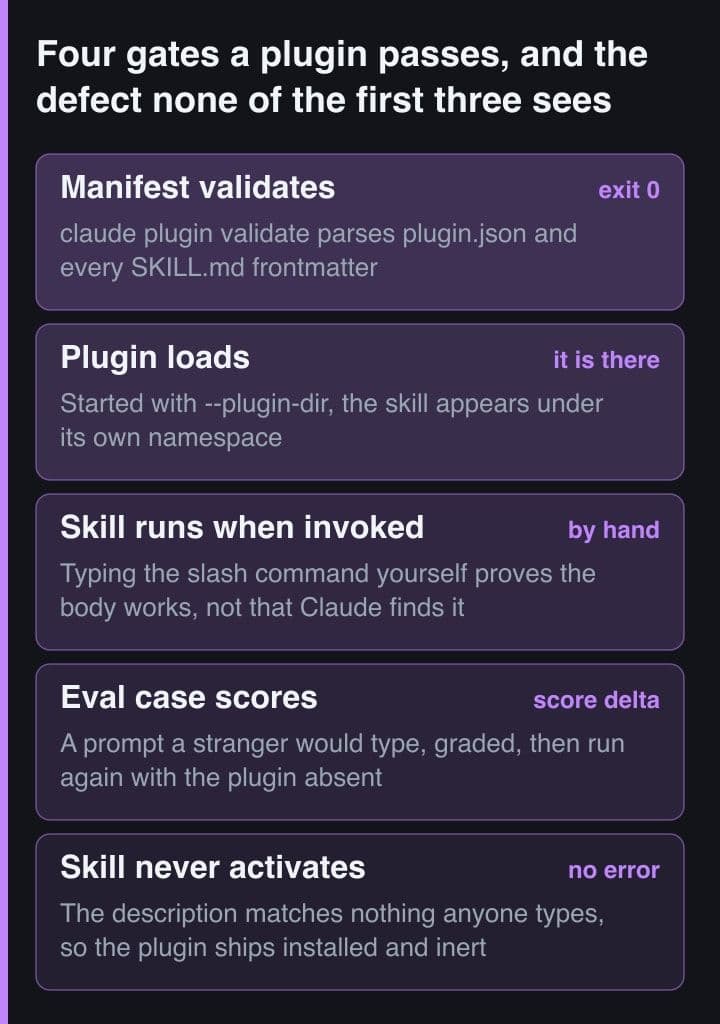
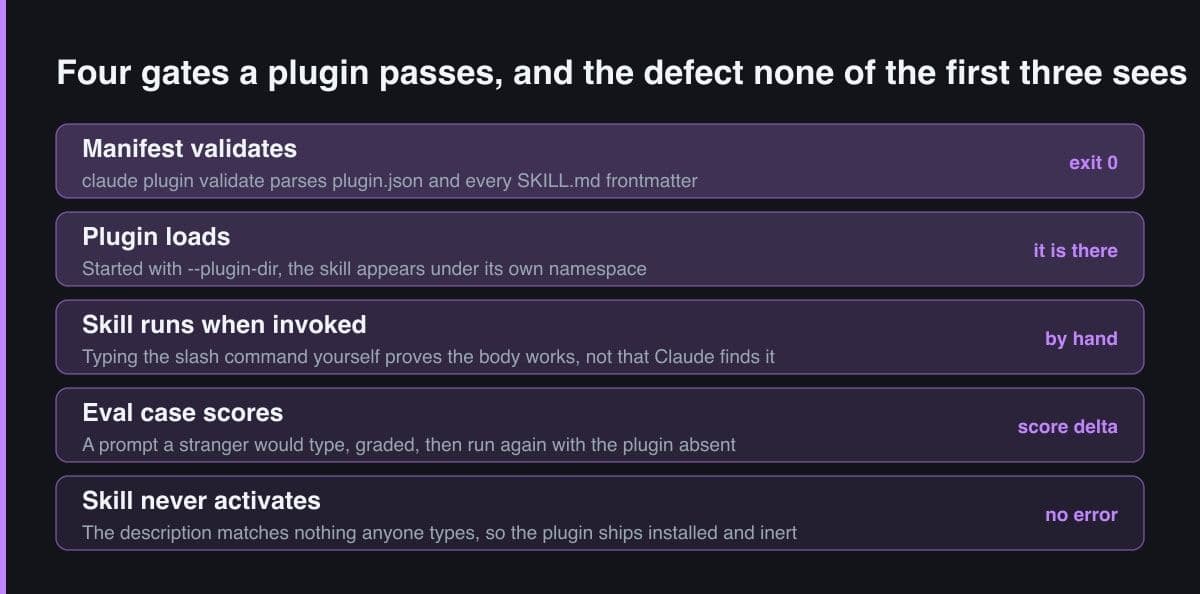
Every check I ran before shipping was a check on structure. The --plugin-dir flag loaded the directory, the skill appeared under its namespace in the help menu, typing the slash command by hand produced exactly the output I wanted, and claude plugin validate passed. All four of those are equally true of a plugin that nobody will ever trigger, which is the part I had not thought about.
# One skill. A description that resembles nothing a user would type.
$ cat receipt-tools/skills/format-receipt/SKILL.md
---
description: Format a thermal receipt
---
Format the receipt.

$ claude plugin validate ./receipt-tools
Validating plugin manifest: .../receipt-tools/.claude-plugin/plugin.json

⚠ Found 1 warning:

  ❯ author: No author information provided. Consider adding author details
    for plugin attribution

✔ Validation passed with warnings
$ echo $?
0

# --strict promotes that warning to a failure. Note what changed: the missing
# author field. Not one byte of the description was examined.
$ claude plugin validate ./receipt-tools --strict
✘ Validation failed (--strict treats warnings as errors)
$ echo $?
1
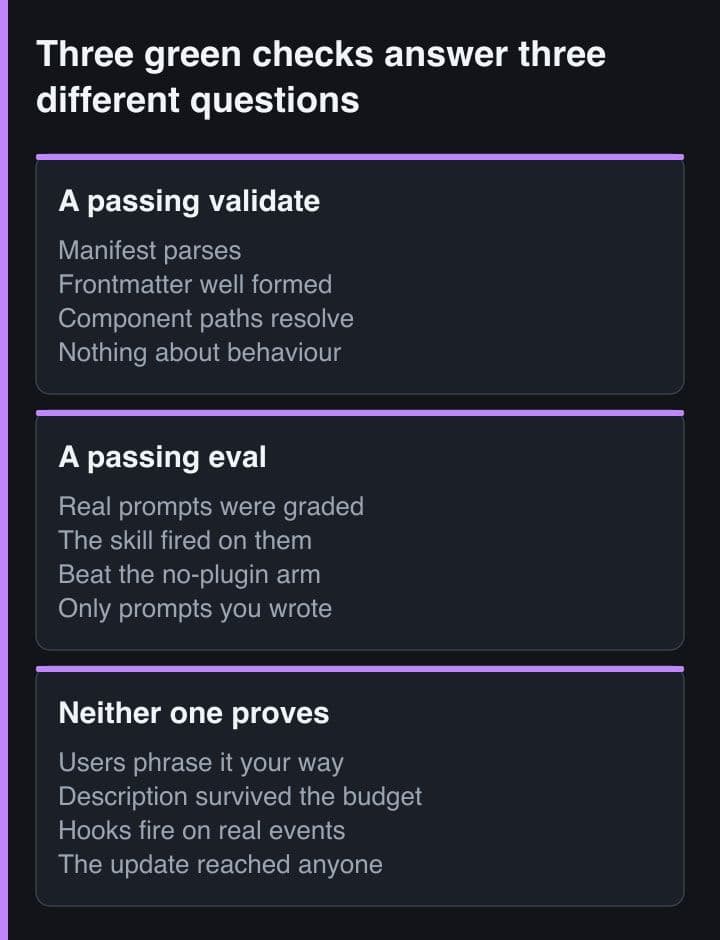
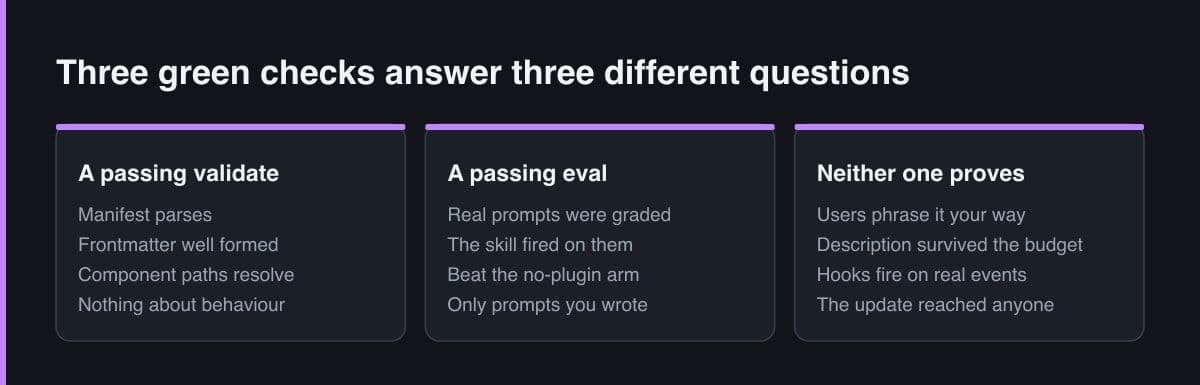
The skills documentation puts the gap in one sentence: seeing a skill trigger tells you Claude found it, not that it did what you intended. The inverse is the more expensive half, and it is the half no validator reaches. A description is a matching problem — it either resembles the sentences your users type or it does not — and parsing frontmatter cannot tell the difference between a description that matches real prompts and one that reads like a filename.
An eval case is a prompt and a set of graders
An eval suite is a directory of cases, and a case is one prompt plus the criteria for judging what came back. The harness reads them from an eval dir, evals/ by default, relocated with --eval-dir or by the plugin manifest. Each case directory holds either a case.yaml or the simpler pair the help text names for a blank template: a prompt.md whose body is the prompt, and a graders/ directory of markdown files whose frontmatter declares a type.
#   evals/                       the eval dir; --eval-dir moves it
#     58mm-receipt/
#       prompt.md                the prompt to test
#       graders/columns.md       what a good answer looks like
#     sprint-report/
#       prompt.md                a prompt this skill must NOT claim
#       graders/quiet.md

# evals/58mm-receipt/prompt.md — the body of the file IS the prompt.
Print this order as a receipt for the till. The paper is 58 mm.

# Wrong, and it is the usual first draft:
#   Use the format-receipt skill to print this order as a receipt.
# A prompt that names the skill cannot test whether Claude would have found
# the skill. It grades the body of a skill you already told it to load, which
# is the one thing that was never in doubt.

# evals/58mm-receipt/graders/columns.md
---
type: llm
weight: 1
---
No line of the receipt is wider than 32 characters, and the order total is
right-aligned on a line of its own.
Write the prompt as a sentence a user would actually send, and resist the urge to name your own skill in it. Naming it was my first draft for every case, and it is worse than having no test at all: a prompt reading use the format-receipt skill grades the body of a skill you have already told Claude to load. Keep one case your skill must stay quiet on as well, because a suite of only should-trigger prompts rewards a description that fires on everything.
The ablation arm is the part that tests activation
The default is two arms per case, not one. Whenever the target resolves to a plugin — by path, by name, or as a plugin and marketplace pair — the harness adds a no-plugin baseline arm and reports the score delta between the two. Passing --ablation none returns to single-arm scoring, but the delta is the number worth having, because it is the only one that separates a useful plugin from a model that would have coped anyway.
# Default when the target resolves to a plugin: every case runs twice.
$ claude plugin eval ./receipt-tools
#   arm 1  the case with the plugin loaded
#   arm 2  the same case with no plugin at all
# and the run reports the score delta between them.

# Single-arm scoring, if you only want the plugin's own number:
$ claude plugin eval ./receipt-tools --ablation none

# Under with-without a grader marked with-only becomes a plugin-fired
# INDICATOR, not part of the score — the baseline arm has no skill to fire,
# so scoring it would measure the ablation rather than the plugin.

# Three readings of one pair of numbers:
#   with 0.91, without 0.89   the model did it anyway — the skill is decoration
#   with 0.91, without 0.24   the plugin is doing the work
#   with 0.22, without 0.22   plus a cold indicator — the skill never fired
This is the same method the skills documentation prescribes by hand: collect realistic prompts, run each in a fresh session with the skill available and again with it disabled, then compare. Fresh sessions matter, because context left over from authoring a skill masks the gaps in the instructions you actually wrote. The harness does that per case and three times each by default, which is roughly as many manual repetitions as I would ever have the patience for.
Reading a failure: threshold, report, exit code
A run writes an aggregate result under the eval dir and a self-contained HTML report you can send somewhere else. For a gate, the two flags that matter are --threshold, which exits 1 when any case scores below the number you give it, and --max-cost-usd, which aborts with exit 2 and reports partial results rather than running up a bill. The default threshold is 1.0, stricter than any real suite survives, so pick a number you are genuinely willing to block a release on.
# Results land under the eval dir by default:
#   ./evals/results/<timestamp>/aggregate-result.json
# --report writes the self-contained HTML (scores, prompts, grader verdicts)
# somewhere you name instead, and --json prints or writes the full run result:
# prompts, graders and per-run scores.

$ claude plugin eval ./receipt-tools \
    --json    ./eval-run.json \
    --report  ./eval-report.html \
    --no-publish \
    --threshold 0.8 \
    --runs 5 \
    --case '58mm-*'

# The exit codes are the reason this can be a gate at all:
#   0   nothing scored below --threshold
#   1   at least one case scored below it (--threshold defaults to 1.0)
#   2   the --max-cost-usd ceiling was hit; partial results are reported

# --no-publish matters for an internal plugin: publishing the HTML report to
# claude.ai is already the default wherever the account supports it.| Grader type | What it asserts | What it cannot tell you |
|---|---|---|
| regex | The answer contains, does not contain, or contains exactly N times a pattern you supply | Whether the wording it matched was produced for the right reason |
| tool_order | One named tool was called before another in the run's trace | Whether either of those calls was necessary at all |
| tool_used | A named tool was called, and how many times it was called | What the tool was asked to do, or what it gave back |
| file_exists | The run left a file where the case said one would appear | Anything whatsoever about the contents of that file |
| llm | A model judged the answer against pass criteria you wrote in prose | Anything repeatable from a single run, which is why runs default to three |
| baseline | The answer was judged against a reference rather than against written criteria | Whether that reference is still the answer you want today |
Read a failing case by its grader type before you read its score, because the six types fail for different reasons and only two of them cost money. The help text is explicit that llm and baseline are the paid graders: when the cost ceiling breaks mid-run those two are skipped and the free graders still score the run. Design around that asymmetry. Put the cheap mechanical assertions on the behaviour you care about most, and save the prose criteria for what only a model can judge.
Run a new suite once with --ablation none before you trust any delta. A case that scores badly in both arms is usually a broken case rather than a broken plugin, and the single-arm number tells you which without making you read two columns of grader verdicts.
What the harness refuses to do for you
The pleasant surprise was how little the eval harness trusts a case file. Bash, Write, Edit, WebFetch and any MCP tool are gated behind an explicit operator grant on the command line, and the grant takes patterns rather than whole tools. A case may also carry a scaffold script to build its fixture, and that script runs as you, so it does not run at all unless you pass --scaffold. The help text says the quiet part out loud: only use it on case files you authored.
# The agent under test does not get your shell. Bash, Write, Edit, WebFetch
# and mcp__* are gated behind an operator grant, and it takes patterns:
$ claude plugin eval ./receipt-tools \
    --allow-tools Read Glob Grep \
    --allow-tools 'Bash(printf:*)'

# A case may carry a scaffold_script. It runs as YOU, so it is off unless you
# ask, and the help says exactly when to ask: only on cases you authored.
$ claude plugin eval ./receipt-tools --scaffold

# MCP servers get stand-ins by default, read from the eval dir's mocks/.
# Turning that off spawns the real ones, still gated by --allow-tools:
$ claude plugin eval ./receipt-tools --mocks off --allow-tools 'mcp__jira__*'

# When a run behaves strangely, keep the scaffold directories and read them:
$ claude plugin eval ./receipt-tools --keep-temp
MCP servers get stand-ins by default, read from a mocks directory inside the eval dir, which is the difference between a suite you can run every release and a suite that files a real ticket each time. Turning the mocks off spawns the real servers and is still gated by --allow-tools, so there are two locks between a case file and your production Jira. When a run does something you cannot explain, --keep-temp preserves the scaffold directories so you can read what the case really did.
An eval run is not free and the defaults multiply. Each case runs three times unless you override it, both ablation arms run for each of those, and every llm or baseline grader is a model call on top. Set --max-cost-usd on the first run of a new suite rather than after the invoice: the ceiling aborts with exit 2 and still reports the partial results.
Wiring it into CI as a release gate
Split the gate in two, because the halves have very different costs. The validate command is free, non-interactive and fast, so it belongs on every push. I measured it exiting 0 on a warning and 1 under --strict, which makes --strict the version worth putting in a job. The graded suite makes model calls, so it gates the release tag instead, and claude plugin tag gives you a tag shape to match on: it writes a name and version tag only once plugin.json and the enclosing marketplace entry agree.
# .github/workflows/plugin-release.yml
name: plugin-release
on:
  push:
    branches: [main]
    tags: ['*--v*']          # the shape claude plugin tag creates
jobs:
  # Free, so it runs on every push. Catches a manifest or frontmatter defect
  # in seconds and never makes a model call.
  structure:
    runs-on: ubuntu-latest
    steps:
      - uses: actions/checkout@v4
      - run: npm install -g @anthropic-ai/claude-code
      - run: claude plugin validate ./plugins/receipt-tools --strict

  # Not free: each case runs three times by default and the LLM graders are
  # model calls. So it gates the release tag, not the branch.
  evals:
    needs: structure
    if: startsWith(github.ref, 'refs/tags/')
    runs-on: ubuntu-latest
    env:
      ANTHROPIC_API_KEY: ''   # from repository secrets
    steps:
      - uses: actions/checkout@v4
      - run: npm install -g @anthropic-ai/claude-code
      - run: |
          claude plugin eval ./plugins/receipt-tools \
            --report ./eval-report.html \
            --json   ./eval-run.json \
            --no-publish \
            --threshold 0.8 \
            --max-cost-usd 5
      - uses: actions/upload-artifact@v4
        if: always()          # the report is most wanted when the job failed
        with:
          name: eval-report
          path: eval-report.html
One honest caveat about that workflow. The eval command is in early access. On my account it exists, parses its flags and then exits 1 with the message that plugin eval is currently in early access, so the job above is a gate whose structure I have written and checked rather than one I have watched turn green. The validate half runs today on any install from v2.1.233, the version that taught it to check the frontmatter of a bare skills directory.
The defect that ships when you skip it
My silent two weeks had a single cause: a description written for me rather than for the people who would install it. It said what the skill was, in the vocabulary of the skill, and my teammates typed the vocabulary of their problem. Neither side was wrong and nothing errored, which is precisely why it survived a fortnight. Anthropic's own tooling treats this as the primary skill defect. The skill-creator plugin generates should-trigger and should-not-trigger prompts, measures the hit rate and proposes description edits, and Anthropic reports that applying it to six public document-creation skills improved triggering on five of them.
# A should-not-trigger case has no positive grader in it at all.
# evals/sprint-report/prompt.md
Print the sprint report as a PDF for the standup.

# evals/sprint-report/graders/quiet.md
---
type: llm
weight: 1
---
The answer does not format a thermal receipt and does not discuss column
widths or paper width.

# Neither case can see the failure upstream of both of them, so read that
# one out of the session instead of out of a report:
#   /context   the Skills row, sized AFTER the listing budget is applied
#   /doctor    what the listing costs, and its biggest contributors
There is a second-order version of the same failure that no eval case on your machine can catch, because it happens before the model ever reads your description. Claude Code fits skill names and descriptions into a listing budgeted at one per cent of the model's context window, and on overflow it drops descriptions starting with the skills you invoke least. Your plugin is, by definition, the one a new user invokes least — so on a busy machine it can end up listed by name alone, with every keyword that would have matched a prompt stripped out. Four checks now stand between a plugin of mine and a release.
- Write two cases per skill before you write a third feature: one prompt the skill must claim, phrased in a stranger's wording rather than yours, and one closely related prompt it must stay quiet on.
- Run the suite with the ablation arm on and read the delta rather than the score. A case that passes in both arms says the skill is not load-bearing; a case that fails in both says the case is wrong.
- Check the activation indicator, not only the number. A cold with-only grader on the Skill tool means the plugin never fired, which is a different bug from firing and then answering badly.
- Open the context report on a machine that already has many other skills installed, read the Skills row, and put the key use case first in your description so the truncation cap takes the least useful words rather than your keywords.
The rule I took away is short: a plugin is a dependency, and a dependency that fails silently is worse than one that crashes. Test activation before behaviour, keep one should-not-trigger case per skill, gate the free structural check on every push and the graded suite on the release tag, and read the delta rather than the score. An untested plugin does not fail loudly. It sits there, installed and inert, and everyone assumes it is working.
Sources and further reading
- Claude Code documentation — Agent Skills, including evaluating and iterating on a skill
- Claude Code documentation — Create plugins, including local testing and validation
- Claude Code documentation — Plugins reference, including the debugging and development tools
- skill-creator plugin — anthropics/claude-plugins-official on GitHub
- Anthropic — Improving skill-creator: test, measure and refine agent skills