

Key Takeaway
A Claude Code plugin upgrade rarely breaks a build; it changes how the agent behaves. Pin the exact version, gate every upgrade on an eval run and a claude plugin details diff, and keep a changelog of behavioural effects, because there is no downgrade command to fall back on.
The week a plugin upgrade lands is the week nobody blames the plugin. Auto-update fires in the background a few minutes after each session starts, the version on disk moves, nothing errors, and the only signal anyone sees is a prompt to run reload-plugins. Three days later the complaint is that the agent feels worse this week, not that anything is broken.
This post is about the failure mode that belongs to shipping instructions as a dependency, and how to make it survivable: why pinning an exact version is the default rather than paranoia, how to tell that a marketplace moved a tag under you, how to turn behaviour changed into a number, and how to roll a plugin back when the CLI has no downgrade command. Every command here was checked against Claude Code 2.1.259 and the plugin docs.
An upgrade with no error message
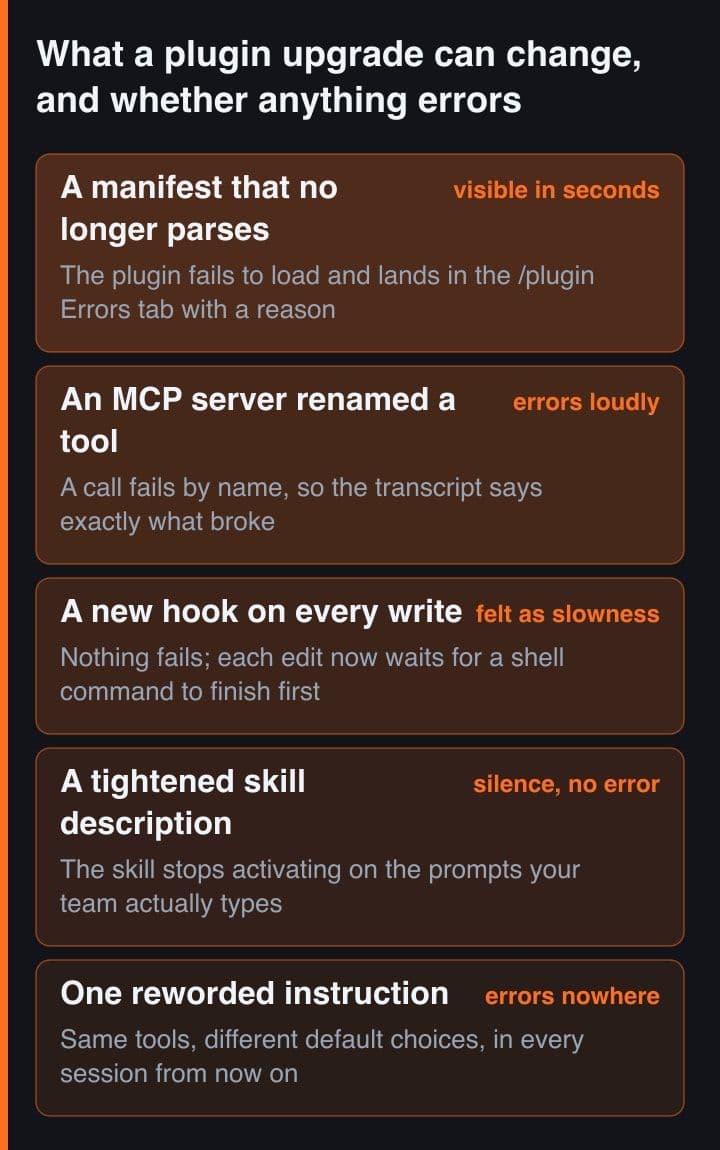
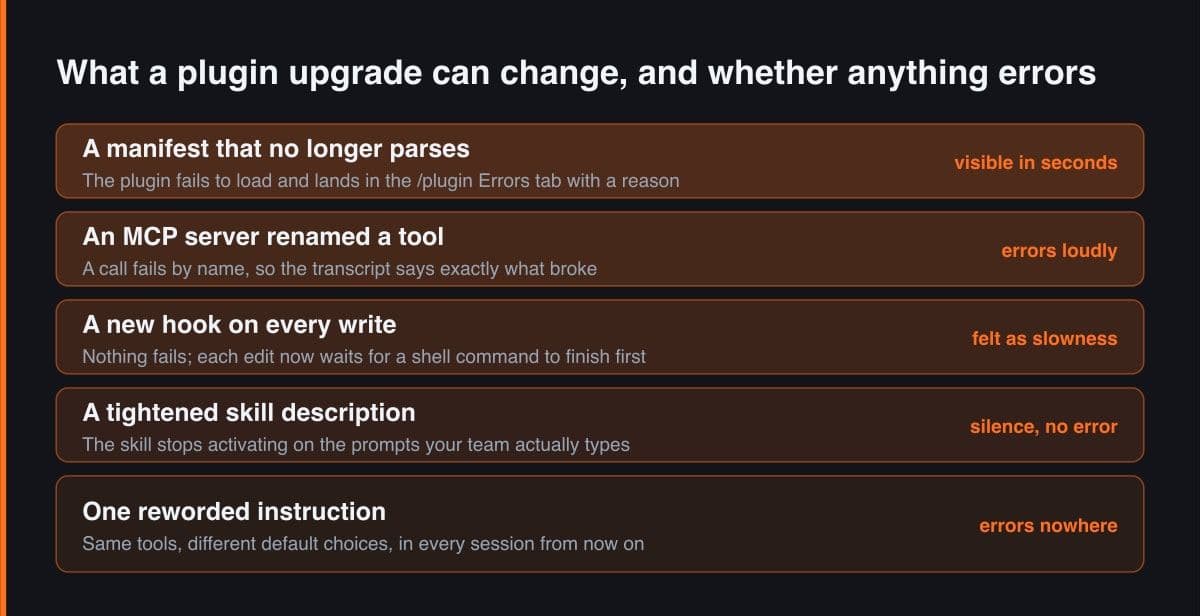
A plugin is a versioned bundle of skills, subagents, hooks, MCP server definitions and instructions, which means its payload is behaviour rather than code your build compiles. When a library upgrade breaks, something throws and the stack trace names the library. When a plugin upgrade breaks, the agent keeps working and quietly works differently, so the report arrives as a mood rather than a bug.
| What the team says | What actually changed | Where it was visible |
|---|---|---|
| It stopped using our migration checklist | A skill description was tightened and no longer matches how people phrase the request | Nowhere. The skill simply never fires |
| Every edit feels slow today | A new PostToolUse hook runs a formatter over the file on every write | Wall-clock time per turn, and the debug log |
| It keeps picking the wrong test runner | One sentence in an instruction file was reworded, so a different default won | The transcript, but only if you already suspect the plugin |
| A tool call failed by name | An MCP server in the bundle renamed one of its tools | The transcript, immediately. This is the easy one |
Two mechanics make the attribution hard. Claude Code checks for marketplace and plugin updates after your session starts, with a random delay of up to ten minutes, so the version you launched on is not necessarily the version you finish on, and the notification you get is an invitation to reload rather than a summary of what changed. And a plugin that updates mid-session leaves hooks, monitors, MCP servers and LSP servers pointing at the previous version's path until you reload, so for part of that afternoon half the plugin is old and half is new.
The default is not a version
Claude Code uses the plugin's version as the cache key that decides whether an update exists, and for every source type except command it resolves that version from the first of five sources that is set: the version field in plugin.json, then the version in the marketplace entry, then the git commit SHA of the source for github, url, git-subdir and relative-path sources, then the SHA-256 digest of an archive source shortened to twelve characters, and finally unknown for an npm source or a local directory outside a git repository.
# The version IS the cache key. Claude Code computes it, compares it with what
# is installed, and skips the update when they match. For every source type
# except command, it takes the FIRST of these that is set:
#   1  the version field in the plugin's plugin.json
#   2  the version field in its entry in marketplace.json
#   3  the git commit SHA of the source (github, url, git-subdir, ./relative)
#   4  the SHA-256 digest of an archive source, first 12 characters
#   5  unknown, for an npm source or a local dir outside a git repo
# Rung 3 is the trap: no declared version does not mean no updates. It means
# every commit on the ref you track is a release to you.

$ claude plugin list --json | jq '.[] | {id, version, installedAt, lastUpdated}'
{
  "id": "review-toolkit@acme-tools",
  "version": "2.4.0",
  "installedAt": "2026-06-29T13:02:26.195Z",
  "lastUpdated": "2026-09-01T07:28:31.657Z"
}

# lastUpdated is the field nobody reads. In a week where nothing errored, it
# is the only record in the session that Tuesday happened at all.
The third rung is the one that surprises people. If the publisher declares no version field anywhere, the commit SHA becomes the version, so every commit they push to the ref you track is a release to you. The docs recommend exactly that for internal plugins under active development, which is reasonable for the author and poor for a team of twelve, because the author is then choosing your update cadence. Read the marketplace entry before you install: a plugin with no declared version has no release you can name in an incident review.
Auto-update is a decision you have probably not made
The defaults are not symmetric, and that is worth knowing before you assume anything is frozen. The official marketplace and most other official Anthropic marketplaces have auto-update enabled by default; third-party and local development marketplaces have it disabled by default. So the catalogue you vetted least is the one that stays still, and the plugins you trust most are the ones that move without asking. Neither default is wrong, but exactly one of them matches what your team believes is happening.
// 1. Auto-update is per marketplace, and the defaults are NOT symmetric:
//    claude-plugins-official and most other official Anthropic marketplaces
//    default to true; third-party and local dev marketplaces default to false.
//    .claude/settings.json
{
  "extraKnownMarketplaces": {
    "acme-tools": {
      "source": { "source": "github", "repo": "acme-corp/claude-plugins" },
      "autoUpdate": false
    }
  }
}

# 2. The machine-wide switch. Read the second line carefully before copying it:
export DISABLE_AUTOUPDATER=1        # stops background marketplace refreshes
export FORCE_AUTOUPDATE_PLUGINS=1   # RE-ENABLES plugin updates. Omit it to pin.

// 3. The only immovable pin: a sha on a PLUGIN source, in a catalogue you own.
//    Marketplace sources take a ref and no sha. Plugin sources take both, and
//    when both are set the sha wins: Claude Code checks that commit out directly.
//    .claude-plugin/marketplace.json
{
  "name": "acme-tools",
  "owner": { "name": "Platform Team" },
  "plugins": [
    {
      "name": "review-toolkit",
      "description": "PR review agents, pinned at the last commit we evaluated",
      "source": {
        "source": "github",
        "repo": "vendor/review-toolkit",
        "ref": "v2.3.0",
        "sha": "a1b2c3d4e5f6a7b8c9d0e1f2a3b4c5d6e7f8a9b0"
      }
    }
  ]
}
Turning auto-update off is not the same as pinning. It stops the background refresh, but an install or update you run by marketplace name refreshes that marketplace first anyway, even with auto-update off and even with DISABLE_AUTOUPDATER set. The only immovable pin is a sha on a plugin source inside a catalogue you control. Marketplace sources accept a ref and no sha; plugin sources accept both, and when both are set the sha wins and Claude Code checks out that commit directly.
Pinning and forgetting is its own outage. A plugin frozen at a commit never receives the upstream fix for the hook that hangs on large repositories, and you rediscover that months later with no memory of why the pin exists. Put the reason and a review date in the same commit as the pin, or you have traded a surprise upgrade for a surprise non-upgrade.
Tracking a ref is not tracking a version
You can add a marketplace at a branch or tag by appending a ref, and it reads like a pin. It is not one. A marketplace added with a branch or tag ref updates to the latest commit of that ref, not the repository's default branch, so a publisher who deletes and re-creates v2.3.0 on a later commit, which is a normal thing for a small team to do, moves you on the next refresh without a word. Tracking a branch is the same arrangement with the pretence removed: you have a name, not a version.
# This reads like a pin and is not one. A marketplace added with a branch or
# tag ref updates to the LATEST COMMIT OF THAT REF on every refresh, so a
# publisher who deletes and re-creates v2.3.0 moves you without a word.
$ claude plugin marketplace add https://github.com/vendor/plugins.git#v2.3.0

# installLocation is a real git clone on your disk. Ask it what it checked out.
$ claude plugin marketplace list --json | jq -r '.[].installLocation'
/Users/me/.claude/plugins/marketplaces/acme-tools

$ git -C ~/.claude/plugins/marketplaces/acme-tools rev-parse HEAD
7f3c9a1e4b2d8065c1af93e7d2b6045a8e91cf37

# Commit both snapshots and let CI diff them on every run. Two files, and the
# case you cannot see any other way shows up as a changed SHA next to an
# UNCHANGED version string:
$ claude plugin marketplace list --json > .claude/plugin-marketplaces.lock
$ claude plugin list --json            > .claude/plugin-versions.lock
The detection is two commands and it belongs in your repository rather than in somebody's memory. The marketplace listing gives you the local clone path, and git in that path gives you the commit actually checked out. Commit both snapshots and let CI diff them on every run, because a moved tag shows up as a changed SHA beside an unchanged version string, and that pairing is the one signature you cannot see any other way.
Snapshot claude plugin list --json into the repository at every release. It carries version, scope, installPath, installedAt and lastUpdated for each plugin, so when did this change stops being a conversation and becomes a git log.
Turn it feels worse into a number
Do the cheap check first, because it takes seconds and makes no model calls. claude plugin details prints the plugin's component inventory grouped as Skills, Agents, Hooks, MCP servers and LSP servers, along with an always-on figure for the tokens its listing text adds to every session. Snapshot that before the update and after it, then diff the two. A component that appeared and an always-on figure that grew are both changes in the agent's defaults, not in its options.
# Cheap check, seconds, no model calls. Snapshot the inventory, update, snapshot
# again, diff. claude plugin update warns that a restart is needed to apply.
$ claude plugin details review-toolkit@acme-tools > before.txt
$ claude plugin update  review-toolkit@acme-tools
$ claude plugin details review-toolkit@acme-tools > after.txt
$ diff before.txt after.txt

# Illustrative shape, not my numbers — yours come from your own two runs:
- Skills (3)  review-diff, check-migrations, write-tests
+ Skills (4)  review-diff, check-migrations, write-tests, enforce-style
- Hooks (1)  SessionStart
+ Hooks (2)  SessionStart, PostToolUse
# A new always-on skill in a review plugin is a new DEFAULT, not a new option,
# and a new PostToolUse hook is wall-clock time on every single write.

# Measured check. The target may be an INSTALLED plugin's id, not just a path,
# and when a plugin resolves Claude Code adds a no-plugin baseline arm, so you
# read a delta rather than a bare score.
$ claude plugin eval review-toolkit@acme-tools \
    --threshold 0.8 \
    --runs 5 \
    --json ./upgrade-2.4.0.json
# --threshold exits 1 if any case scores below it. That exit code is the whole
# difference between a gate and a report.
Then the measured check. claude plugin eval accepts an installed plugin by the id that joins its own name to its marketplace name, not only a path, and when a plugin resolves it adds a no-plugin baseline arm by default, so the run reports a delta rather than a bare score. The threshold flag exits 1 when any case falls below it, which is the whole difference between a gate and a report. The honest limit is that an eval suite measures only what you wrote cases for, so the case worth writing first is the prompt your team actually types.
There is no downgrade command
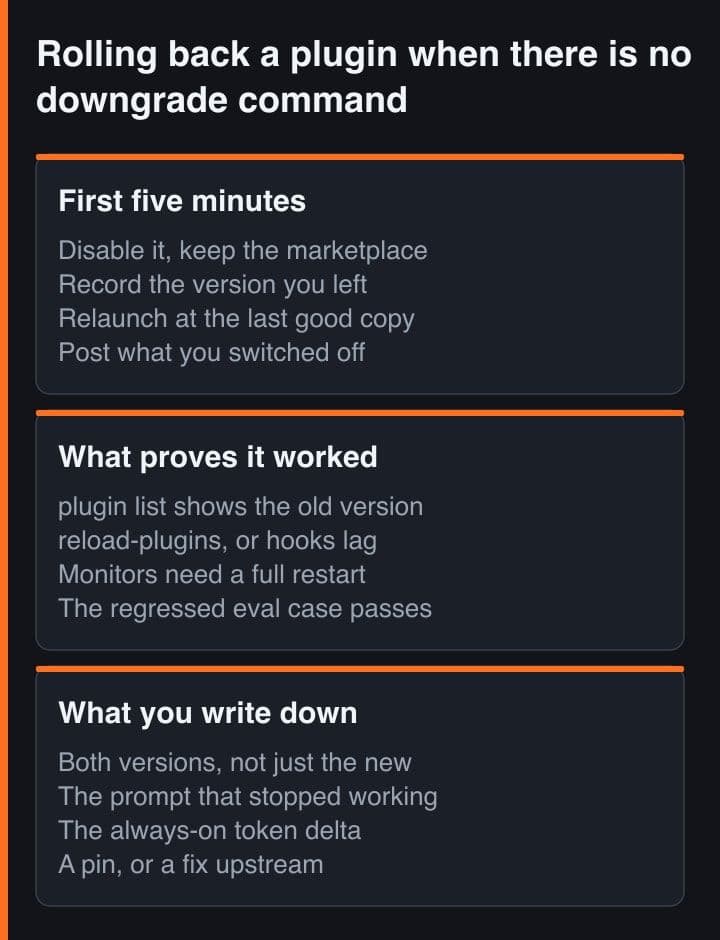
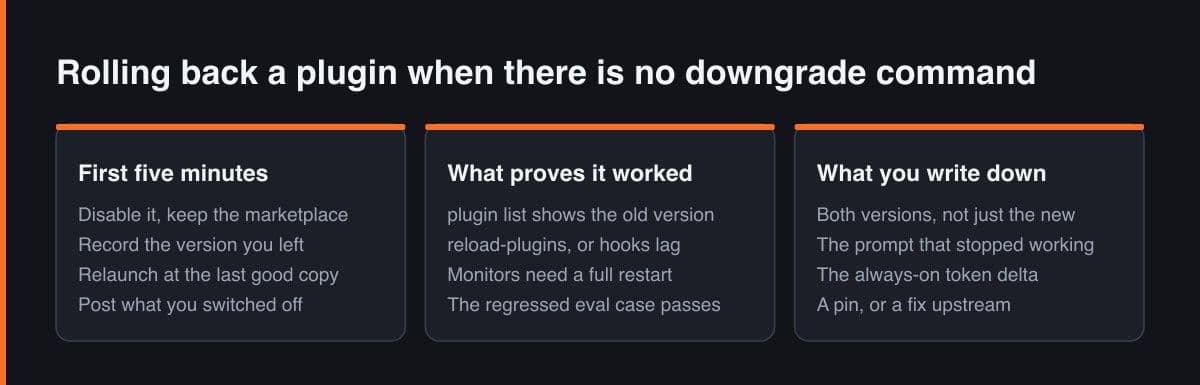
The plugin CLI covers details, disable, enable, eval, init, install, list, marketplace, prune, tag, uninstall, update and validate. There is no downgrade, and install takes no version argument, so install the old one is not a thing you can type. A rollback is therefore composed from four moves, and only the third of them is durable.
# claude plugin has: details disable enable eval init install list marketplace
# prune tag uninstall update validate. No downgrade. And install takes no
# version argument, so "install the old one" is not a thing you can type.

# 1. Stop the behaviour. Disable the PLUGIN, not the marketplace — removing a
#    marketplace from its last scope uninstalls every plugin you got from it.
/plugin disable review-toolkit@acme-tools

# 2. Get today back. An update marks the previous version directory orphaned
#    and a background sweep removes it roughly 14 days later, so it is still
#    there. A --plugin-dir copy takes precedence over an installed plugin of
#    the same name for that session.
$ ls ~/.claude/plugins/cache/acme-tools/review-toolkit/
2.3.0   2.4.0
$ claude --plugin-dir ~/.claude/plugins/cache/acme-tools/review-toolkit/2.3.0
#    The docs call that directory ephemeral and tell you not to write state
#    there. Use it to finish the afternoon, never as your pin.

# 3. Make it durable: move the sha in YOUR catalogue back to the last commit
#    you evaluated, then re-resolve.
$ claude plugin marketplace update acme-tools
$ claude plugin update review-toolkit@acme-tools

# 4. Prove it, in this order.
$ claude plugin list --json | jq -r '.[] | select(.id == "review-toolkit@acme-tools") | .version'
2.3.0
/reload-plugins   # hooks, MCP and LSP servers hold the OTHER version's path until this
#    monitors only follow on a full session restart
$ claude plugin eval review-toolkit@acme-tools --case 'migration-*' --threshold 0.8
Knowing it worked takes more than a version string. The version in claude plugin list tells you what is installed on disk; reload-plugins is what moves hooks, MCP servers and LSP servers off the other version's path; monitors only follow on a full session restart; and the eval case that regressed is the thing that tells you the behaviour came back rather than just the bytes. Check them in that order, because each one can pass while the next still fails.
Keep a changelog of behavioural effects
Semantic versioning records the publisher's intent. Your changelog records your team's experience, and those are different documents: a patch release that reworded one instruction is a trivial bump upstream and a working day of confusion here. One entry per upgrade you accepted, five fields, kept in the repository next to the pin.
- Both version strings and both commit SHAs, because the new one alone tells the next person nothing.
- The prompt whose behaviour changed, quoted as somebody actually typed it rather than paraphrased.
- The always-on token delta from the details diff, and any component that appeared or vanished.
- The eval case that moved, with its score before and after, or a note that no case covered it, which is itself the finding.
- What ended it: a pin, a fix upstream, or a decision to live with it, dated, with the review date if you pinned.
The payoff is the second incident. The first one costs three days of not knowing where to look. With this file the second one costs an afternoon, because somebody greps the skill name and finds an entry saying that this description was tightened in 2.4.0 and stopped firing on the phrasing this team uses.
Treat a plugin as an instruction dependency rather than a code dependency and the practices follow: pin an exact commit in a catalogue you own, gate every upgrade on a details diff and an eval run, snapshot what is installed into the repository so a moved tag becomes visible, and write down the behavioural effect instead of the version number. The upgrade that changes nothing you can see is the one that earns the paperwork.
Sources and further reading
- Claude Code docs, Plugins reference: version management, the plugin cache and the plugin CLI
- Claude Code docs, Discover and install plugins: auto-update defaults per marketplace
- Claude Code docs, Create and distribute a plugin marketplace: ref and sha pinning on a plugin source
- Claude Code docs, Settings reference: extraKnownMarketplaces and its autoUpdate field
- Claude Code docs, Create plugins: testing with plugin-dir and how it overrides an installed plugin