
Passwords are the weakest link in almost every auth system I have shipped. Users reuse them, phishing pages harvest them, and every reset flow is another support ticket. Passkeys fix the underlying problem instead of papering over it: they replace a shared secret with a public key pair, generated and locked to a device authenticator, so there is nothing for an attacker to steal from your database that would let them log in elsewhere.
This post walks through adding passkeys to a Next.js App Router project using the WebAuthn browser APIs, wrapped by the SimpleWebAuthn library so you are not hand-rolling CBOR parsing and attestation verification yourself. I will cover the registration and login ceremonies, what to store server side, how the challenge and origin checks actually protect you, and what fallback to offer the small slice of users on old browsers or locked-down corporate devices.
What a passkey actually is
A passkey is the user-facing name for a WebAuthn credential: an asymmetric key pair where the private key never leaves the authenticator, whether that is a phone's secure enclave, a laptop's platform authenticator, or a physical security key. The browser and operating system handle the cryptography; your server only ever sees a public key and a signed challenge. WebAuthn is the underlying W3C and FIDO Alliance standard, and it is the core building block of FIDO2.
- No shared secret is transmitted or stored, so there is nothing equivalent to a password hash for an attacker to crack offline
- Signatures are scoped to the exact origin that requested them, which makes classic phishing pages that mirror your login page unable to obtain a usable credential
- Sync fabrics from Apple, Google, and Microsoft let a passkey created on one device work across a user's other devices without any extra enrollment step
If your app already has an existing password or magic-link flow, treat passkeys as an additive option first. Let users add a passkey from their account settings page, then make it the default suggested method at login once you see adoption climb, rather than forcing a hard cutover on day one.
The registration ceremony
Registering a passkey is a four-step round trip between your server and the browser. Your server never generates a key pair itself; it only issues a signed set of options and later verifies what the authenticator produced.
- The client asks your server for registration options, and the server must be authenticated already since this ceremony attaches a new credential to a known account
- The server calls a helper like generateRegistrationOptions to build a random challenge plus relying party and user information, and persists that challenge somewhere it can check later
- The browser calls the WebAuthn create method with those options, which triggers the platform's biometric or PIN prompt and returns a signed attestation object
- The server verifies the attestation against the stored challenge and expected origin, then saves the resulting public key, credential ID, and supported transports against the user record
// app/api/passkeys/register/options/route.ts
import { generateRegistrationOptions } from "@simplewebauthn/server"
import { NextResponse } from "next/server"
import { getSession } from "@/lib/session"
import { getUserAuthenticators } from "@/lib/db/authenticators"

export async function POST() {
  const session = await getSession()
  if (!session?.user) {
    return NextResponse.json({ error: "unauthorized" }, { status: 401 })
  }

  const existing = await getUserAuthenticators(session.user.id)

  const options = await generateRegistrationOptions({
    rpName: "Acme App",
    rpID: process.env.WEBAUTHN_RP_ID!, // e.g. "app.example.com"
    userID: new TextEncoder().encode(session.user.id),
    userName: session.user.email,
    attestationType: "none",
    excludeCredentials: existing.map((a) => ({
      id: a.credentialId,
      transports: a.transports,
    })),
    authenticatorSelection: {
      residentKey: "required",
      userVerification: "preferred",
    },
  })

  // Persist the challenge server-side (session or short-lived DB row)
  // so /verify can check it against the response the browser returns.
  await saveChallenge(session.user.id, options.challenge)

  return NextResponse.json(options)
}
The excludeCredentials list matters more than it looks: passing a user's existing credential IDs back into generateRegistrationOptions stops the same authenticator from silently registering a duplicate passkey, which otherwise confuses users who see two nearly identical entries in their password manager. It is worth logging every failed verification attempt during rollout too, since a spike usually means a clock skew issue between your server and the challenge expiry window rather than an actual attack.
Wiring the client-side registration flow
On the client, SimpleWebAuthn's browser package exposes a startRegistration helper that wraps the raw WebAuthn create call, converts the base64url fields the server sent into the ArrayBuffers the browser API expects, and normalizes error handling across browsers. The pattern below fetches options, calls the browser API, then posts the result back for verification.
// app/components/RegisterPasskeyButton.tsx
"use client"

import { startRegistration } from "@simplewebauthn/browser"
import { useState } from "react"

export function RegisterPasskeyButton() {
  const [status, setStatus] = useState<"idle" | "busy" | "done" | "error">("idle")

  async function handleClick() {
    setStatus("busy")
    try {
      const optionsRes = await fetch("/api/passkeys/register/options", { method: "POST" })
      const options = await optionsRes.json()

      // Browser prompts Face ID / Touch ID / Windows Hello / security key
      const attestation = await startRegistration({ optionsJSON: options })

      const verifyRes = await fetch("/api/passkeys/register/verify", {
        method: "POST",
        headers: { "Content-Type": "application/json" },
        body: JSON.stringify(attestation),
      })

      if (!verifyRes.ok) throw new Error("verification failed")
      setStatus("done")
    } catch (err) {
      console.error(err)
      setStatus("error")
    }
  }

  return (
    <button onClick={handleClick} disabled={status === "busy"}>
      {status === "busy" ? "Waiting for device..." : "Add a passkey"}
    </button>
  )
}
WebAuthn requires a secure context. It works on localhost for development, but in production the relying party ID must match a domain served over HTTPS, and it cannot span unrelated domains. If you run staging on a different top-level domain than production, you need separate credentials registered per relying party ID; passkeys do not transfer across domains automatically.
What to store, and where the security actually comes from
Your database ends up holding very little: a credential ID, a public key, a signature counter, and the transports the authenticator reported. None of that is sensitive in the way a password hash is, because none of it can be replayed to authenticate as the user without the corresponding private key. That also means a database breach that leaks your entire credentials table does not, by itself, hand an attacker a way to sign in as anyone.
| Field | Where it lives | Why it matters |
|---|---|---|
| Public key + credential ID | Your database, tied to the user | Used to verify future signatures; useless to an attacker without the private key |
| Challenge | Short-lived server session or cache | Prevents replaying an old registration or login response |
| Private key | Never leaves the authenticator | The entire reason passkeys resist database breaches and phishing |
The login ceremony
Authentication mirrors registration but is simpler because there is no attestation to parse, only a signed assertion. The server generates authentication options, the browser calls the WebAuthn get method, and the authenticator signs the challenge with the private key it already holds.
- Setting userVerification to preferred or required forces a biometric or PIN check rather than just presence detection, which matters for anything security sensitive
- Passing allowCredentials with a user's known credential IDs speeds up the UI when you already know who is signing in, but omitting it entirely enables discoverable, usernameless login on platforms that support it
- After verifyAuthenticationResponse succeeds, update the stored signature counter; a counter that goes backwards is a signal the credential may have been cloned and is worth flagging
Discoverable credentials (resident keys) are what let a user tap "sign in with a passkey" without typing a username first. Setting residentKey to required during registration is what makes that experience possible, and it is the closest thing WebAuthn has to true passwordless, usernameless login.
Fallbacks for users without passkeys
Not every device supports passkeys well yet, and some users will be on shared or locked-down machines where a platform authenticator is disabled by policy. Do not make passkeys the only door into the account.
- Keep an existing password or email magic-link flow available as a secondary method rather than removing it the day passkeys ship
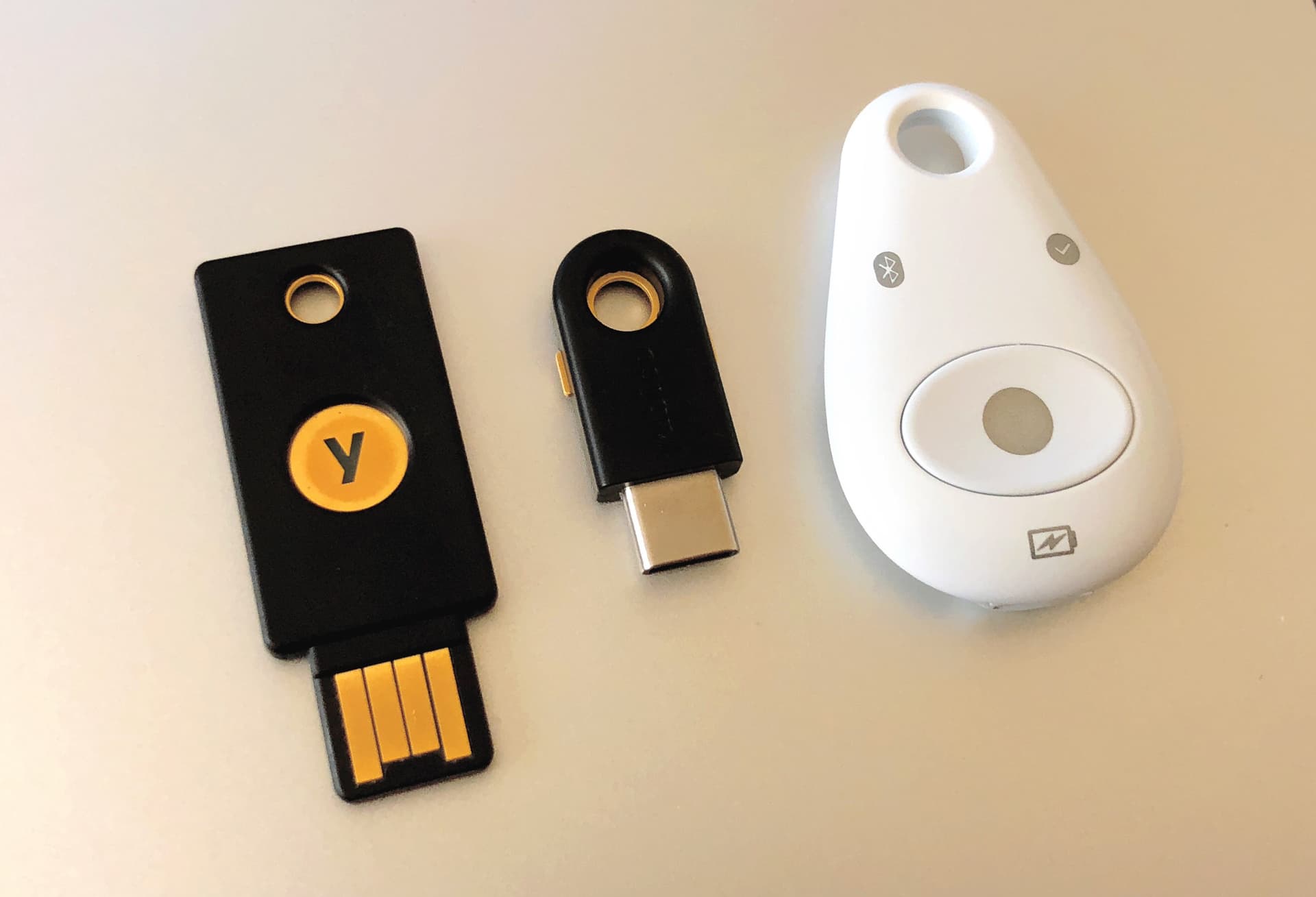
- Offer a way to register a roaming security key such as a YubiKey for users whose platform authenticator is unavailable or disabled by IT policy
- Feature-detect support with PublicKeyCredential before showing passkey UI at all, so unsupported browsers see the fallback method by default instead of a broken button
Passkeys are one of the rare security upgrades that also improve the user experience, once the registration and login ceremonies are wired correctly. The heavy lifting is standardized by WebAuthn itself; a library like SimpleWebAuthn just saves you from re-implementing CBOR decoding and attestation verification by hand. Start by offering passkeys as an additive option, get the storage and fallback paths right, watch the signature-counter and verification-failure signals during rollout, and the password field can quietly become optional rather than mandatory.