

Key Takeaway
A PaaS or CI builder is provisioned fresh for each deploy, so Docker's layer cache starts empty unless you export it. Order the Dockerfile so dependencies install before source is copied, keep the build context small with a dockerignore file, and push a registry-backed cache with cache-to and cache-from so the next cold builder starts warm.
I changed one string in a footer component and pushed. The platform's build log did what it does every time: pulled the base image, ran the full dependency install, compiled the whole application, and only then started a container. Nothing about that one string required reinstalling anything, and the deploy was as long as the one before it.
This post is about why that happens on a platform builder specifically, and what to change so a small edit costs a small deploy: the order of the Dockerfile, the size of the build context, what a cache mount does and does not survive, and the one flag pair that lets a fresh builder start warm. Every flag, default and mode name below is checked against the Docker documentation rather than remembered.
An Ephemeral Builder Starts Cold Every Single Time
Docker's cache rule is well known and only half the story. The documentation puts it plainly: any change to the command of a RUN instruction invalidates that layer, any change to files copied in with COPY or ADD invalidates theirs, and once one layer is invalidated all following layers are invalidated too. That is the rule people optimise against on a laptop, where the previous build's layers are still sitting in the local builder.
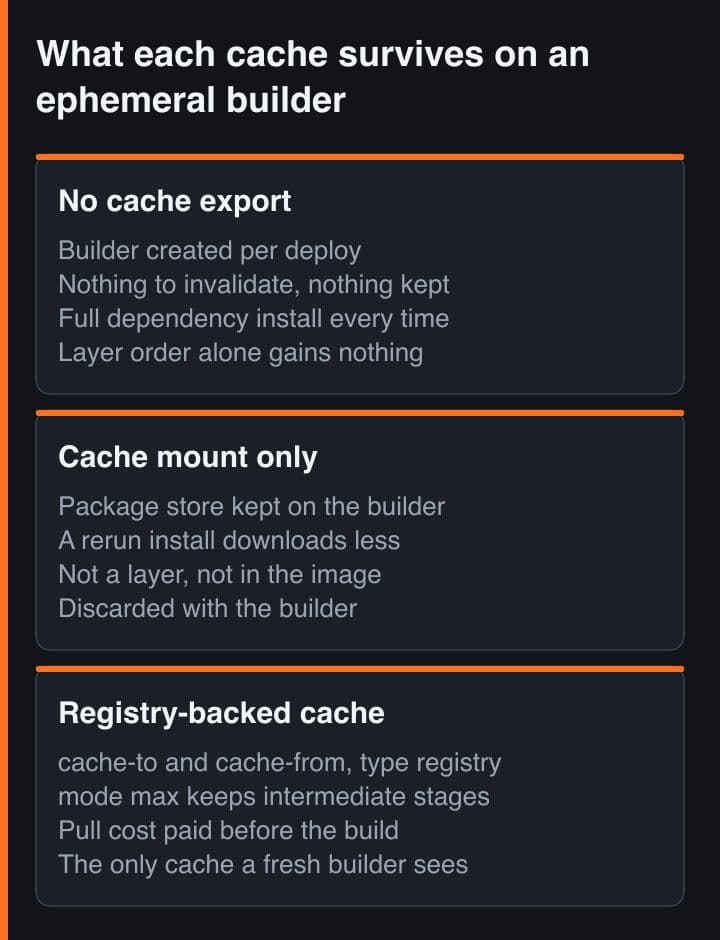
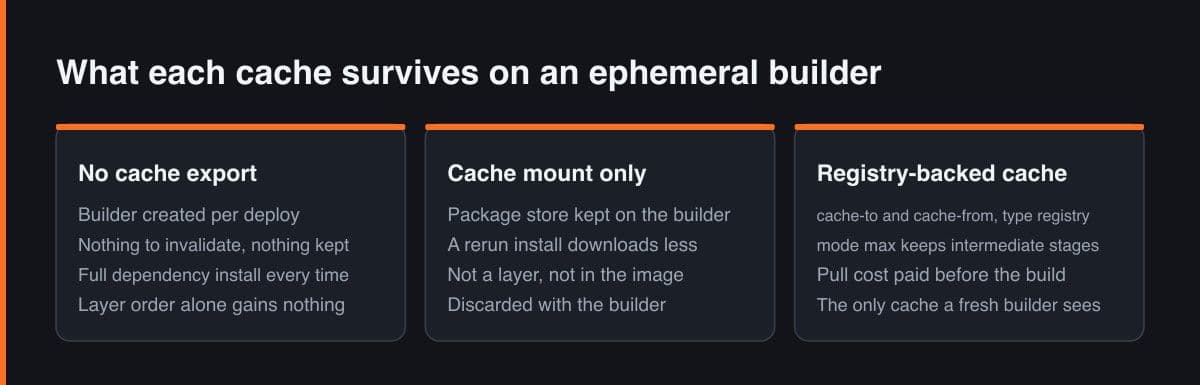
A PaaS or a CI runner does not work that way. The builder is created for your deploy and thrown away after it, so there are no previous layers to invalidate — there is nothing at all. Every instruction runs. That is why the Dockerfile that rebuilds in seconds on your machine takes minutes on the platform, and why fast locally is not evidence of anything. On an ephemeral builder, cache is not something you keep; it is something you deliberately ship in and out.
Order the Dockerfile So a Source Edit Cannot Reach the Install
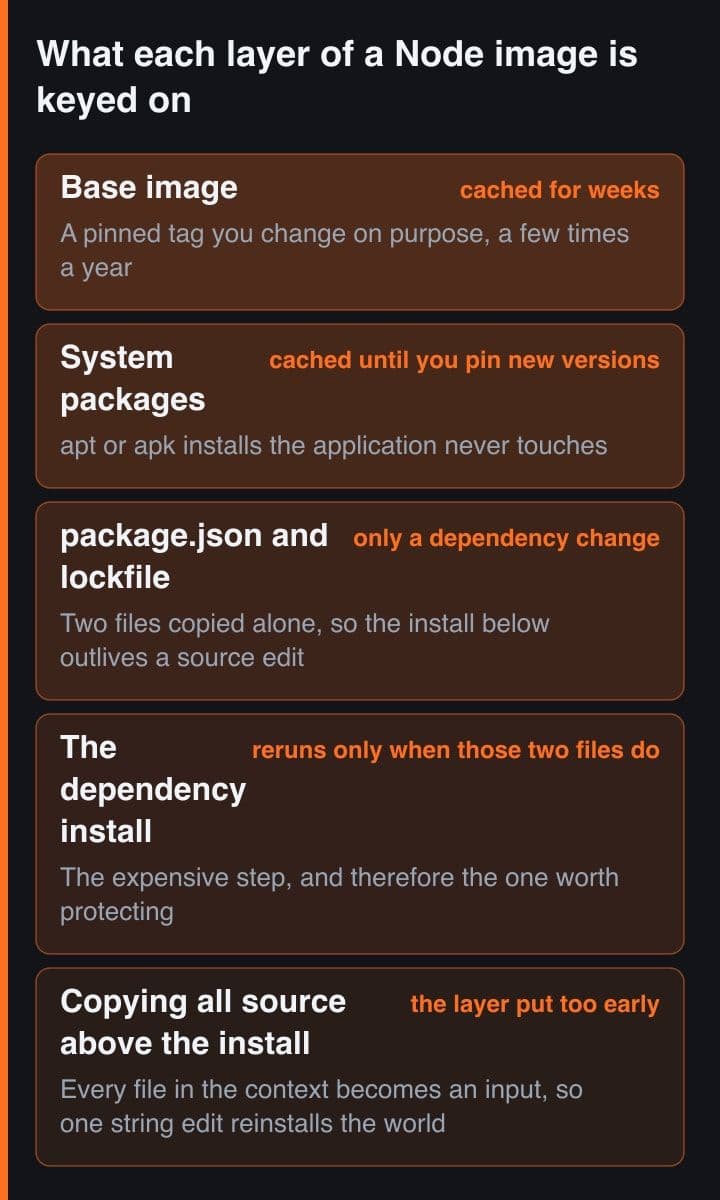
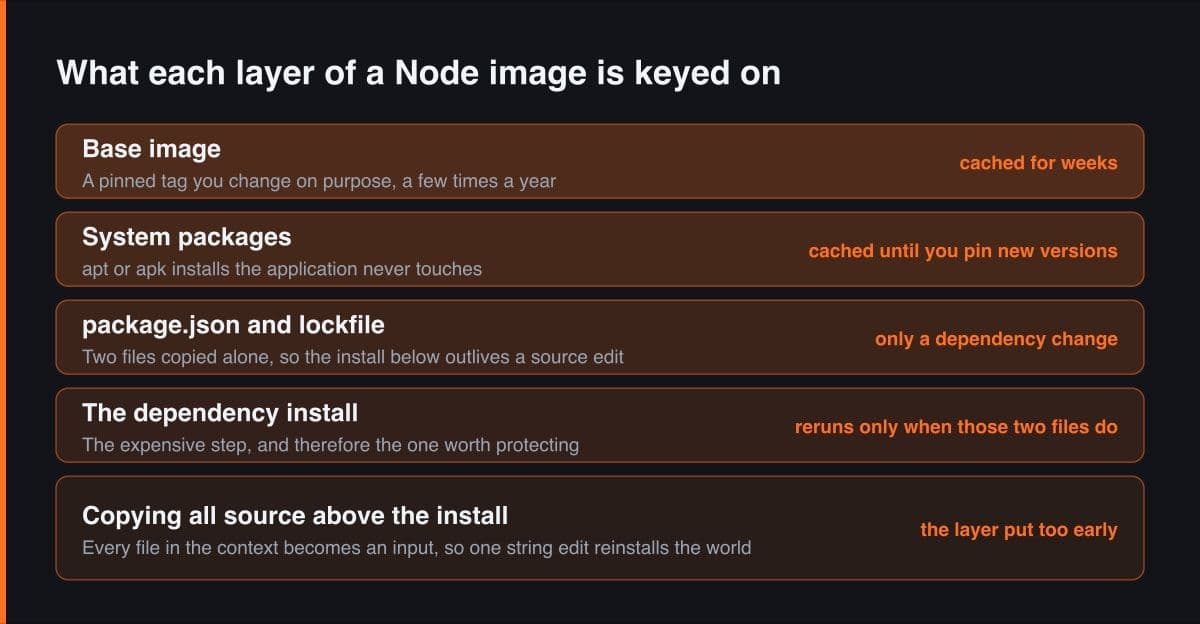
This is the largest single win and it costs nothing but attention. Docker's optimisation guidance is one sentence: because a change causes a rebuild for the steps that follow, try to make expensive steps appear near the beginning of the Dockerfile. In a Node or Next.js image the expensive step is the dependency install, and the thing that changes fifty times a day is your source.
# Wrong: the source copy sits above the install, so the install layer's
# inputs are every file in the repository. Editing one component
# reinstalls the entire dependency tree on every deploy.
FROM node:22-alpine
WORKDIR /app
COPY . .
RUN npm ci
RUN npm run build
CMD ["node", "dist/main.js"]

# Right: the install layer has exactly two inputs. A source edit
# invalidates the COPY below it and nothing above it.
FROM node:22-alpine
WORKDIR /app
COPY package.json package-lock.json ./
RUN npm ci
COPY . .
RUN npm run build
CMD ["node", "dist/main.js"]
The wrong version copies everything and then installs. That COPY layer's inputs include every file in the repository, so editing one component changes the layer, which invalidates the install below it, and the package manager resolves and downloads the whole tree again for a text change. The right version copies only the manifest and the lockfile, installs, and copies the source afterwards. Now the install layer has exactly two inputs and is reused until a dependency genuinely changes.
Be precise about what changes means here. The layer is keyed on the files copied into it, not on your intent, so reformatting the manifest without touching a single dependency still invalidates the install. That is not a bug to work around — it is the reason the two-file COPY is worth the extra line.
Copy the lockfile by name rather than with a glob. A pattern like package star dot json matches the lockfile today and also matches anything beginning with package that someone adds next year, which quietly widens the install layer's inputs without anyone noticing. Two named files are a contract you can read at a glance.
The dockerignore File Is a Cache Tool, Not a Tidiness Tool
Every path that reaches the builder is a path that can invalidate a copy step, and by default the whole directory goes. The documentation describes the build context as the set of files your build can access, processed recursively so that everything under a local directory is included, and describes a dockerignore file as removing matching files from the context before it is sent to the builder. Without one, four things routinely bust the cache for reasons that have nothing to do with your code:
- The git directory — every commit, fetch and rebase rewrites it, so the context differs on literally every build.
- node_modules — your local install, built for your architecture, uploaded to the builder only to be overwritten by the install step.
- Build output such as .next, dist or build — yesterday's artefacts copied in so that today's build can produce them again.
- Local env files and logs — different on every machine, and not something you want baked into a layer in any case.
# .dockerignore — every line is a path that can no longer invalidate a
# COPY layer for a reason that has nothing to do with your code.
.git
.gitignore
node_modules
.next
dist
build
coverage
npm-debug.log
.env
.env.local
.DS_Store

# The Dockerfile and this file may be listed here too, but the docs note
# they are still sent to the builder, because the build needs them.
There is a second cost that only shows up on a platform. The context is uploaded to the builder before the build starts, so a stray node_modules is both a cache problem and a transfer you pay for on every deploy. On a laptop that transfer is a filesystem read and you never notice it.
In a Multi-Stage Build, Size Is Irrelevant and Cacheability Is Not
Multi-stage builds are usually sold on image size, and that part is real. You use several FROM statements, then selectively copy artefacts from one stage into another and leave behind everything you do not want in the final image, so the runtime image ships without the compiler, the dev dependencies or the source.
The half that matters for deploy speed is different: a stage nobody ships is still a stage somebody builds. A builder stage costs nothing at runtime and costs you the full install on every deploy if its layers are not cached. So give the build stage the same ordering discipline as a single-stage file — manifest, install, then source — and name your stages with AS, because a copy from a named build stage stays correct when someone inserts a stage above it and a copy from stage zero does not.
Cache Mounts Make the Install Cheap, and Do Not Survive the Builder
A cache mount gives a RUN instruction a directory that lives outside the layer. The Dockerfile reference describes it as a way for the build container to cache directories for compilers and package managers, whose contents persist between builder invocations without invalidating the instruction cache. Point it at the package manager's own store and even a rebuilt install layer downloads only what actually changed. The sharing option defaults to shared, which allows concurrent writers; locked pauses the second writer until the first releases the mount.
# syntax=docker/dockerfile:1

FROM node:22-alpine AS deps
WORKDIR /app
COPY package.json package-lock.json ./
# target is npm's own store, so even a rerun of this layer only fetches
# tarballs that actually changed. id keeps it separate from another
# service's cache on the same builder; sharing defaults to shared, and
# locked makes a second build wait rather than write alongside the first.
RUN --mount=type=cache,id=npm,target=/root/.npm,sharing=locked \
    npm ci --prefer-offline

FROM node:22-alpine AS build
WORKDIR /app
COPY --from=deps /app/node_modules ./node_modules
COPY . .
RUN npm run build

# Only what this stage copies exists at runtime. The two stages above may
# be as fat as they like — what they must be is cacheable. Naming them
# with AS also means inserting a stage above cannot break these copies.
FROM node:22-alpine AS runtime
WORKDIR /app
ENV NODE_ENV=production
COPY package.json package-lock.json ./
RUN --mount=type=cache,id=npm,target=/root/.npm \
    npm ci --omit=dev --prefer-offline
COPY --from=build /app/dist ./dist
CMD ["node", "dist/main.js"]
The caveat is the entire reason this is not the last section. A cache mount is not a layer. It is not in the image you push and it is not in the cache you export — it lives in the builder's own storage. BuildKit's default garbage collection treats it as ephemeral: the first policy removes unused build cache of type exec.cachemount, along with local contexts and git checkouts, once it is older than 48 hours and over the threshold. On a builder that is destroyed at the end of your deploy, 48 hours is generous by several orders of magnitude.
Never write a build that depends on the cache directory being populated. The Dockerfile reference is explicit that cache mounts should only be used for better performance and that the build must work with any contents of the cache directory, because another build may overwrite the files or garbage collection may remove them. A build that only succeeds warm is a build that fails on the day you most need it.
Registry-Backed Cache Is the Part That Warms a Cold Builder
Everything above makes the rebuild cheaper. This is the piece that lets a brand-new builder skip the rebuild. BuildKit caches results in its own internal cache automatically, but the documentation is clear that external cache storage is not: all of the cache storage backends must be explicitly exported to, and explicitly imported from. Two flags do that, and the registry backend is the one that works anywhere a container registry does.
# Nothing is exported or imported without these two flags. BuildKit's
# internal cache is local to a builder that no longer exists by the time
# the next deploy runs.
docker buildx build \
  --push \
  -t ghcr.io/acme/api:latest \
  --cache-to   type=registry,ref=ghcr.io/acme/api:buildcache,mode=max \
  --cache-from type=registry,ref=ghcr.io/acme/api:buildcache \
  .

# mode defaults to min, which caches only the layers exported into the
# resulting image. On the multi-stage file above, min leaves the deps
# stage — the expensive one — out of the cache entirely. max includes it.

# First run: nothing to import, and the cache image is written on push.
# Every run after that: a fresh builder imports it and skips the install.
The mode parameter is what people miss. Its default is min, which caches only the layers exported into the resulting image; mode=max caches all layers, even those of intermediate steps. For a multi-stage build that is the difference between importing the runtime layers you would have rebuilt in seconds and importing the builder-stage layers that were going to cost you the install. If you build multi-stage — and you should — you want max.
The trade is real and it does not always fall your way, because importing cache is a network operation: the cache image is pulled before the build can consult it. Worked through as arithmetic rather than as a measurement, if the dependency layers you skip would have taken three minutes to install and the cache blob takes forty seconds to pull, you are clearly ahead; if the layer you skip is a twelve-second copy of four files, you have made the deploy slower and added a registry bill. Export cache for the expensive, stable layers and do not bother for the cheap ones.
Read the Build Log Instead of Guessing Which Layer Broke
Every claim above is falsifiable in the build output, which prints CACHED in front of the steps it reused. That is the whole diagnostic. Find the first step in the log that is not marked CACHED: that step's inputs changed, and everything below it was going to rerun regardless of how clever the rest of your Dockerfile is.
$ docker buildx build --progress=plain .     # durations elided

#5 [deps 2/4] WORKDIR /app                                    CACHED
#6 [deps 3/4] COPY package.json package-lock.json ./          CACHED
#7 [deps 4/4] RUN --mount=type=cache,id=npm,... npm ci        CACHED
#8 [build 2/4] COPY --from=deps /app/node_modules ./node_mod  CACHED
#9 [build 3/4] COPY . .
#10 [build 4/4] RUN npm run build

# The first line without CACHED is where your change landed. Here that is
# the source COPY, which is exactly right: the install above it was
# reused, and only the compile below it had to rerun. If line #7 had lost
# its CACHED instead, the problem is the Dockerfile, not the backend.
The discipline that makes the log useful is changing one thing at a time and rebuilding, which sounds obvious and is skipped constantly:
- Build twice with nothing changed. Every step after the base image should print CACHED on the second run. If one does not, that instruction is non-deterministic — an unpinned package install, a timestamp, a network fetch.
- Change one source file and rebuild, then read for the first uncached step. If a one-line edit invalidates the install, your copy order is wrong and no cache backend will save you.
- Add a file the dockerignore should exclude, rebuild, and confirm nothing moves. If something does, the ignore file has a hole in it.
- Reach for progress plain when the collapsed default output hides the step you need; it shows container output instead of the tidy summary.
The reason to measure rather than reason is that the cache is a hash, and hashes have no intuition. I have been certain a layer would be reused and been wrong twice, for the same cause both times: something I had forgotten was sitting in the build context.
Deploy speed on a platform is not a feature you buy; it is a property of the Dockerfile you push. Put the expensive step above the volatile one, keep the context down to what the build actually reads, use a cache mount to make an unavoidable install cheap, and export a registry cache so the next cold builder starts from your last one. Then check it in the log, because the only opinion that counts is the word CACHED.
Sources
- Docker Docs — Docker build cache: how layer invalidation cascades through a Dockerfile
- Docker Docs — Optimize cache usage in builds: layer order, build context and cache mounts
- Docker Docs — Dockerfile reference: the RUN cache mount, its options and sharing modes
- Docker Docs — Registry cache backend: cache-to, cache-from and the min and max modes
- Docker Docs — Build garbage collection: the default policies and what counts as ephemeral