

Key Takeaway
A PaaS build engine such as Helipod's Helipack writes a Dockerfile by reading repository signals — the lock file, the dependency list, framework config files — and mapping them to a base image, an install step, a build step and a start command. It guesses wrong on monorepos, custom pipelines and resource limits, where a committed Dockerfile wins.
The Dockerfile that builds this site is 43 lines long, and the longest thing in it is a comment explaining why the Node heap is capped at 384 MB inside a 512 MB container. I wrote that line after setting the cap to the full 512 MB and learning that the kernel OOM-kills the container before V8 ever runs its own last-ditch collection. So when I read that Helipod's build engine writes the whole file for you from a repository scan, my first question was not whether that works — it plainly does — but which signals it reads, and where those signals stop being enough.
This post is a close read of Helipack, the build engine behind Helipod, set against the two other published answers in the same category: Cloud Native Buildpacks and Nixpacks. Helipod documents its detection tables and its generated Dockerfile patterns on its own engineering blog, so most of what follows is sourced rather than inferred. What is mine is the failure list and the override — I ship this site as a hand-built image on a small VPS, so I have already paid for several decisions a detector has to guess.
A build engine is one detector and four decisions
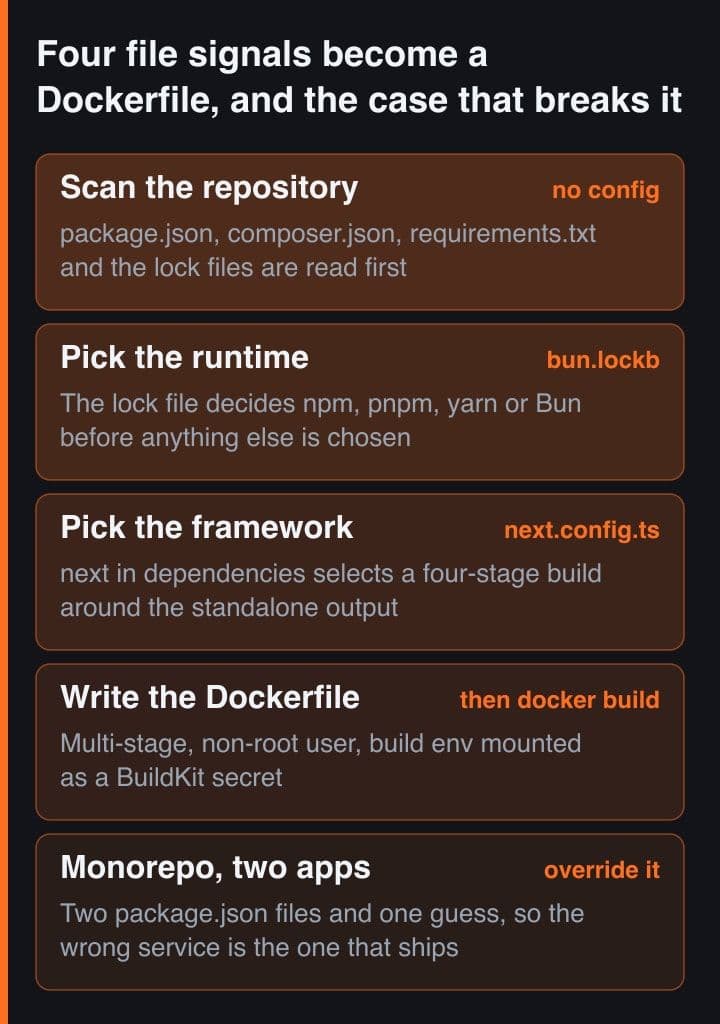
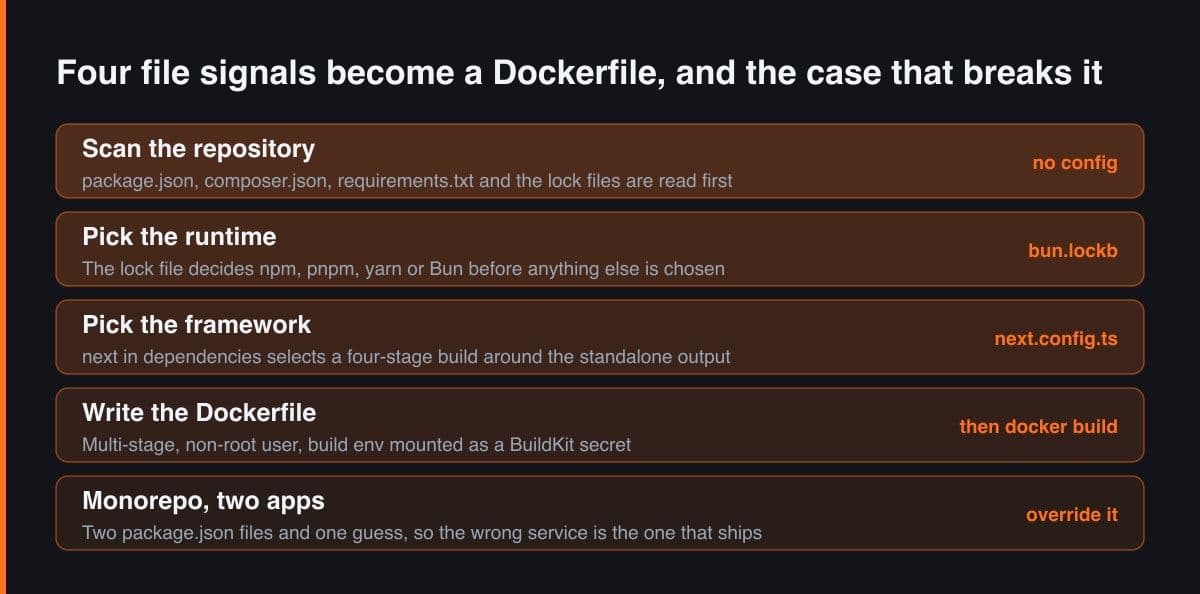
Auto-detection sounds like magic and behaves like a lookup table. Whatever the engine, it has to answer the same four questions before it can build anything: which base image, which install command, which build command, and which process to start — plus the port to expose. Every signal a detector reads is an attempt to fill those slots from files that are already sitting in your repository.
Helipod describes Helipack's run in four steps: connect the repository, detect the framework, generate a multi-stage Dockerfile, then build and deploy the image. The sequence is not the interesting part. The evidence is — what in a repository is strong enough to decide a base image, and what merely looks like it should be. That is where engines differ from one another, and where the wrong answers come from.
What the detector actually reads
The signals are ordinary files, and the mapping is published. Helipack reads composer.json, package.json and requirements.txt first, then framework config files, and it treats project structure as evidence too: an artisan file next to composer.json is what makes a PHP repository a Laravel repository rather than a generic one. Several of the mappings decide much more than a framework name.
| Signal in the repository | Detected as | What it changes in the build |
|---|---|---|
| artisan next to composer.json | Laravel | The PHP version in composer.json chooses FrankenPHP or nginx with PHP-FPM |
| next in dependencies, or a next.config file | Next.js | A four-stage build whose runner copies only the standalone output |
| the @nestjs/core package | NestJS | A separate production-dependency stage, then a runner holding dist and little else |
| manage.py plus django in requirements | Django | A two-stage build into a virtual environment, served by gunicorn |
| bun.lockb instead of package-lock.json | Bun, not Node | The runtime itself changes, and with it the install and start commands |
| a Dockerfile already committed | nothing to detect | Helipack generates none and builds the file you wrote |
Two of those rows deserve a pause. The lock file is not a detail: package-lock.json, yarn.lock, pnpm-lock.yaml and bun.lockb select the package manager, and one of them selects a different runtime altogether, which changes both the install and the start command. And the last row is the whole escape hatch — commit a Dockerfile and Helipack generates nothing, it builds yours. Auto-detection that is opt-out by construction is a better design than a flag you have to go and find.
The generated file is framework-aware, not generic
The output is not one template with a framework name substituted in. Helipod documents FrankenPHP for Laravel on PHP 8.2 and above with a fallback to nginx plus PHP-FPM below it, Laravel Octane with Swoole when octane is in the dependencies, gunicorn for Python, and a four-stage build for Next.js. Three decisions repeat across all of them, and those are the ones worth stealing:
# Dependencies are copied and installed BEFORE the source tree, so editing a
# component reuses the cached install layer instead of reinstalling the world.
FROM node:20-alpine AS deps
WORKDIR /app
COPY package.json package-lock.json ./
RUN npm ci

# The build environment arrives as a BuildKit secret, not an ENV or an ARG.
# The file exists only while this RUN executes, so no layer can be made to
# hand the values back later through "docker history" or a pulled image.
FROM base AS builder
RUN --mount=type=secret,id=build_env,dst=/app/.env \
    npm run build

# tini becomes PID 1 so SIGTERM reaches the app on redeploy rather than being
# swallowed by a shell, and the process runs as uid 1001 instead of root.
RUN addgroup --system --gid 1001 appgroup && \
    adduser  --system --uid 1001 appuser
USER appuser
ENTRYPOINT ["/sbin/tini", "--"]
CMD ["node", "server.js"]
That is the shape of a careful hand-written production Dockerfile, which is the point — the engine encodes what a competent engineer would do rather than cutting corners to make the build finish sooner. Helipod puts a Next.js image built this way at 150 to 300 MB against a gigabyte or more unoptimised. That is a vendor figure measured on vendor builds, so read it as an order of magnitude, not a benchmark.
Read the generated file before you argue with it. Helipod says the Dockerfile appears in the build logs during a deploy — look for the FROM lines — and that setting HELIPACK_KEEP_DOCKERFILE=1 before a local build saves a copy as .helipack.Dockerfile. Diffing that against what you would have written yourself is the fastest way to learn what the detector believes about your project.
This is a category, not one vendor's trick
The same problem has three published answers, and they differ in what they hand back at the end. Knowing which one is running under your deploy button tells you where you are allowed to intervene.
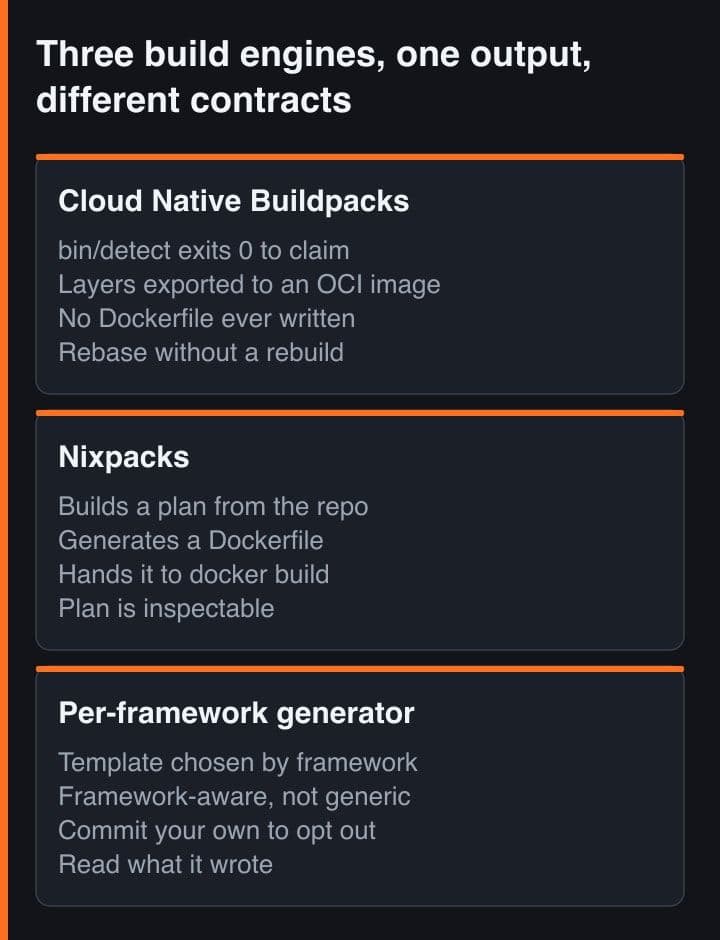
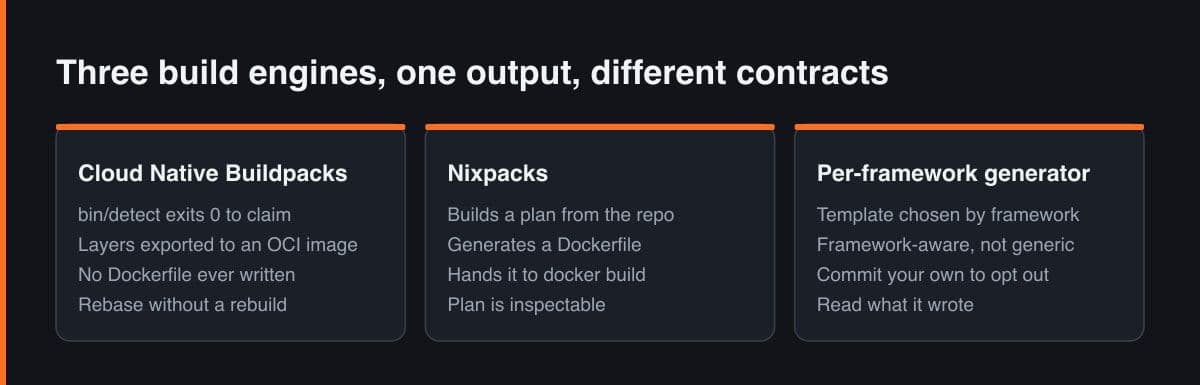
- Cloud Native Buildpacks give every buildpack a detect executable and read its exit code: 0 passes, 100 fails, anything else is an error. The lifecycle then exports layers directly into an OCI image, so there is no Dockerfile to read at all.
- Nixpacks plans first. Language providers match your source and suggest Nix packages plus an install, build and start command, and the documented implementation then generates a Dockerfile from that plan and hands it to docker build.
- Helipack lands at the same place as Nixpacks — a generated Dockerfile — but chooses per framework rather than per language, which is why FrankenPHP, gunicorn and Next.js standalone appear in its output at all.
The practical difference is the debugging surface. With buildpacks the unit you inspect is a layer and a build plan; with a Dockerfile-generating engine the unit is a file you can read, diff and eventually replace. I would rather debug a file, which is also why I keep a Dockerfile in this repository even for platforms that would happily write one.
Where auto-detection guesses wrong
Helipod is explicit about its own edges, and the list matches what breaks in practice. A monorepo is the first of them: several apps under one repository means several package.json files and one detector, so the app that gets built is whichever the scan settled on. It is a configuration problem rather than a bug, but it fails in the most expensive way there is — by deploying something that builds cleanly and is the wrong service.
The second edge is a build that is not one command. If your pipeline generates code, compiles protobuf definitions or builds a shared package before the app itself, the detected build step is a single build script and the generated file has nowhere to put the rest. The third is a native dependency: a Node image that needs imagemagick or ffmpeg, or a Python wheel that needs libpq-dev, is fine right up to the point where the build reaches a library that is not in the base image. Both are recoverable through configuration, and both are cheaper to fix in a Dockerfile you already own.
The fourth edge is the subtle one, because everything looks correct. A Next.js runner stage copies only the standalone output, and the Next.js documentation is clear that the standalone folder exists only when next.config sets output to standalone. The same page notes that standalone deliberately copies neither the public folder nor .next/static, on the assumption that a CDN serves them, so a runner missing those two lines yields an app that boots, answers requests and renders with no stylesheets or images. Verify that one against the build log, not the homepage.
The one thing no detector can read: your memory ceiling
Every signal a build engine reads lives inside the repository, and the constraint that has cost me the most time does not. This site runs in a container capped at 512 MB of memory and one vCPU in its compose file, while V8 sizes its old space from the host's total RAM rather than from the container's share of it. Left alone, Node on a small instance grows its heap well past what the cgroup allows, and the kernel settles the disagreement first.
The fix is one line: max-old-space-size at 384 MB, roughly 75% of the limit, leaving headroom for the non-heap side — the runtime itself, and libvips whenever an image is resized. The mistake is setting it to the limit, which is what I did first. At 512 MB the container is killed before V8 ever runs its final aggressive collection, so the cap never takes effect at all. Measured steady state in production afterwards is 130 MB resident, which tells me the cap does nothing on a normal day and everything on a bad one.
A generated Dockerfile has no reason to contain a heap cap, because the plan you bought is not a fact about your repository. If you are deploying Node to a small instance, read the resulting NODE_OPTIONS yourself and set it to about three quarters of the memory limit rather than to the limit — the resident set is heap plus everything off-heap, and the kernel does not wait for your garbage collector.
Taking the wheel back with your own Dockerfile
When the detector is wrong the answer is a file, not a support ticket. This is the Dockerfile this site is built from, keeping the comments that earned their place: three stages, a non-root user, a heap cap that exists because of the box underneath, and the two copies the standalone output will not do for you.
FROM node:20-alpine AS deps
WORKDIR /app
COPY package.json package-lock.json ./
RUN npm ci

FROM node:20-alpine AS builder
WORKDIR /app
COPY --from=deps /app/node_modules ./node_modules
COPY . .
ENV NEXT_TELEMETRY_DISABLED=1
RUN npm run build          # requires output: standalone in next.config.ts

FROM node:20-alpine AS runner
WORKDIR /app
ENV NODE_ENV=production
ENV PORT=3000
ENV HOSTNAME=0.0.0.0

# V8 sizes its heap from the HOST's total RAM, not the container's share of it,
# so here it would grow well past what is free before bothering to collect.
# 384 MB is about 75% of the 512 MB compose limit; setting it TO 512 is the
# mistake, because the kernel OOM-kills the container before V8 ever runs its
# last-ditch GC. Measured steady state in production: 130 MB RSS.
ENV NODE_OPTIONS="--max-old-space-size=384"

RUN addgroup --system --gid 1001 nodejs && adduser --system --uid 1001 nextjs

# standalone copies neither public/ nor .next/static — that part is on you.
COPY --from=builder /app/public ./public
COPY --from=builder --chown=nextjs:nodejs /app/.next/standalone ./
COPY --from=builder --chown=nextjs:nodejs /app/.next/static ./.next/static

USER nextjs
EXPOSE 3000
CMD ["node", "server.js"]
Two things about it matter more than the stage count. The builder stage copies the whole tree, so a .dockerignore listing node_modules, .next, .git and the env files is what keeps the context small — mine is nine lines and buys more build time than any clever layer trick. And when you want the platform's conveniences with your own build, helipack.json in the repository root is the seam: it accepts a Dockerfile path, a start command, a port, a health check, pre-start and post-start commands, and extra system packages.
{
  "build": {
    "dockerfile": "docker/Dockerfile.production"
  },
  "run": {
    "before": "npx prisma migrate deploy",
    "port": 3000
  },
  "health": {
    "path": "/api/health",
    "duration": 30
  },
  "packages": {
    "apk": ["imagemagick"]
  }
}
The run.before hook is the one to know about. Helipod documents it as running before the start command on every deployment, which makes it the right home for a migration, and documents that a non-zero exit fails the deployment — so a migration that cannot run stops the release rather than half-applying it. That is exactly the behaviour you want, and it is worth nothing if you did not know it was there.
The healthiest way to use a build engine is to let it write the first draft and keep the right to replace it. Deploy with auto-detection, save the generated Dockerfile out of the build log, and commit your own the day you need a system package, a monorepo path or a memory cap. Because a committed Dockerfile switches detection off for that repository, the migration costs one file, not a platform change.
A four-step check before you trust the build
This is what I run through on any platform that offers to write the file for me, ordered so the cheapest checks catch the most.
- Read the build log for the FROM lines and count the stages. That gives you the base image, the runtime version, and whether a separate builder stage exists at all.
- Confirm the start command and the port. A wrong port is the most common silent failure, and both are overridable in helipack.json without touching a Dockerfile.
- Check that the framework's own requirement is actually met — output standalone for Next.js, the right PHP extensions for Laravel, a WSGI entry point for Django — instead of assuming the detector arranged it.
- Deploy once, then compare the image size and the resident memory against your plan. The first says whether the multi-stage build did its job; the second says whether you need a heap cap.
That is ten minutes of work, and it turns a black box into a file you understand. It is also the honest reason I like this class of tool. Not because writing a Dockerfile is hard, but because a good default plus a readable override beats either extreme on its own.
Treat auto-detection as a first draft written by someone who has read your repository and nothing else. It knows your framework, your package manager and your build script; it does not know your traffic, your memory limit, or which of your three apps you meant to ship. Read the file it wrote, keep a copy, and commit your own the day one of those unknowns starts to matter.
Sources
- Helipod engineering blog — Helipack: how Helipod generates a Dockerfile automatically, with its PHP, Node and Python detection tables
- Helipod engineering blog — helipack.json: the complete build and deploy configuration reference
- Cloud Native Buildpacks — Buildpack Interface Specification, detection and its exit codes
- Nixpacks documentation — How it works: the build plan, providers and phases
- Next.js documentation — output standalone, and the two folders it does not copy