

Key Takeaway
A Claude Code plugin can declare language servers in an .lsp.json file at its root, so a team installs one plugin instead of configuring gopls or pyright by hand. The plugin ships the configuration, never the binary, and every bundled server still costs a process, an index and memory on each machine.
Someone on the team asked why Claude kept editing the wrong normalise. There are three functions with that name in our packages, one for money, one for addresses and one for strings, and text search cannot tell them apart. A language server can. The reason nobody had one running was not difficulty: it was that configuring it is a step every person has to remember on every machine, and nobody remembers a step that produces no error when skipped.
A plugin removes half of that step. It can declare language servers in a file at its root, so installing the plugin the team already installs also configures them. This post covers the declaration and its fields as the Claude Code plugins reference defines them, which servers are worth bundling for a given stack, what four of them cost and who pays, how to tell whether the agent is using LSP results or has quietly gone back to text search, and the questions no language server answers.
What a plugin can ship, and the one thing it cannot
The plugin ships the configuration, not the language server. That sentence is the whole cost model, and the docs state it plainly: an LSP plugin configures the connection and does not include the server itself, so anyone installing your plugin must already have the binary on their machine. Bundling therefore distributes a decision and an expectation. It does not distribute an installation.
# The plugin root. Only plugin.json goes inside .claude-plugin; every other
# component, .lsp.json included, sits at the root.
acme-toolkit/
├── .claude-plugin/
│   └── plugin.json
├── .lsp.json            the language servers this plugin declares
├── skills/
└── hooks/

# .lsp.json — the whole file. The top-level keys are server names you choose.
{
  "go": {
    "command": "gopls",
    "args": ["serve"],
    "extensionToLanguage": { ".go": "go" }
  }
}

# The same thing inline, if you would rather keep one file:
# .claude-plugin/plugin.json
{
  "name": "acme-toolkit",
  "lspServers": {
    "go": {
      "command": "gopls",
      "args": ["serve"],
      "extensionToLanguage": { ".go": "go" }
    }
  }
}

# What neither form does: install gopls. The docs are explicit that an LSP
# plugin configures the connection and does not include the server, so the
# binary is the installer's problem on every machine.
There is a bin directory at the plugin root whose executables are added to the Bash tool's PATH while the plugin is enabled, which looks like the loophole. It is not one for every audience: a plugin distributed through claude.ai organisation settings cannot include a top-level bin directory at all. So treat the missing binary as a permanent part of the design and make it loud, which is the subject of a later section.
The declaration, field by field
Two fields are required and everything else is optional. The command is the executable to run and must be on the PATH; extensionToLanguage maps file extensions to the language identifiers the server expects. The optional fields exist because a server you hand to other people needs more than the happy path, and three of them accept plugin-root, plugin-data and project-directory substitutions, which is what lets a path baked into your plugin resolve on a machine you have never seen.
# One server, with the optional fields that exist for other people's machines.
{
  "python": {
    # A wrapper inside the plugin, resolved wherever the plugin was installed.
    "command": "${CLAUDE_PLUGIN_ROOT}/bin/pyright-wrapper.sh",

    # Required, alongside command. Both extensions map to the same language id.
    "extensionToLanguage": { ".py": "python", ".pyi": "python" },

    "env": { "PYTHONPATH": "${CLAUDE_PROJECT_DIR}/services/api" },

    # Point the server at the package being worked on rather than the whole
    # monorepo. Substitutions work here too.
    "workspaceFolder": "${CLAUDE_PROJECT_DIR}/services/api",

    # Milliseconds, and a number YOU choose for YOUR repo. This is the field
    # that decides whether a cold index finishes in time to be useful.
    "startupTimeout": 30000,

    "restartOnCrash": true,
    "maxRestarts": 3,
    "diagnostics": true
  }
}

# initializationOptions and settings also exist, but their SHAPE is defined by
# the language server, not by Claude Code. Copy those from that server's own
# documentation; there is nothing to guess at and guessing produces a config
# that is skipped rather than rejected.
The fields, and what each one changes when someone else installs the plugin:
| Field | What it is for | Why it matters when you are shipping it |
|---|---|---|
| command, extensionToLanguage | The binary to execute, and the file extensions this server claims | The only two required fields. The command must resolve on the installer's PATH, not on yours |
| args, env, workspaceFolder | Arguments, environment variables, and the folder the server treats as the workspace | All three support the plugin-root, plugin-data and project-directory substitutions, so a bundled wrapper or a subfolder path stays correct wherever the plugin lands |
| transport | stdio by default, or socket | Leave it at the default unless the server you are wrapping genuinely speaks over a socket |
| initializationOptions, settings | Options passed at initialisation, and settings pushed afterwards through the workspace configuration notification | Their shape is defined by the language server, not by Claude Code. Copy them from that server's own documentation rather than guessing |
| startupTimeout, shutdownTimeout | How long to wait, in milliseconds, for the server to come up and to close down | The first of the two decides whether a cold index on a large repo finishes in time to be useful at all |
| restartOnCrash, maxRestarts, diagnostics | Whether to restart a crashed server, how many times, and whether errors are pushed into Claude's context after edits | restartOnCrash and diagnostics both default to true. Turning diagnostics off keeps navigation and drops the per-edit context cost |
If you point command at a wrapper script inside your plugin, keep its stdout clean. Language servers must send log output to stderr, because stdout carries protocol messages and nothing else. One echo line at the top of a wrapper corrupts the first JSON-RPC frame, and what you see afterwards is a server that starts and then behaves as if it had never initialised.
Where a language server beats text search
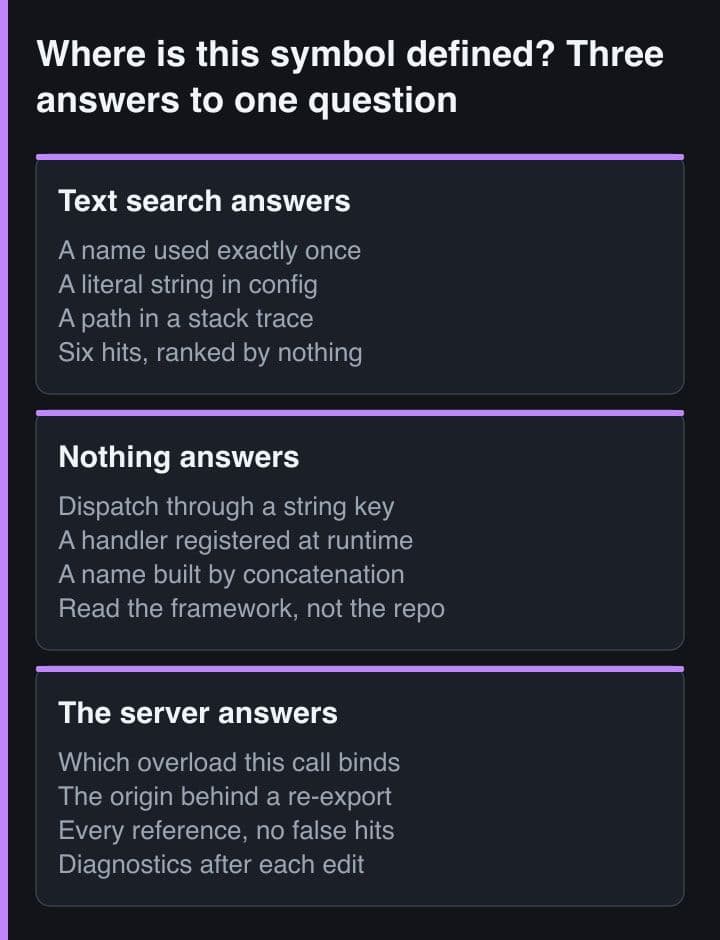
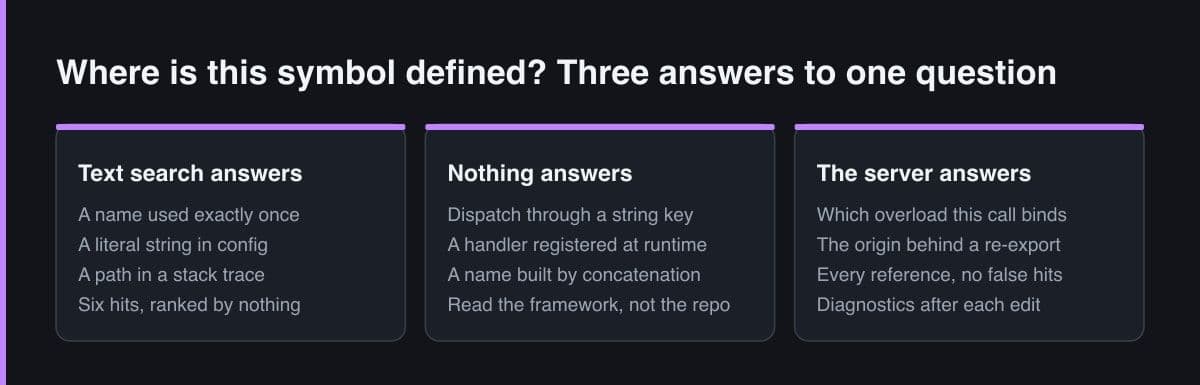
The gain is not accuracy, it is a different operation. Text search returns candidate strings and leaves the ranking to whoever reads them; a language server resolves the identifier at a position and returns the one declaration it binds to. That distinction stops mattering in a small single-package repo and starts mattering badly in four specific places:
- An overloaded or repeated name. Three functions called normalise, one call site, and grep offers all three with equal confidence.
- A re-exported symbol. The import names a barrel package, the declaration lives two hops away, and the barrel re-exports a same-named symbol from somewhere else under an alias.
- A generated type. The declaration exists in a file nobody wrote and nobody greps, and the name in the source may not appear literally in the generator's input.
- A monorepo where the same identifier exists in six packages. Search scope and resolution scope are different things, and only one of them knows which tsconfig or go.mod applies.
# One name, three declarations, in a monorepo of six packages.
$ rg -n "export function normalise" packages/
packages/billing/src/money.ts:14:export function normalise(v: Money): Money
packages/geo/src/address.ts:31:export function normalise(a: Address): Address
packages/core/src/text.ts:9:export function normalise(s: string): string

# Text search returns three answers and ranks none of them. And the call site
# you care about imports none of those files:
$ rg -n "normalise" packages/checkout/src/total.ts
packages/checkout/src/total.ts:3:import { normalise } from "@acme/core";
#                                         ^ a barrel package, which re-exports
#                                           text.ts AND, under an alias,
#                                           billing's same-named function

# A language server does not search. It resolves the identifier at that
# position, under the tsconfig that actually applies, and answers once:
#   textDocument/definition  ->  packages/core/src/text.ts:9
#   textDocument/references  ->  only the call sites binding to that one
#
# Same protocol, same two requests, whichever language the server speaks.
None of this is exotic. It is the ordinary shape of a codebase after two years, which is why the argument for bundling gets stronger as the repo gets older rather than weaker.
Which servers are worth bundling
Bundle for the stack the repository is, not the stack somebody might one day open in it. Each extra entry is another binary the installer must already have, another process started, another index built and another slice of memory held for the session. The docs also point the other way for anything mainstream: install the pre-built LSP plugins from the official marketplace for languages like TypeScript, Python and Rust, and write your own only for a language nobody has covered.
# The temptation, in a repo that has a bit of everything. Binary names and
# flags come from each server's own docs, not from Claude Code — check them.
{
  "ts":     { "command": "typescript-language-server", "args": ["--stdio"],
              "extensionToLanguage": { ".ts": "typescript" } },
  "go":     { "command": "gopls", "args": ["serve"],
              "extensionToLanguage": { ".go": "go" } },
  "python": { "command": "pyright-langserver", "args": ["--stdio"],
              "extensionToLanguage": { ".py": "python" } },
  "rust":   { "command": "rust-analyzer",
              "extensionToLanguage": { ".rs": "rust" } }
}

# Four entries is four binaries every installer must already have, four
# processes, four indexes and four resident footprints. For TypeScript, Python
# and Rust the docs point at the pre-built LSP plugins in the official
# marketplace instead — so depend on those and keep this file for the language
# nobody has covered.

# Collision rule worth knowing before you add a second TypeScript entry: if
# two enabled plugins both claim ".ts", the FIRST server registered handles it.
# The loser is not an error and is not reported as a conflict.
For a team plugin that means the honest layout is usually a dependency rather than a copy. Let your plugin depend on the official LSP plugin for your main language, and reserve your own .lsp.json for the odd one out: the in-house DSL, the template language, the server your platform team maintains. That way you are not shipping a second, slightly stale copy of a configuration somebody else keeps up to date.
Two failures here are quiet by design. If two enabled plugins both claim the same extension, the first server registered handles it and the second is not reported as a conflict. And an entry with an invalid configuration is skipped rather than surfaced, while other servers start normally, so a trailing comma in your .lsp.json produces a plugin that installs cleanly and provides nothing.
What it costs, and who pays
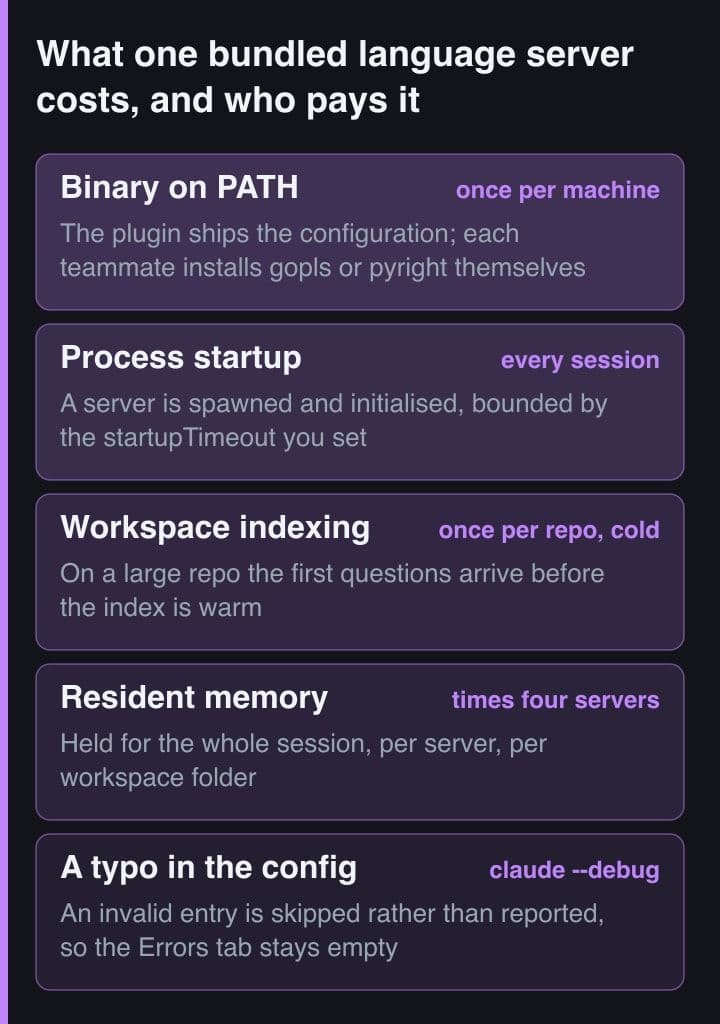
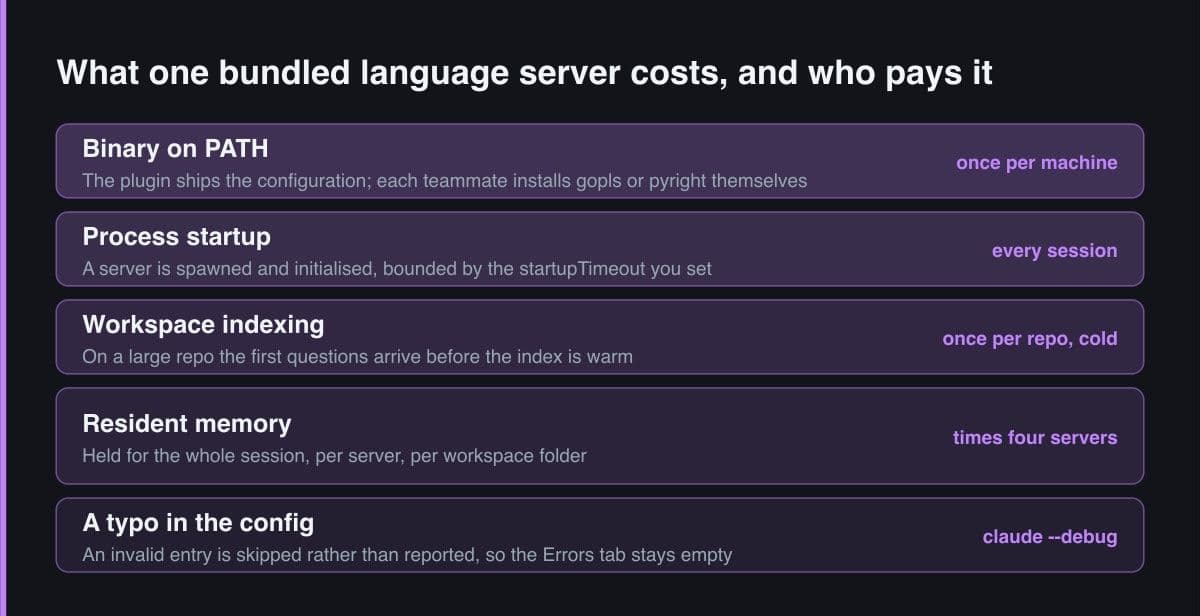
State the cost as four separate bills, because they land on different people at different times. The binary is paid once per machine by the person installing. Process startup is paid every session. Indexing is paid once per repository while cold, and it is paid precisely when the agent is asking its first questions. Resident memory is paid for the whole session, per server, per workspace folder, which is why four bundled servers is four times a cost you only measured once.
# Two fields carry almost all of the cost tuning on a large repo.
{
  "rust": {
    "command": "rust-analyzer",
    "extensionToLanguage": { ".rs": "rust" },

    # A cold index on a big workspace can outlast a short startup window. Pick
    # the number by watching your own repo. The failure is the quiet one: a
    # server that misses the window does not claim .rs, so Claude keeps using
    # its built-in search tools and the session looks completely normal.
    "startupTimeout": 60000,

    # Navigation without the diagnostics push. Errors and warnings stop
    # arriving in the context window after every edit; definition, references
    # and hover still answer.
    "diagnostics": false,

    # One crate instead of the whole workspace — the cheapest of the three.
    "workspaceFolder": "${CLAUDE_PROJECT_DIR}/crates/api"
  }
}
The startupTimeout field is where this turns from an annoyance into a wrong answer. A server that misses its window does not claim its extensions, so Claude keeps working with its built-in search tools and the session looks normal. Nothing is broken and nothing is reported; the agent is simply back to guessing from strings, which is the exact state you installed the server to leave.
Reach for the diagnostics field before you reach for uninstalling. Setting it to false stops errors and warnings being pushed into the context window after every edit while leaving jump-to-definition and find-references intact. On a noisy workspace that is the better trade: you keep the half of LSP that answers structural questions and drop the half that was filling the context with warnings you had already learned to ignore.
Telling whether the agent is actually using LSP
Three checks, in the order that finds the problem fastest. The Errors tab in the plugin manager lists a language server that failed to start, typically with a message that the executable was not found on the PATH. An entry with an invalid configuration appears nowhere at all, so if nothing happened and nothing was reported, run Claude Code with the debug flag and read the reason. After editing the file, reloading plugins picks up the change without a restart, and it does reload plugin language servers along with everything else.
# 1. Did the server start? The /plugin manager's Errors tab lists one that
#    failed, typically:  Executable not found in $PATH
#    An entry with an INVALID configuration is skipped and appears nowhere,
#    so when nothing happened and nothing was reported:
$ claude --debug

# 2. After editing .lsp.json — no restart needed. This reloads plugin
#    language servers along with skills, agents, hooks and MCP servers:
/reload-plugins

# 3. Before shipping it to anyone:
$ claude plugin validate ./acme-toolkit --strict

# 4. The check I add to a bundled plugin, because a silent fall back to text
#    search is worse than a loud failure. hooks/hooks.json:
{
  "hooks": {
    "SessionStart": [
      {
        "hooks": [
          { "type": "command",
            "command": "${CLAUDE_PLUGIN_ROOT}/bin/lsp-preflight.sh" }
        ]
      }
    ]
  }
}

# bin/lsp-preflight.sh — names the missing binary and the project's own
# install command, once, instead of letting an hour of answers come from grep.
for b in gopls pyright-langserver; do
  command -v "$b" >/dev/null 2>&1 ||
    echo "LSP: $b is not on PATH — run 'make dev-tools' to install it"
done
The fourth check is the one I would actually build into a bundled plugin, because the failure mode above is silent and a silent fall back to text search is worse than a loud failure. A session-start hook that tests each declared binary for presence on the PATH, and prints the project's own install command when one is missing, converts an hour of subtly worse answers into one line at the top of the session.
The questions a language server does not answer
LSP answers structural questions. Where is this declared, what references it, what type is this, what does the compiler complain about. It has nothing to say about intent, and a clean diagnostics channel is the most misleading signal in the set, because it reports that the code compiles and is routinely read as reporting that the change was right. Four things still need doing by someone who is not the protocol:
- Run the tests. A file with no diagnostics can still be wrong in every way that compiles, and that is most of the ways.
- Read the diff for intent. Find-references tells you where a symbol is used, never whether the use belongs there.
- Confirm the server claimed the extension before you trust its silence. A server that never initialised reports nothing, which looks identical on the page to a file with no errors.
- Keep the dynamic edges in your own head. Dispatch through a string key, a handler registered at runtime and a name assembled by concatenation are invisible to every request in the protocol.
Put the language server declaration in the plugin your team already installs, because a configuration step nobody has to remember is the only kind that gets done. Declare one server for the language the repository actually is, depend on the official plugin where one exists, and add a session-start check that names a missing binary out loud. Then hold on to the part that is easy to lose once navigation starts working: the server tells you where a symbol is, and a diagnostic tells you the code compiles. Neither of them is a review.