

Key Takeaway
A Claude Code skill is a document; a plugin is a dependency. Keep a workflow as one SKILL.md file while you are the only reader, and bundle it as a versioned plugin only when two or more people must run the identical configuration and you cannot tell whether their copies have drifted apart.
Three skills sit in this repository under .claude/skills — one for writing blog content, one for publishing it, one for drawing the figures. None of them is a plugin. There is no manifest, no marketplace entry and no version to pin, and after months of daily use that has not cost me anything I can name.
This post is the decision rule behind that, argued rather than listed: a skill is a document and a plugin is a dependency. The mechanics come from the Claude Code documentation, which draws the same line in its own table — standalone configuration for personal workflows, project customisations and quick experiments, plugins for sharing with teammates, versioned releases and reuse across projects.
A skill is a document, a plugin is a dependency
Both ship the same markdown. A skill is a SKILL.md file with YAML frontmatter that Claude loads when the task matches its description, and a plugin's skills directory holds exactly those files, unchanged. The difference is not capability. It is the unit of distribution: a document you read and edit, or a dependency you install, pin and upgrade.
The documentation makes the split visible in the command name. A standalone skill at .claude/skills/hello answers to slash hello. The same folder inside a plugin answers to slash plugin-name colon hello, because plugin skills are always namespaced so two plugins cannot collide on one name. That prefix is an honest signal: the procedure now belongs to a package rather than to your project.
What a single skill file costs you
Nothing but the file. A personal skill lives at ~/.claude/skills/name/SKILL.md and is available in every project you open; a project skill lives at .claude/skills/name/SKILL.md and loads from the directory you started in plus every parent up to the repository root. There is no install step, because the file being on disk is the installation.
# A skill is a folder with one required file in it. There is no install
# step, because being on disk IS the installation.
.claude/skills/publishing-blog-posts/SKILL.md      # project, this repo
~/.claude/skills/summarise-changes/SKILL.md        # personal, everywhere

# The whole interface is the frontmatter. description is what Claude
# matches the task against, so it is the only field that decides whether
# the skill is ever loaded at all.
---
name: publishing-blog-posts
description: The staging and merge pipeline for a bilingual blog post.
  Use when adding, merging or debugging a post or the merge scripts.
disable-model-invocation: false   # default; true means only /name invokes it
allowed-tools: Read Grep          # pre-approved for the invoking turn only
---

# Project skills load from the starting directory AND every parent up to
# the repository root, so starting Claude in a subdirectory still finds
# the skills defined at the root.
#
# The trap: across levels, personal beats project. A stale copy in
# ~/.claude/skills wins over the one you committed, and nothing says so.
Two properties make that hard to beat while you are the only reader. Claude Code watches the skill directories, so adding, editing or removing a SKILL.md is picked up inside the running session with no restart — the edit-and-test loop is one save long. And a skill's body loads only when the skill is used, so a long reference document costs almost nothing until something needs it. That is why the three skills in this repository can be exhaustive without being expensive.
What the plugin wrapper adds to the same markdown
A manifest and a directory contract. A plugin declares itself in .claude-plugin/plugin.json with a name, a description, an optional version and an optional author, and everything else sits at the plugin root: skills, agents, hooks/hooks.json, .mcp.json for MCP servers, .lsp.json for language servers, monitors, a bin directory and a settings.json. Only the manifest belongs inside .claude-plugin, and the documentation labels putting the component directories in there the common mistake.
# The same markdown, wrapped. Only plugin.json goes inside
# .claude-plugin/ — every component directory sits at the plugin root.
my-tool/
  .claude-plugin/plugin.json   # name, description, version, author
  skills/publishing-blog-posts/SKILL.md
  agents/blog-post-author.md
  hooks/hooks.json             # the same object you had in settings.json
  .mcp.json                    # MCP servers the bundle brings with it
  bin/                         # joins the Bash tool PATH while enabled
  settings.json                # its agent key can swap the main thread

# The manifest, in full. version is optional, and it is the field that
# decides whether your users ever cross a change you did not intend:
#   name         "my-tool"
#   description  "Blog publishing pipeline"
#   version      "1.0.0"

# Test it without installing anything and without a marketplace:
claude --plugin-dir ./my-tool      # also accepts ./my-tool.zip
claude plugin validate ./my-tool   # --strict fails on warnings too

# Or skip the marketplace permanently. A manifest dropped into a folder
# that is already in your skills directory loads as my-tool@skills-dir:
claude plugin init my-tool         # scaffolds it under ~/.claude/skills
There is a cheaper rung than a marketplace, and it is the one most teams should try first. Drop a .claude-plugin/plugin.json into a folder that is already in your skills directory and it loads on the next session as name at skills-dir, with no marketplace and no install step — which is exactly what claude plugin init scaffolds. It can carry agents, hooks and MCP servers while still being a folder you edit in place.
That rung is also where you feel the unit change. Edits to SKILL.md still take effect immediately, but changes to hooks, .mcp.json, agents or output styles do not until you run slash reload-plugins or restart. The moment a procedure grows a part that has to be reloaded, it has stopped being a document.
The threshold is drift, not headcount
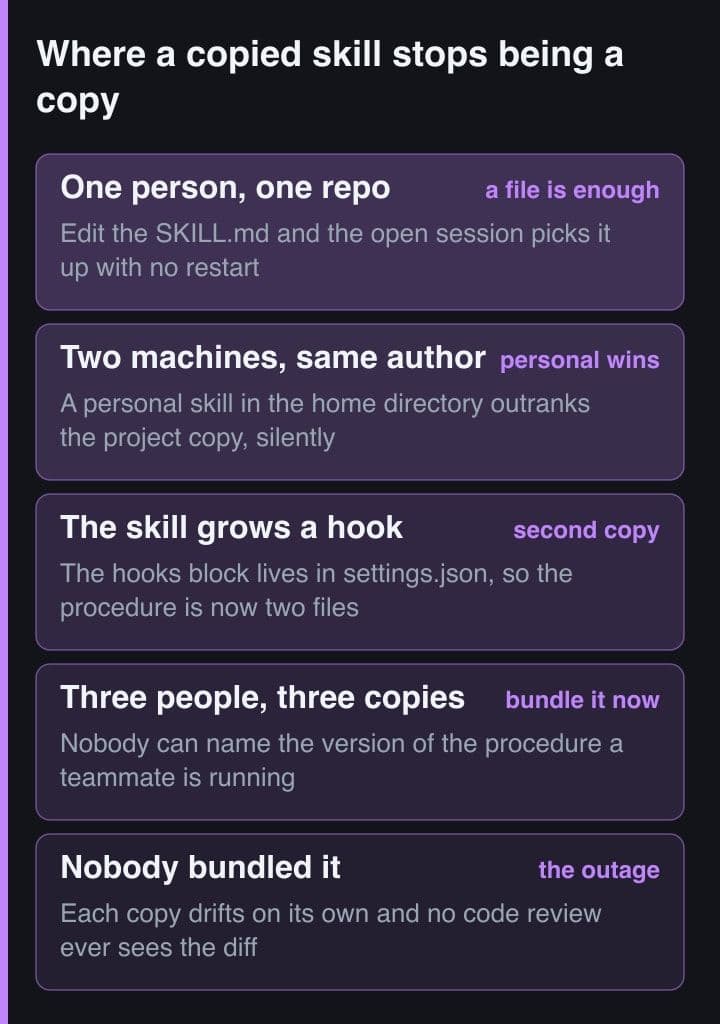
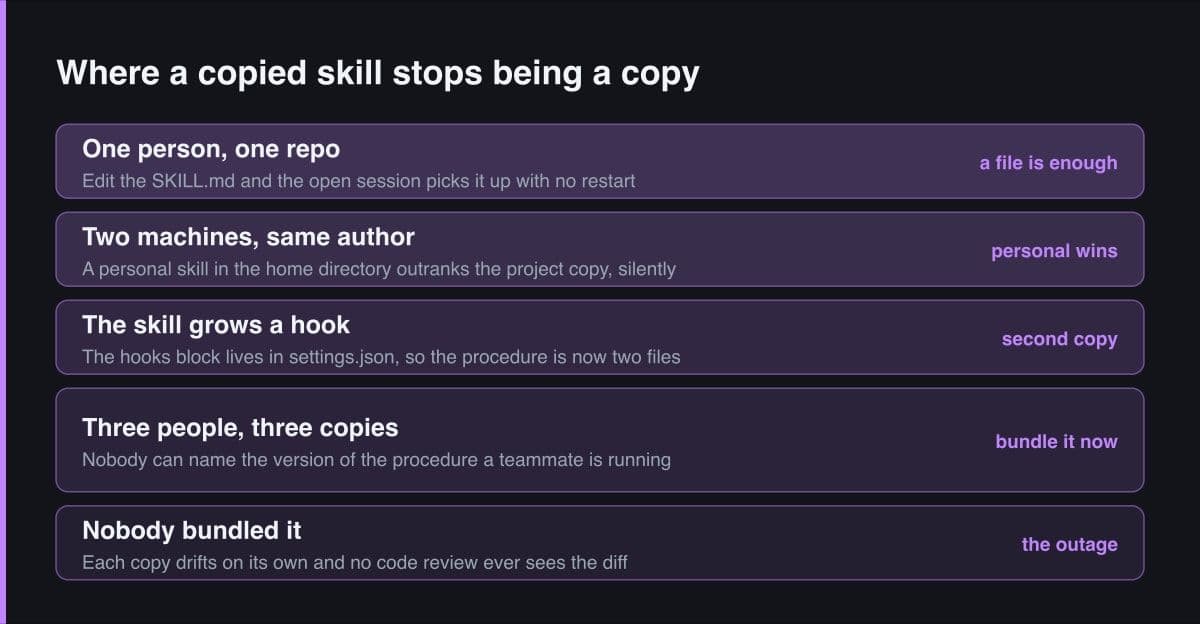
Copying a skill folder to a second machine is not the problem. The problem is that the two copies then diverge and nothing tells you. Claude Code resolves same-named skills across levels with a fixed precedence — enterprise overrides personal, personal overrides project — so a teammate who once copied the procedure into their own ~/.claude/skills runs that stale copy, not the one you committed, and no diff, review or startup message mentions it.
The second copy usually arrives before the second person does. A skill cannot carry a hook: the hooks block lives in .claude/settings.json, so the first time a procedure needs a deterministic step it exists in two files that have to be copied together and can be copied apart. Migrating to a plugin moves that same object into hooks/hooks.json in the same format, which is the clearest statement of what a bundle is actually for.
So the trigger is not team size. It is the first time you cannot answer the question which version of this procedure is that person running. Installing at project scope answers it, because the plugin is written into .claude/settings.json and the repository names the version everyone gets. One caveat is worth knowing before you rely on that: a project-enabled plugin from an external source does not install itself, and Claude Code reports it as not installed until the collaborator runs claude plugin install.
The upgrade you did not schedule
A plugin is a dependency, which means it can change because somebody else pushed. Claude Code checks marketplaces and installed plugins for updates after your session starts, with a random delay of up to ten minutes, so the running session keeps the versions it loaded at launch and you either get a prompt to run slash reload-plugins or the new versions arrive at your next launch. Auto-update is on by default for claude-plugins-official and most other official Anthropic marketplaces, and off by default for third-party and local development marketplaces.
The community marketplace goes a step further, and it is worth reading twice: every approved plugin is pinned to a specific commit SHA in the catalogue, and CI bumps that pin automatically as the author pushes new commits, with the public catalogue syncing nightly. Pinning exists, but it belongs to the plugin author. A version in plugin.json means users only receive updates when that field is bumped, and it wins over the version in the marketplace entry.
# What changes under you, and how to stop it changing.

# Auto-update runs AFTER your session starts, with a random delay of up
# to ten minutes, so the running session keeps the versions it launched
# with and you get a line instead of a surprise:
#
#   Run /reload-plugins to activate.
#
# ON by default: claude-plugins-official and most official Anthropic
# marketplaces. OFF by default: third-party and local development ones.

# Stop Claude Code and its marketplace plugins updating themselves:
export DISABLE_AUTOUPDATER=1

# The combination most teams actually want — pin the CLI for a sprint,
# keep the plugins current:
export DISABLE_AUTOUPDATER=1
export FORCE_AUTOUPDATE_PLUGINS=1

# Pull an update on purpose rather than on a timer, and read what the
# new version installs before you reload it:
claude plugin marketplace update my-team-tools
claude plugin details my-tool

# If you are the author, ship a version in plugin.json. Without one your
# users track whatever you last pushed: in the community catalogue every
# plugin is pinned to a commit SHA, and CI bumps that pin as you push.
A skill file changes when somebody commits to your repository. A plugin can change because its author pushed, and the change lands in the middle of whatever you were doing. Reloading is not free either: it costs tokens on the next request, and a plugin that provides MCP servers invalidates the prompt cache, so that request re-reads the entire conversation unless tool search has deferred its tools.
Eight axes on which the two genuinely differ
Most comparisons of the two collapse into one axis, sharing, and then restate it in four columns. These are the axes that change behaviour rather than vocabulary, and only the last three have ever changed a decision for me.
| Axis | Single skill file | Versioned plugin bundle |
|---|---|---|
| Distribution | Commit the folder, or copy it by hand | Add a marketplace, then install by name at a scope |
| Versioning | Whatever your git history happens to say | A version field in plugin.json that gates every update |
| Install friction | None — the file on disk is the install | Marketplace, install, scope, then reload or restart |
| Feedback loop | Edited in place and picked up mid-session | SKILL.md stays live; hooks and MCP need a reload |
| Review surface | One markdown file, visible in the diff | Manifest, hooks, MCP, LSP, monitors, bin, settings |
| Blast radius | Text the model may choose to read | Arbitrary code running with your user privileges |
| Who maintains it | You, in the repository it serves | The author, on a release cadence you do not set |
| When it is wrong | Delete the folder; the session drops it | Disable or uninstall, then reload to unload it |
Read the bottom half first. Distribution and install friction are cosmetic — a competent team solves either in an afternoon. Review surface, blast radius and maintenance are structural, because they decide what you have to read before you trust the thing and who is allowed to change it after you have.
What you have to read before you adopt one
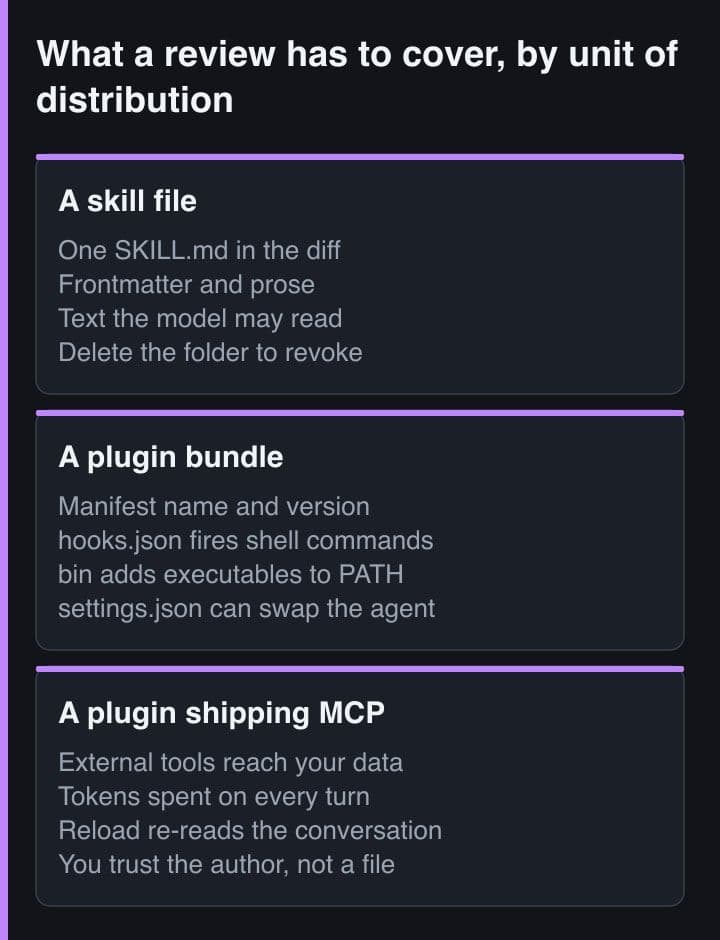
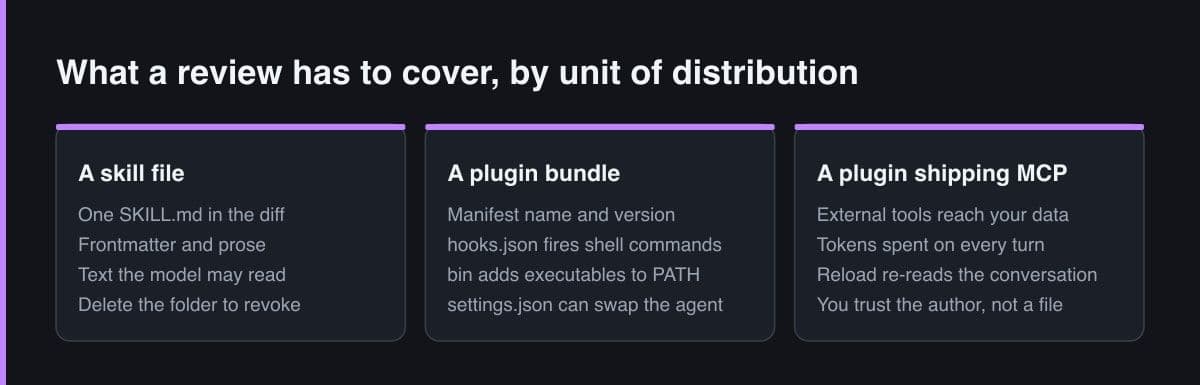
For a skill, the review is the file. Open the markdown, read the frontmatter and the prose, and you have seen everything it can do, because everything it can do is ask the model to do something. For a plugin, the review is the whole bundle: the manifest, every skill and agent, hooks/hooks.json, .mcp.json, .lsp.json, the monitors, the bin directory whose executables join the Bash tool's PATH while the plugin is enabled, and a plugin-root settings.json whose agent key can activate one of the plugin's own agents as the main thread and change how Claude Code behaves by default.
The documentation is blunt about why that matters: plugins and marketplaces are highly trusted components that can execute arbitrary code on your machine with your user privileges, and Anthropic does not control what MCP servers, files or other software a plugin contains. Three things make the review tractable. The plugin detail pane lists what will install — commands, agents, skills, hooks, MCP and LSP servers — beside a context cost estimate and a last-updated date, before you install anything. The claude plugin validate command checks your own bundle, and its strict flag turns warnings into errors. And the installed list flags plugins you have not used in at least two weeks across at least ten sessions, which is the cheapest way to find bundles still charging you context for a workflow you abandoned.
Read the will-install list and the context cost estimate on every install, not only the ones that look risky. A plugin's context cost is paid on every turn of every session it is enabled in, and the estimate is on the same screen as the install button.
The rule I follow now
Three steps, in order, and most workflows stop at the first one.
- Write it as one SKILL.md under .claude/skills and leave it there while you are the only reader. Editing in place with no install step is worth more than versioning you are not yet using.
- Promote it when a second person needs the identical configuration and you cannot verify that they have it. Promote it to a skills-dir plugin first, which buys hooks, agents and MCP servers without a marketplace.
- Publish a marketplace only when installing by hand is itself the drift, and set a version in plugin.json before you tell anyone to install it, because the alternative is that your users track your latest commit.
The reverse case is real and I do not want to argue it away. Three people hand-copying a skill folder and pasting a hooks block into three separate settings files is precisely the drift a plugin exists to end, and at that point the version, the marketplace and the larger review surface are simply the price of a workflow that is the same for everybody. What I object to is paying that price at one reader.
So the question is not whether a workflow is important enough to be a plugin. It is whether more than one copy of it exists, and whether you could tell if those copies had drifted apart. If the answer is no, what you have is a document, and a document belongs in a file you can edit while it is running.
Sources
- Claude Code documentation — Create plugins: the standalone versus plugin comparison, the manifest fields and the plugin directory contract
- Claude Code documentation — Extend Claude with skills: where skills live, precedence across levels, frontmatter fields and live change detection
- Claude Code documentation — Discover and install plugins: install scopes, auto-update behaviour, the will-install pane and the security warning
- Claude Code documentation — Plugins reference: version management, skills-directory plugins and the validate and reload commands
- Claude Code documentation — Prompt caching: what enabling, disabling or reloading a plugin costs the prompt cache