

Key Takeaway
Helipod is a managed Indonesian PaaS: rupiah billing over QRIS or bank transfer, a build engine called Helipack, and no published region for app containers. Dokploy is an open-source PaaS you install on a VPS you own. The choice is responsibility, not features. Managed hosting buys somebody else's patch window and pager, self-hosting buys control and a smaller invoice.
My Jakarta VPS costs about sixty thousand rupiah a month and carries a Docker stack I built by hand: an uptime monitor, a Telegram bot, an autonomous coding agent. When I looked at what it would take to put a client-facing app next to them, the question stopped being technical. It became whether I wanted to keep being the person who notices when that box stops answering.
This post compares Helipod, a managed Indonesian PaaS, against Dokploy, the open-source PaaS I already run on my own server. Every price, flag and licence clause below comes from the vendors' own pages, checked in early September 2026, and I have named where each one lives. What I bring first-hand is the self-hosted half: I have been the whole on-call rota for a Jakarta VPS for months.
The trade is on-call, not features
Both options take a Git repository, build it into a container, and serve it behind TLS on a domain you choose, in minutes. Feature lists are where these comparisons usually go, and it is the least useful axis, because after a week of real use the feature sets converge on each other. What never converges is who is responsible when the machine underneath misbehaves.
So read everything below as a question about responsibility rather than capability. A managed PaaS sells you a slice of somebody else's operations team: their patch window, their node failures, their pager rota. Self-hosting sells you control and a much smaller monthly invoice, in exchange for becoming that team. Neither is correct in general. The answer depends on how many people you are, and on whether any of them actually enjoys operations.
What Helipod actually sells
Helipod is an Indonesian PaaS operated by PT Samudra Inovasi Terpadu, scheduling your containers as pods on Kubernetes. Its pricing page offers a separate VPS product in Jakarta, Singapore or Germany but names no region for app containers, and Helipod's own comparison articles of May 2026 said apps then ran only in Germany, with an Indonesian server still coming soon. The two details that matter most to a local team are not really features. It bills in rupiah, pay-as-you-go, charged daily — from Rp 150 per day per 0.125 vCPU, Rp 200 per day per 128 MB of RAM and Rp 75 per day per GB of storage — and it takes QRIS and bank transfer, so no international credit card enters the conversation. Anyone who has watched a card get declined at renewal time knows what that removes.
The build side is a house engine called Helipack. It reads composer.json, package.json or requirements.txt, works out the framework, and generates a multi-stage Dockerfile with BuildKit build secrets, a non-root user and tini as the init process. Its own FAQ names the supported set precisely: Node.js, PHP, Python and Go. Rust, Ruby and Java are bring-your-own-Dockerfile. That is the sort of sentence you want to find before a migration rather than during one.
# Helipack decides your Dockerfile for you. This is how you read that
# decision instead of trusting it — documented on the Helipack feature page.
export HELIPACK_KEEP_DOCKERFILE=1
# a local build now writes .helipack.Dockerfile instead of discarding it

# What comes out is an ordinary multi-stage Dockerfile. Helipod's Laravel
# example on that page starts from FrankenPHP and mounts build secrets, so
# environment variables never land in an image layer:
#
#   FROM dunglas/frankenphp:latest-php8.3-alpine AS base
#   RUN --mount=type=secret,id=build_env php artisan config:cache
#
# Read it once at signup. It is a code review of your platform AND your exit
# plan: that file builds on any host with Docker on it.

# The line to find BEFORE a migration, not during one. From the same FAQ:
# Helipack detects Node.js, PHP, Python and Go. Rust, Ruby and Java are
# "bring your own Dockerfile" — supported, but no longer automatic.
Managed does not have to mean opaque. Helipack's documented HELIPACK_KEEP_DOCKERFILE flag writes the generated Dockerfile to disk during a local build, and that file builds on any host with Docker on it. Read it once when you sign up: it is simultaneously a code review of your platform and your migration path off it.
Scaling is a Kubernetes Horizontal Pod Autoscaler with a default target of 70% CPU, evaluated every 15 seconds, between one and ten replicas. Read the pricing page's small print next to it. A single pod is capped at 4 vCPU, 8 GB of RAM and 30 GB of storage with the container image counted inside that, and Helipod's own FAQ notes HPA needs at least two replicas before it does anything at all. Those are the ceilings, and they are published, which is more than many platforms manage.
What self-hosting Dokploy asks of you
Dokploy installs with one line, and that line is genuinely the easy part of the day. Its docs are blunt about the floor: at least 2 GB of RAM and 30 GB of disk, because Docker builds are what freeze small boxes rather than serving traffic. Ports 80, 443 and 3000 have to be free or the install fails outright, and on a VPS with any history that is the most common first failure — something is already holding port 80.
# Dokploy's own installer. One line, and it is the easy part of the day.
curl -sSL https://dokploy.com/install.sh | sh

# The floor the docs state: at least 2 GB of RAM and 30 GB of disk, because
# Docker builds are what freeze small boxes — not serving traffic.

# Ports 80, 443 and 3000 must be FREE. The install fails outright if they
# are not, and on any VPS with a history something already holds 80:
ss -lntp | grep -E ':(80|443|3000) '

# Everything past this line is yours for as long as you run the box.
# Nobody schedules it for you, and nobody notices when you skip it.
apt-get update && apt-get upgrade -y   # kernel, Docker, OpenSSL, the reboot
What you get for it is a real platform: Nixpacks, Heroku buildpacks or your own Dockerfile; native Docker Compose; PostgreSQL, MySQL, MariaDB, MongoDB and Redis with backups to an S3 destination you own; Traefik with a file editor; and remote servers, so one control plane deploys to several machines. What you also get is the release stream. Dokploy tagged 36 releases between 2 January and 1 September 2026 — v0.29.4 in May had become v0.30.4 by the day I wrote this. Every one of those is now a decision you own, including the decision to skip it.
The licence line nobody reads
Dokploy is described everywhere as open source, and the main body of the repository genuinely is Apache-2.0. The licence file adds one clause that changes the answer for some teams: everything under a /proprietary directory is governed instead by the Dokploy Source Available License 1.0, which permits production use only if you have agreed to, and are complying with, a valid commercial agreement from Dokploy. Copying and modifying it for development and testing needs no subscription. Production does.
# The claim is "Dokploy is Apache-2.0". Half of that is true. Check it:
curl -s https://raw.githubusercontent.com/Dokploy/dokploy/canary/LICENSE.MD

#   "All content that resides under a /proprietary directory of this
#    repository, if that directory exists, is licensed under the license
#    defined in LICENSE_PROPRIETARY."
#
# "if that directory exists" is carrying a lot of weight in that sentence,
# so find out whether it does instead of assuming either way:
curl -s "https://api.github.com/repos/Dokploy/dokploy/git/trees/canary?recursive=1" -o tree.json
grep -o '"path":"[^"]*proprietary[^"]*"' tree.json | wc -l
# 38 — three /proprietary directories holding 29 files, and they hold exactly
# the features an enterprise buys a platform for:
#
#   apps/dokploy/components/proprietary/audit-logs/show-audit-logs.tsx
#   apps/dokploy/components/proprietary/sso/register-saml-dialog.tsx
#   apps/dokploy/components/proprietary/roles/manage-custom-roles.tsx
#   packages/server/src/services/proprietary/license-key.ts
That clause is not hypothetical, because those directories exist. On the canary branch in early September 2026 I counted three of them holding 29 files, and their contents are exactly the governance features an enterprise buys a platform for: audit logs, SSO over SAML and OIDC, SCIM provisioning, custom roles, forward-auth in front of your deployed apps, whitelabeling and licence-key handling. The docs agree with the code. By default an instance runs the standard edition, and enterprise features need a key issued by the Dokploy team. None of this makes Dokploy a bad choice — it makes the free tier a smaller thing than the phrase open source suggests.
Two pages in the same docs need reconciling before you budget. The enterprise overview says a self-hosted licence works in air-gapped environments, while the licence-key page says a licence is validated every day against Dokploy's servers, using your server's IP address. If your reason for self-hosting is that nothing on that box may phone home, ask them which applies to you rather than assuming the friendlier answer.
Where the two genuinely diverge
Here is the comparison stripped down to the axes where the two answers are actually different. Git deploys, TLS, environment variables, logs in a browser and a web terminal are on both sides, so they cannot help you choose.
| What you are really choosing | Helipod (managed) | Dokploy (self-hosted) |
|---|---|---|
| Host OS and kernel patching | Helipod's team. There is no node for you to log into | Yours. apt upgrade, the Docker version, and choosing the reboot window |
| Who notices at three in the morning | Their on-call rota. You read a status page | You, from your phone, via an alert you configured yourself |
| Cost at 2 vCPU and 2 GB | Micro at Rp 250,500 a month list, Rp 125,250 on the one-month bundle | About Rp 60,000 for a Jakarta VPS, plus the hours you put into it |
| Licence you operate under | A commercial service and its terms. Nothing to audit | Apache-2.0 core, but /proprietary is DSAL 1.0 and production needs an agreement |
| More than one machine | No server concept at all. You scale replicas, one to ten | Native remote servers and a separate build server, on Docker Swarm |
| Backups and restores | No app or database backup product on the public pricing and feature pages | Database and volume backups built in, to an S3 destination you provide |
| The ceiling you hit first | 4 vCPU and 8 GB per pod. Rust, Ruby and Java need your own Dockerfile | Your own appetite for operations. SSO, SCIM and audit logs are licensed |
Row three is the one people quote and row two is the one that decides. Two to four times the invoice is a rounding error against one evening spent recovering a box, and it is an outright bargain if that evening lands during a launch. Row six is the honest surprise: neither option hands you a tested restore, so read that row as a task you still own on both sides.
The rupiah arithmetic, honestly
At matched specification the managed option costs more, and less than people expect. Helipod's Micro plan is 2 vCPU, 2 GB of RAM and 30 GB of storage at a list price of Rp 250,500 a month, shown at Rp 125,250 while a 50% one-month bundle discount runs — always open the live page, because promotional pricing is exactly the kind of number that expires quietly. My own Jakarta VPS at the same 2 vCPU and 2 GB lands around Rp 60,000, which I wrote up when I reviewed the provider.
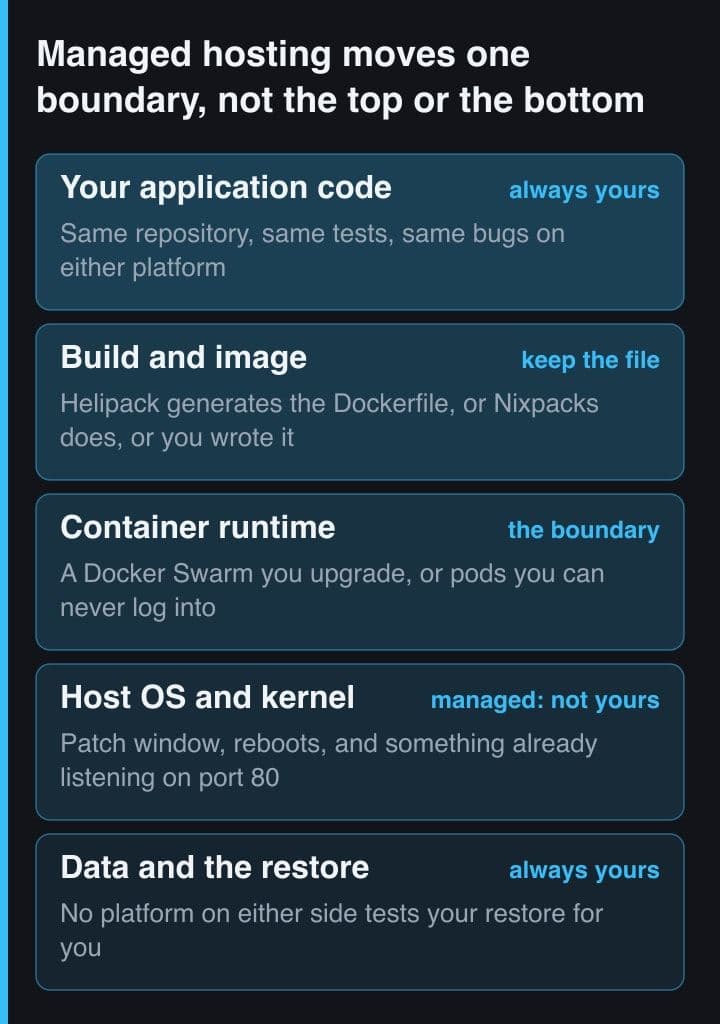
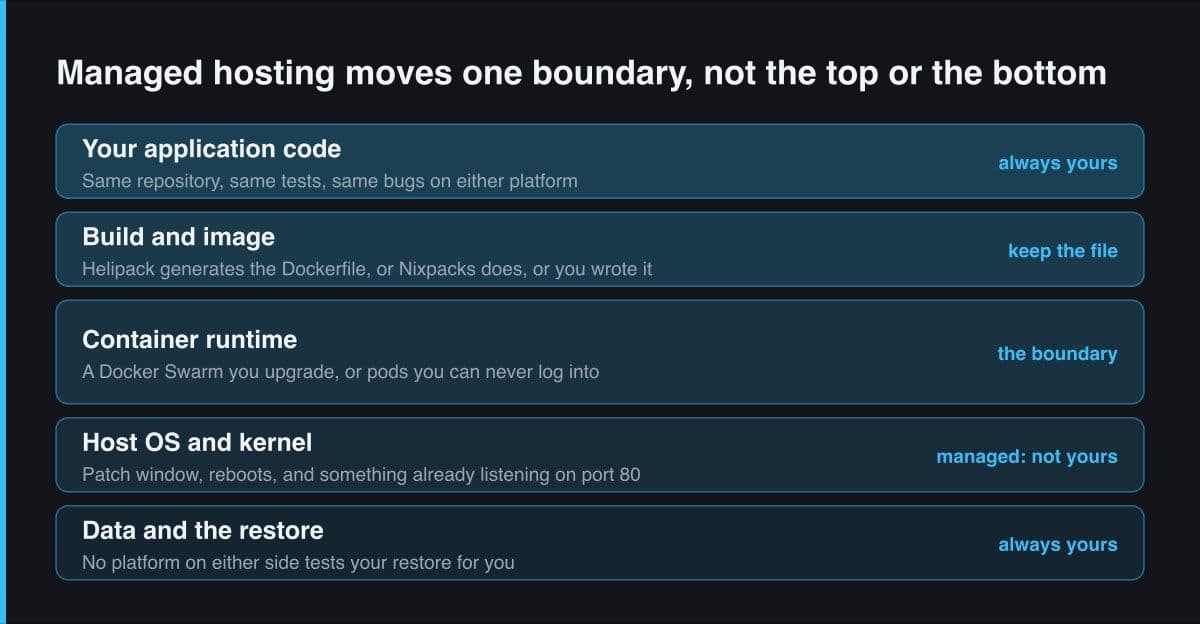
The column that appears on neither invoice is hours. On the VPS I own the operating system, the Docker daemon, Traefik's certificates, the firewall, the backup job, and the test that proves the backup restores. None of that work is hard. All of it is unpredictable, which is the property that matters when a deadline is already fixed. The managed platform does not delete that work so much as move most of it, and as the figure above shows, it leaves the data layer exactly where it was.
Price the migration before you price the month. Both options use a Dockerfile or a Compose file as their interface, so moving is roughly a day's work in either direction — but only while that file lives in your repository rather than in a platform's web form. Commit the Dockerfile, keep configuration in environment variables, and today's decision stays reversible.
How I would choose, and when I would switch
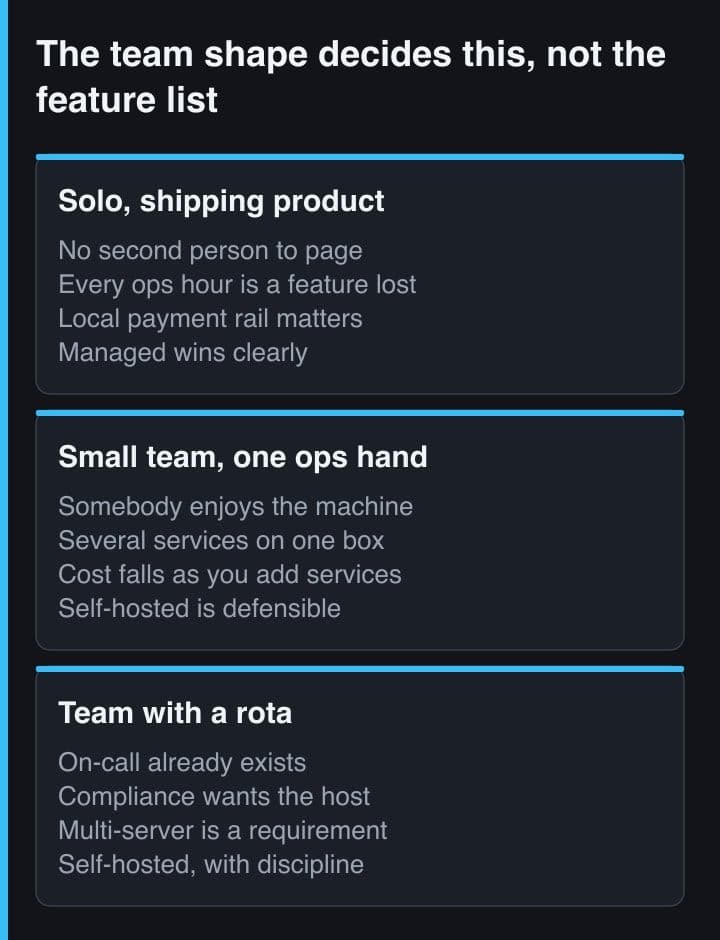
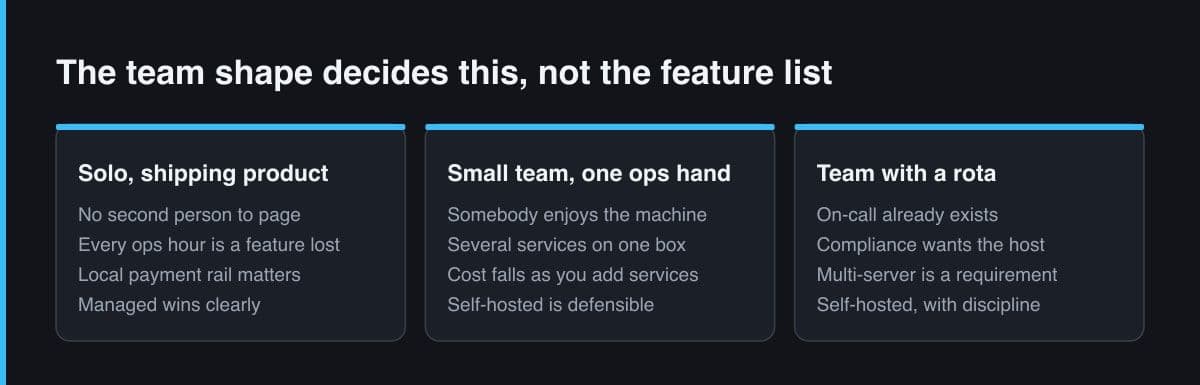
The rule I ended up with is about people, not price.
- One or two developers, nobody who enjoys operations, a client already waiting: take the managed PaaS. You are buying a patch window and a pager, and at Micro prices both are cheap.
- A team that already runs a VPS well, with monitoring and a restore it has actually tested: self-host. Dokploy's remote servers grow with you, and the licence only bites when you need SSO, SCIM or audit logs.
- An enterprise or regulated buyer that needs audit logs and SSO on hardware it controls: cost the Dokploy enterprise licence at the start, because that is precisely the part the free edition does not cover.
The switching signal is easier to state than the starting one. Move off managed the day you need a machine rather than a pod: a background worker with a large heap, a database you want to tune, a single process wanting more than 4 vCPU. Move onto managed the first time an operating-system upgrade eats an evening you had already promised to something else.
Treat this as a staffing decision with a hosting invoice attached. Helipod is the better default for a small Indonesian team, because rupiah billing over QRIS and somebody else's on-call rota remove two completely different kinds of friction at once. Dokploy is the better default the moment operations is something your team does deliberately rather than reluctantly — and if you go that way, read the /proprietary clause before you promise anyone SSO.
Sources and further reading
- Helipod pricing — daily rupiah rates, plan specifications and per-pod limits
- Helipod — the Helipack build engine, supported frameworks and the generated Dockerfile
- Dokploy docs — installation, server requirements and the ports it needs free
- Dokploy LICENSE.MD — Apache-2.0 with the /proprietary carve-out
- Dokploy docs — enterprise features and how licence keys are validated
- Helipod blog — Helipod vs Render, including where Helipod's app servers ran, 13 May 2026