

Key Takeaway
Comparing a managed Indonesian PaaS with a Jakarta VPS on invoice alone is the wrong comparison. At a matched 2 vCPU and 2 GB, Helipod's Micro tier lists at Rp 250,500 a month against roughly Rp 60,000 for mine, but the VPS invoice excludes patching, TLS renewal, tested backups, monitoring and on-call, about four hours a month.
On 28 July 2026 my own monitoring told me the root disk on the box that serves this site had crossed 85 percent. The fix was two prune commands I did not have to look up, and that was the uncomfortable part: I knew them by heart. The VPS costs about sixty thousand rupiah a month. The managed platform I keep comparing it against lists at four times that, and until that morning I had been treating those two numbers as the whole comparison.
This post puts real rupiah figures side by side at matched CPU and RAM, Helipod's published IDR tiers against the Jakarta VPS I actually administer, and then adds the column a price comparison always omits: the work. I am not converting those hours into money, because the exchange rate between rupiah and your Saturday is yours to set, not mine. They are counted instead in hours a month and interruptions a quarter, from one box I run and one pricing page I read.
Invoice against invoice is the wrong comparison
Every PaaS-versus-VPS argument I have read anchors on the monthly invoice, and the monthly invoice is the one number where the VPS cannot lose. Helipod's Micro tier, 2 vCPU with 2 GB of RAM and 30 GB of storage, lists at Rp 250,500 a month, and showed Rp 125,250 under a 50 percent promotion on the day I read the pricing page. My own box is 2 vCPU and 2 GB with a 40 GB SSD, on Tencent hardware in the Jakarta region, for roughly Rp 60,000. That is a four-times gap at list price and about two-times while the promotion runs.
An invoice, though, is a bill for capacity, and capacity is the cheap half of running software. The expensive half is the standing set of jobs that keep that capacity serving traffic: patching the operating system, renewing certificates, taking backups and proving they restore, installing the monitoring that tells you when any of it broke, and answering the alert when it does. On the managed side every one of those sits inside the Rp 250,500. On the VPS side they sit inside your week, which is why the cheaper column is the one with the missing rows.
The same 2 vCPU and 2 GB, priced twice
Here is the matched pair. Both columns are 2 vCPU and 2 GB; the left specification comes from Helipod's own pricing page and the right one from the box I run. The first two rows are the comparison people make. The seven rows under them are the comparison that actually decides the question.
| What you are comparing | Managed PaaS tier, 2 vCPU / 2 GB | Jakarta VPS I administer |
|---|---|---|
| Matched specification | 2 vCPU, 2 GB RAM, 30 GB storage | 2 vCPU, 2 GB RAM, 40 GB SSD |
| Monthly invoice | Rp 250,500 list, Rp 125,250 under the 50 percent promotion shown when I checked | Around Rp 60,000, billed in rupiah, with cheaper entry tiers below it |
| Getting a release live | git push; the build engine detects the framework and generates the Dockerfile | My Dockerfile, my registry, my Actions workflow, my SSH step |
| TLS certificates | Custom domain plus automatic SSL, described as one click | certbot and an nginx vhost I wrote, and a renewal timer I verify myself |
| Handling a traffic spike | Kubernetes HPA scales replicas against a CPU target, inside the plan | Resize the box and reboot, or do nothing and serve the spike slowly |
| Shell access | No SSH; a browser terminal into the running pod and a live log stream | Full root, which is both the reason to choose it and the reason it costs hours |
| Monitoring and alerting | Pod logs streamed to the browser by the platform | Prometheus, node-exporter, cAdvisor, Grafana and Uptime Kuma, installed and upgraded by me |
| Who reboots for a kernel patch | Somebody you will never meet | You, at a time you choose or a time you do not |
| Disk hygiene | Storage is a line in the plan | A 40 GB root eating about 1.4 GB per release, pruned by hand |
Read the table downwards and the price column inverts. Rows one and two favour the VPS by a factor of two to four. Rows three to nine are all jobs, and not one of them is priced in the right-hand column, which does not make them free. It only means the bill arrives in a currency your accounting does not track.
What the managed invoice is actually buying
Three items on that invoice are worth naming precisely, because they are the ones dismissed as conveniences. The build engine removes the Dockerfile: Helipack detects the framework, with Next.js, Laravel, Django, FastAPI, Rails, NestJS and Astro among those listed, and generates the image itself. Automatic SSL removes certbot from your life entirely. And the autoscaling is not marketing vocabulary: it is the Kubernetes Horizontal Pod Autoscaler, which adjusts a workload's replica count to track a CPU target, a different and more useful thing than resizing one box.
# --- Managed PaaS: the entire deploy ---
git push origin main
# The build engine detects the framework and generates the Dockerfile itself.
# Custom domain and TLS are a setting, not a task.


# --- The same release, on a box I own: Actions -> GHCR -> SSH ---
docker build -t ghcr.io/OWNER/app:$GITHUB_SHA .
docker push ghcr.io/OWNER/app:$GITHUB_SHA
ssh deploy@my-vps 'cd /opt/app && docker compose pull && docker compose up -d'

# None of the following is in that script, on the invoice, or in anyone's
# estimate: the nginx vhost that terminates TLS, the certbot timer that
# renews it, the alert rule that notices when it did not, and the 1.4 GB
# image this release just left behind on a 40 GB root disk.
The trade in that snippet is real in both directions. You lose the shell: diagnostics become a live log stream and a browser terminal into the pod, which is genuinely enough right up to the moment you need strace on a wedged process, a kernel module, or to copy 40 GB off a disk. What you gain is a deploy with no host in it, and therefore no host to forget about.
The pricing detail that matters most for an Indonesian reader is not the rupiah figure but the payment channel: QRIS and bank transfer, with no credit card required. I have watched a deploy stall because a card was declined at renewal on a foreign provider, and paying through a channel every Indonesian already has removes a whole class of outage that has nothing to do with engineering.
The bands the price column cannot show
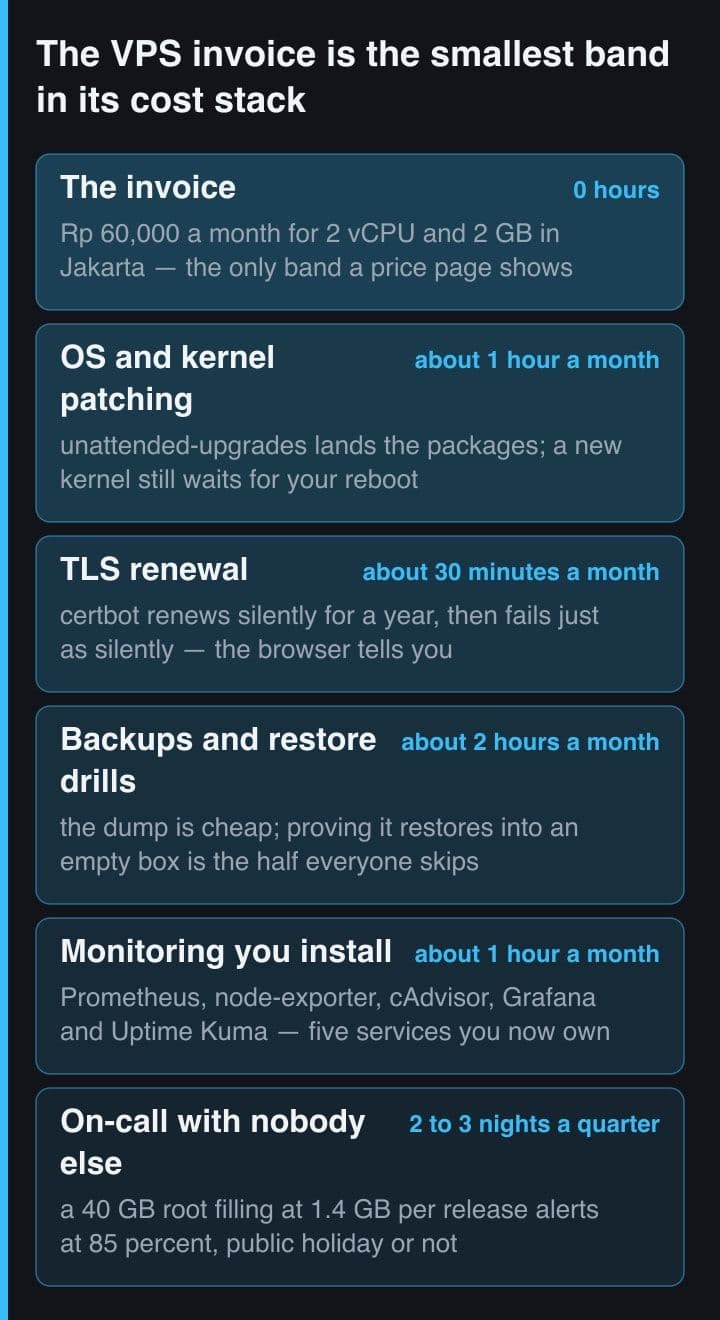
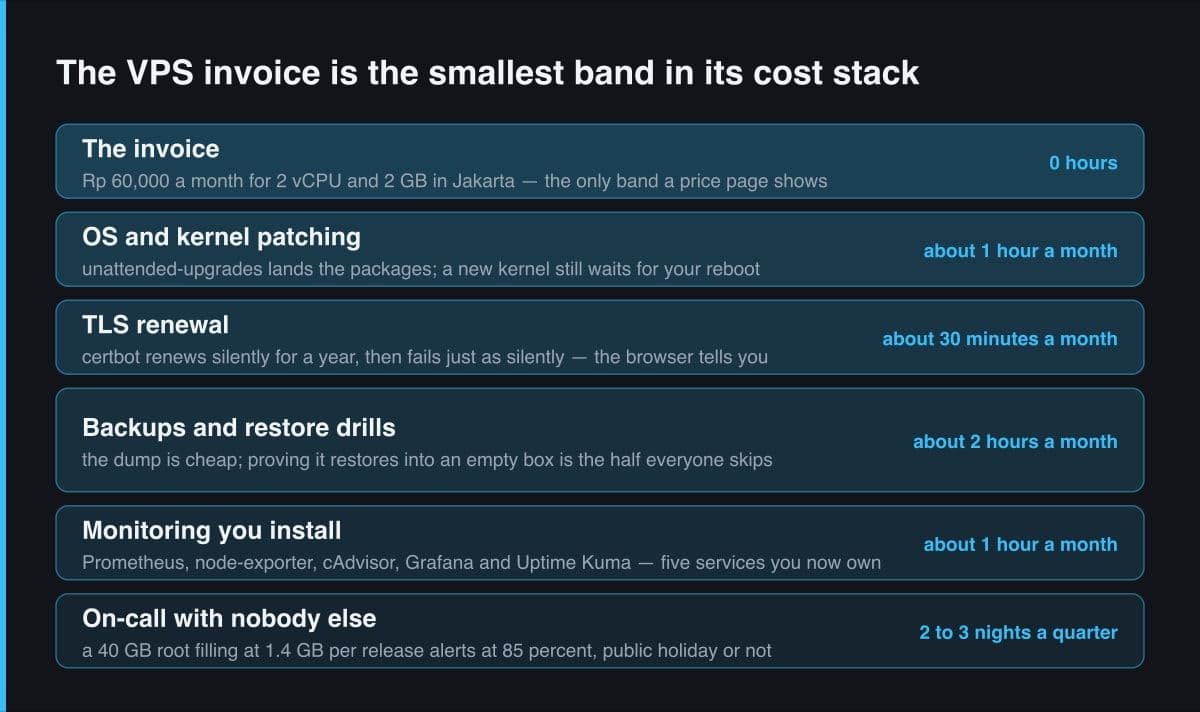
Here is my honest tally for one box, and I want to be exact about what kind of number it is: a first-person estimate from a single VPS I administer, not a benchmark. Patching costs about an hour a month, because unattended-upgrades lands the packages on its own but a new kernel sits unused until I reboot, and I reboot while I am watching. TLS costs about half an hour, almost all of it spent confirming that a timer I cannot see actually fired. Backups cost about two hours, and nearly all of that is the restore drill rather than the dump. Monitoring costs about an hour, because Prometheus, node-exporter, cAdvisor, Grafana and Uptime Kuma are five more services with their own upgrades and their own ways of dying.
That is roughly four and a half hours a month of scheduled work, plus two to three unscheduled interruptions a quarter, and the interruptions do not consult the calendar. Multiply four and a half by whatever your own hour is worth and you have your answer. I am deliberately not doing that multiplication, because the number it produces is personal and the arithmetic is the only part I can hand you.
Before committing either way, check the plan's storage line rather than its CPU. The constraint I actually hit was the 40 GB root, not the 2 GB of RAM, and the matched managed tier ships 30 GB, ten less than the box it is competing with. Storage is where matched-CPU comparisons quietly stop matching.
Two silent failures that taught me the hours
Both of my expensive VPS lessons were silent failures, which is exactly the category a managed platform is best at eliminating. The first was certificate renewal. Certbot installs its own timer and then never mentions itself again, so the healthy state and the broken state look identical from outside for weeks. Since Certbot 4.0.0 a certificate is renewed when less than a third of its lifetime remains, where the threshold used to be a fixed 30 days, so on Let's Encrypt's default 90-day certificate roughly a month of grace can be spent while nothing on the box complains.
# Is the renewal timer alive? The certificate cannot tell you.
systemctl list-timers --all | grep -i certbot

# Safe to run any day: it hits Let's Encrypt's STAGING server, so it proves
# the whole plumbing (timer, plugin, webroot, reload hook) without spending
# a rate limit or touching the live certificate.
sudo certbot renew --dry-run

# Since Certbot 4.0.0 a certificate is due for renewal when less than 1/3 of
# its lifetime remains; before 4.0.0 the threshold was a fixed 30 days. On
# Let's Encrypt's default 90-day certificate that is about 30 days of grace.
#
# Wrong: a green padlock today, so the timer must have fired.
# Right: an external check that alerts on DAYS REMAINING, not on HTTP 200 --
# because HTTP 200 is exactly what you get for all 30 days of the grace.
The second was disk, and it is the one I now warn every self-hoster about. My deploy pipeline pulls a fresh image of about 1.4 GB per release and prunes nothing, on a 40 GB root. The arithmetic is unforgiving: twenty releases is 28 GB of images for one running container. What made it worse is that the obvious command does nothing, because plain image prune only removes dangling images and every image on that box is still tagged.
# Disk alert at 85% on a 40 GB root. First, where did it go:
docker system df

# Wrong: this frees almost nothing here. Plain image prune removes only
# DANGLING images, and every stale image on this box is still tagged with
# the release SHA that pushed it.
sudo docker image prune

# Right: -a removes every image with no container attached, and the build
# cache is a separate pool -- "docker system prune" leaves non-dangling
# cache alone, and never removes volumes at all without --volumes.
sudo docker image prune -af
sudo docker builder prune -f

# Outcome: 75% -> 57%, about 7.6 GB back. 3.4 GB of that was build cache and
# 4.3 GB was four stale images of my own app -- one per release that cleaned
# up after itself exactly as well as I had told it to, which was not at all.
Never count a backup you have not restored. Writing the dump is fifteen minutes of scripting; restoring it into an empty box and confirming the application boots against it is an evening, and it is the only version of the task that means anything. The restore drill is the line item most often left out of a VPS estimate, and the only one whose absence turns a bad afternoon into a lost business.
Where the VPS wins outright
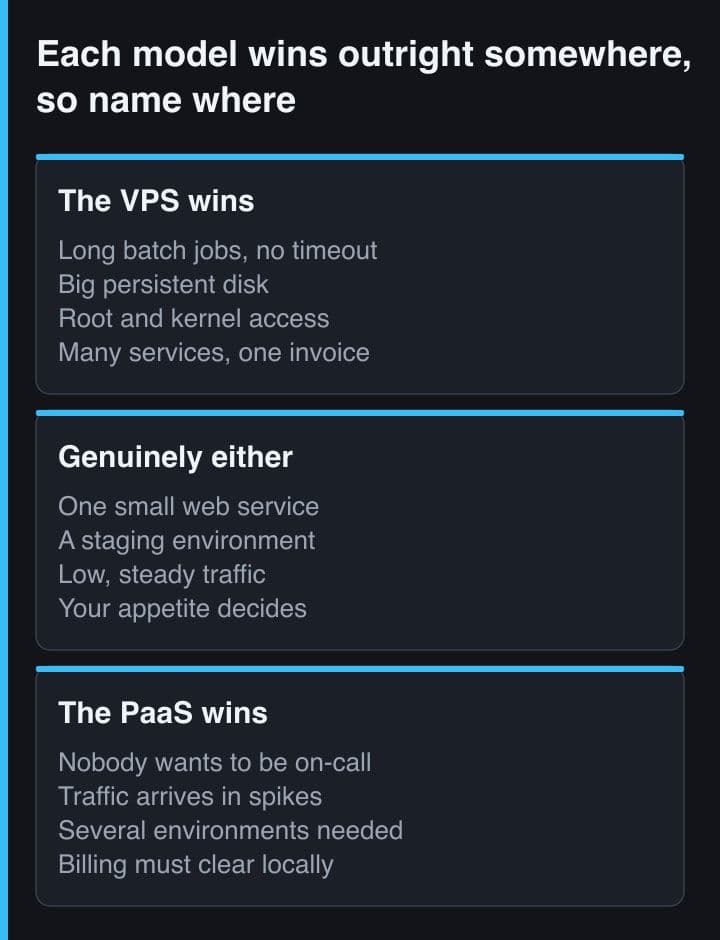
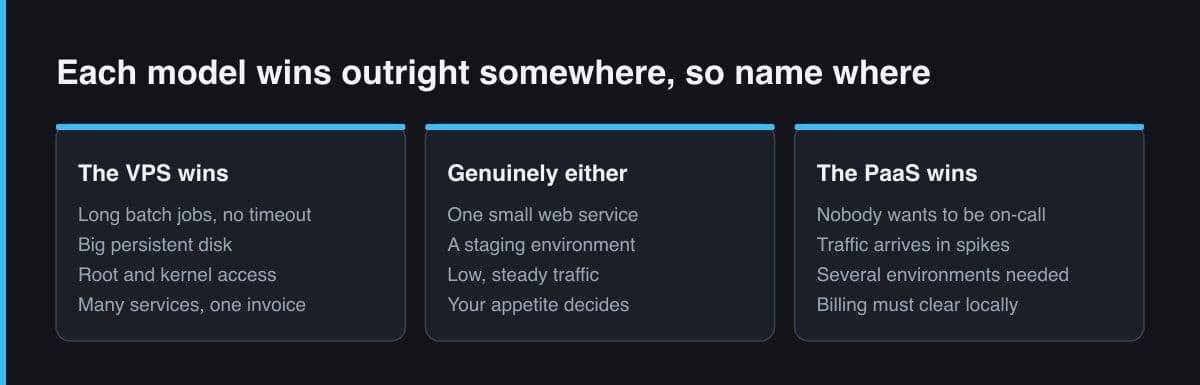
This is not a post arguing for managed hosting. There are workloads where a box you administer is simply the right answer, and they share a shape: they want resources rather than requests.
- A long-running batch job. Per-pod ceilings and CPU-based autoscaling are designed around request traffic; an eight-hour import that pins one core wants a machine, not a replica count.
- A large persistent disk. Plan storage is sized for an application, not for a media library or a Postgres volume that grows every month, and adding disk to a VPS is a line item rather than a tier jump.
- Anything needing root. A kernel module, a custom sysctl, strace on a live process, or a system package the build engine has never heard of.
- Predictable cost at high resource counts. The gap widens with size rather than closing, because matched managed capacity stays a multiple of raw capacity all the way up the tier list.
- Several unrelated services on one box. Uptime Kuma, Grafana and Prometheus share my VPS at no extra invoice; on a per-application platform each of them is its own deployment with its own line.
Where the PaaS wins outright
A team of one or two with no appetite for operations is the clearest case, and it is a bandwidth question rather than a skill question. The four and a half hours are not hard; they are simply hours that will not be spent, and an unmaintained box is not a cheaper box. If nobody on the team wants to own a Linux host, the managed multiple is the cost of that work being done by someone who signed up for it.
Spiky traffic is the second case, because horizontal replicas against a CPU target respond to a spike in a way that resizing and rebooting one box never will. The third is environments: development, staging and production with independent config and secrets is a day of work per environment on a VPS and a setting on a platform, and the same is true of team roles like owner, admin and viewer. If you need three environments, the managed tier is competing against three VPSs and three sets of the hours above.
The crossover is team size and appetite, not better
So state it honestly: there is no winner, there is a crossover, and it sits at team size and appetite for operations rather than at any price point. Below roughly one person who genuinely enjoys running Linux, the managed tier is cheap at any figure you can afford. Above it, with a monitoring stack you already like and a runbook you already trust, the VPS is cheap in both currencies at once, because the hours you spend are hours you would have spent anyway.
What I do in practice: production for other people's businesses goes wherever the operational burden lands on somebody who accepted it, and my own things live on the box. That is not a claim that the box is better. It is a claim that I am the person who knows those two prune commands by heart, and that knowledge is only an asset while it is being used.
The rule I carry out of this: never compare a PaaS tier to a VPS tier on price alone. Compare the invoice plus an honest hour count, and write the hour count down before you form an opinion, because after that it bends to fit. If the hours are near zero because you enjoy them, the VPS really is several times cheaper. If they are hours you would rather not spend, the managed tier was never a premium; it was the price of the work, itemised.
Sources and further reading
- Helipod, Indonesian PaaS plans, IDR pricing, HPA autoscaling and QRIS payment
- Kubernetes documentation, Horizontal Pod Autoscaler
- Certbot user guide, automated renewal, the renewal threshold and the dry run
- Let's Encrypt FAQ, the default 90-day certificate lifetime
- Docker documentation, pruning unused images, build cache and volumes