

ERP
Epson TM-T82 ESC/POS Printing From a Custom POS App
August 202612 min read
Not natively. The printer executes ESC/POS commands, which are byte sequences beginning with ESC (hex 1B) or GS (hex 1D). A driver can rasterise an HTML page or PDF into a bitmap and stream it as dots, but that path is far slower and gives you no control over the cutter or the cash drawer. For point of sale, generate ESC/POS bytes directly.
On 80 mm paper the print width is 72 mm at 203 dpi. Font A is a 12 by 24 dot cell, which gives 48 characters per line, and Font B is 9 by 17 dots, giving 64. On 58 mm paper the same Font A yields roughly 32 columns. Because the fonts are monospaced, your layout is literally a character count.
The printer does not understand UTF-8. It prints from single-byte character tables selected with the ESC t command, so each byte of a multi-byte UTF-8 sequence becomes its own glyph. Encode your text to the selected code page — PC437 is the usual default — or select a table that contains the characters you need before printing that block.
Whichever transport is physically attached: a USB or serial device node, or a TCP connection to port 9100 on Ethernet models. On Windows you can also push raw bytes through the print queue using the RAW datatype, which keeps queue management while skipping rasterisation. Open one connection per receipt and close it when done.
No. Persist the receipt payload and payment id in a queue table inside the same transaction that closes the sale, then let a single worker drain that queue. A printer that is offline, jammed or out of paper then becomes a visible queued job rather than a hung checkout screen, and reprints become a retry against the same payment id.
Key Takeaway
An Epson TM-T82 prints ESC/POS byte streams, not web pages. A reliable custom POS builds the receipt as bytes, sends them straight to the printer over USB, serial or TCP port 9100, and lays text out in fixed 48-column lines rather than trusting a browser print dialog.
The first receipt I ever sent to an Epson TM-T82 came out as a page of Courier text with a two-centimetre margin, cut in the middle of the total, and it took the printer eleven seconds to produce. It was correct HTML. It was a useless receipt. That gap between what a web developer thinks printing is and what a POS printer thinks printing is cost me the better part of a week, and everything below is what I wish someone had written down before I started.
This is the byte-level view: what the hardware is, how the command language works, why column arithmetic replaces CSS, and where Indonesian text quietly breaks. Every claim here is either from Epson's own technical references or from a printer sitting on my desk.
The tempting path is to render the receipt as HTML, call window.print, and pick the TM-T82 from the dialog. It works in a demo and fails in a shop, for four reasons that are all structural rather than fixable.
The alternative is not harder, only less familiar: you build an array of bytes and write it to a device. There is no rendering step at all, which is exactly why it is fast and exactly why it is predictable.
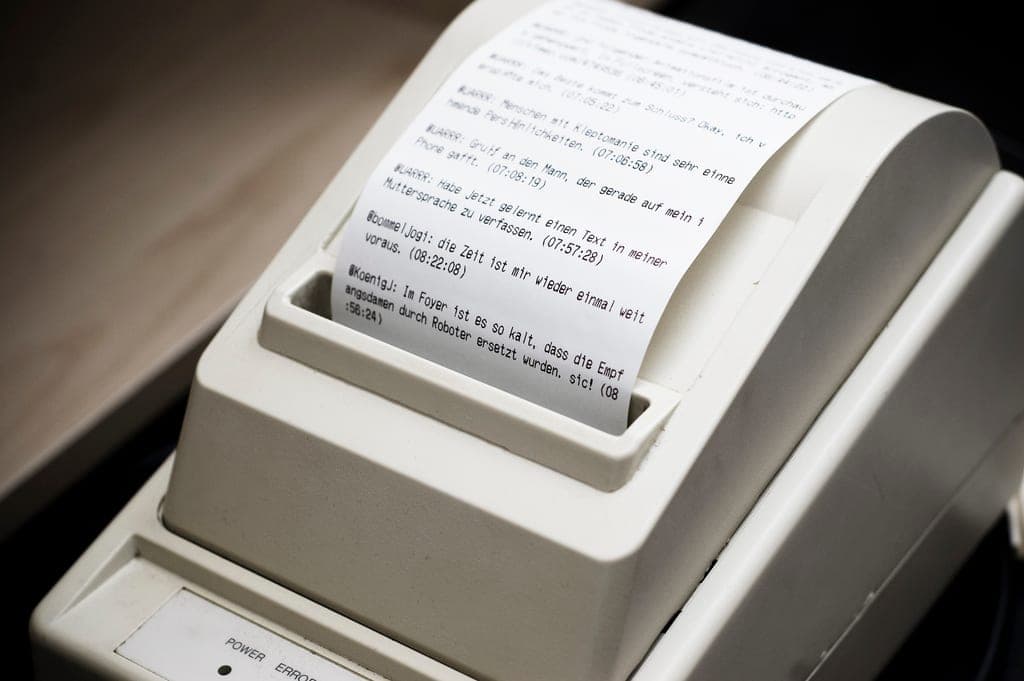
Before writing any code, it helps to know the numbers you are designing against. Epson's own specifications for the T82 family are unusually concrete, and they explain nearly every layout constraint you will hit later.
| Property | Value on the TM-T82 family |
|---|---|
| Print method | Thermal line printing — one horizontal line of dots at a time, no ink, no ribbon |
| Speed | Up to 150 mm per second on the TM-T82, which is roughly a full receipt per second |
| Resolution | 203 x 203 dpi, i.e. 8 dots per mm, with a 72 mm print width on 80 mm paper |
| Character grid | Font A is 12 x 24 dots giving 48 columns; Font B is 9 x 17 dots giving 64 columns |
| Endurance | Around 60 million lines MCBF and an auto cutter rated near 1.5 million cuts |
Read the character grid row twice, because it is the single most useful fact in this article. The printer has no proportional fonts and no arbitrary positioning: every line is a sequence of identical cells, and your entire layout budget is 48 of them. Design in that grid and everything lines up; fight it and nothing does.
ESC/POS is a byte protocol Epson introduced for its TM printers and which most of the industry now imitates. Commands begin with ESC, hex 1B, or GS, hex 1D, followed by a letter and its parameters; anything that is not a command is printed literally. That is the whole mental model.
// The whole "hello receipt" in raw ESC/POS. No driver, no dialog.
const ESC = 0x1b, GS = 0x1d, LF = 0x0a;

const bytes = Buffer.concat([
  Buffer.from([ESC, 0x40]),               // ESC @   initialize
  Buffer.from([ESC, 0x74, 0x00]),         // ESC t 0 code page 437
  Buffer.from([ESC, 0x61, 0x01]),         // ESC a 1 centre
  Buffer.from([GS, 0x21, 0x11]),          // GS !    double height + width
  Buffer.from([ESC, 0x45, 0x01]),         // ESC E 1 emphasized on
  Buffer.from("TOKO SUMBER REJEKI\n", "ascii"),
  Buffer.from([ESC, 0x45, 0x00]),         // ESC E 0 emphasized off
  Buffer.from([GS, 0x21, 0x00]),          // GS ! 0  back to normal size
  Buffer.from([ESC, 0x61, 0x00]),         // ESC a 0 left
  Buffer.from("Jl. Diponegoro 12, Semarang\n", "ascii"),
  Buffer.from("-".repeat(48) + "\n", "ascii"),
  Buffer.from([LF, LF, LF, LF]),          // feed past the tear bar
  Buffer.from([GS, 0x56, 0x42, 0x00]),    // GS V B 0 partial cut with feed
]);
Notice what is absent: there is no page setup, no margins, no font loading and no confirmation. You initialise, you set a mode, you send text, you feed, you cut. The printer executes commands in the order they arrive in its buffer, which is also why a cut command placed too early cuts through the total.
Keep a hexdump of one known-good receipt in your repository as a fixture. When a receipt goes wrong in production, diffing the bytes you sent against that fixture finds the bug in seconds, and it survives every refactor of the code that generates them.
With 48 fixed cells per line, right-aligning money is not a style, it is subtraction. Every layout helper in a POS printing library is some version of the two functions below, and writing them yourself takes ten minutes and removes a dependency.
const COLUMNS_FONT_A = 48;   // 80 mm paper, 72 mm print width, 12x24 font

// One item line: name on the left, money hard against the right margin.
function itemLine(name: string, amount: string): string {
  const room = COLUMNS_FONT_A - amount.length - 1;
  const label = name.length > room ? name.slice(0, room - 1) + "." : name;
  return label.padEnd(room + 1, " ") + amount;
}

itemLine("Kopi Susu Gula Aren", "25.000");
// "Kopi Susu Gula Aren                       25.000"

// Wrap, never truncate silently, when the product name is genuinely long.
function wrapName(name: string, width = COLUMNS_FONT_A - 10): string[] {
  const words = name.split(" ");
  return words.reduce<string[]>((lines, word) => {
    const last = lines[lines.length - 1];
    if (last && (last + " " + word).length <= width) {
      lines[lines.length - 1] = last + " " + word;
    } else {
      lines.push(word);
    }
    return lines;
  }, []);
}
Two rules save most of the pain. First, never let a product name silently truncate a price off the end of the line: reserve the amount's width first and give the name whatever remains. Second, decide once whether long names wrap or ellipsise and apply it everywhere, because a receipt where some lines wrap and others do not reads as broken even when the arithmetic is right.
The printer does not speak UTF-8. It holds a set of single-byte character tables and prints whichever one is currently selected, chosen with ESC t. Send UTF-8 bytes without thinking and accented characters arrive as pairs of symbols, because each byte of the multi-byte sequence is printed as its own glyph.
The currency symbol deserves its own decision. I print amounts as bare grouped digits and put the word Rp in a header line, which avoids depending on any code page having a rupiah glyph and keeps the digits aligned in the same cells on every line.
Rupiah amounts are the one place where a rendering bug becomes a financial dispute. Format the number once, in one function, with an explicit grouping separator, and print the result of that function everywhere — receipt, screen and report — so a customer holding paper and a manager reading a dashboard can never see different totals.
Printing is I/O against a physical device that jams, runs out of paper and gets unplugged by whoever is mopping. The path below is what I settled on after the first month of complaints.
That structure also gives you the metric that matters operationally: how many receipts are queued and how old the oldest one is. A printer that has been offline for four minutes shows up as a number before it shows up as a queue of annoyed customers.
I spent too long trying to make one code path serve both an 80 mm counter printer and a 58 mm mobile printer. The command language is the same, but 48 columns and 32 columns are different layouts, not the same layout at different sizes, and pretending otherwise produced receipts that were technically correct and visually wrong on both.
I would also have tested with cheap paper from day one. Every receipt looks good on the sample roll in the box. The rolls a shop actually buys are thinner and less sensitive, and they are the ones that reveal whether your contrast and emphasis choices hold up.
Printing to a TM-T82 stops being difficult the moment you stop treating it as a printer in the desktop sense and start treating it as a serial device that accepts a small command language. Build the bytes, own the transport, respect the 48-column grid, and the hardware becomes the most reliable part of the whole point-of-sale system.