

Backend
Epson TM-T82 Network Printing: Port 9100 Troubleshooting
August 202611 min read
It is the raw print port, the convention HP introduced with JetDirect and that most network printers follow. There is no protocol on top: you open a TCP connection, write ESC/POS bytes, and close the connection to signal end of job. It has no authentication and, on most firmware, no queue.
Usually a half-open socket. If the printer was unplugged or power-cycled while your process held a connection, writes go into a send buffer and succeed for minutes before the connection times out. Open one connection per receipt, set explicit connect and write timeouts, and enable keepalive so the kernel probes the peer.
Not simultaneously. A raw print port serves one session at a time, so a second client is refused or left waiting. In practice the most common cause of intermittent hangs is a forgotten print queue on another machine holding the session — list established connections to port 9100 across the shop before blaming your application.
No. A lease renewal after a power cut can move the printer to a new address and every till fails at once, with a symptom indistinguishable from a dead printer. Reserve the address on the router or configure it statically, and write it on a label attached to the printer.
Queue receipts in the database with a unique constraint on the payment id. That single constraint makes retries idempotent, which makes aggressive retrying safe, so a shop can keep selling through a network blip and collect every receipt afterwards. Alert on the age of the oldest unprinted job rather than the queue depth.
Key Takeaway
A network TM printer listens on TCP port 9100 and accepts one raw print session at a time. Most field failures are a second client holding that session, a half-open socket after a power cut, or a DHCP lease that moved the printer — all of which are diagnosable in under a minute with netcat and ss.
Moving a receipt printer onto the network solves a real problem: one printer, several tills, no cable across the counter. It also replaces a wire you can see with a set of failure modes you cannot, and the first time a shop calls to say printing stopped, none of the usual web debugging instincts help.
This is the troubleshooting order I follow now, from the layer that fails most often to the one that fails least, plus the queue design that makes any of these failures survivable instead of embarrassing.
A network TM printer exposes a raw print port on TCP 9100 — the same convention HP established with JetDirect and that virtually every network printer now follows. There is no protocol on top: you open a TCP connection, you write ESC/POS bytes, the printer prints them, and closing the connection signals the end of the job. That simplicity is the appeal and the trap.
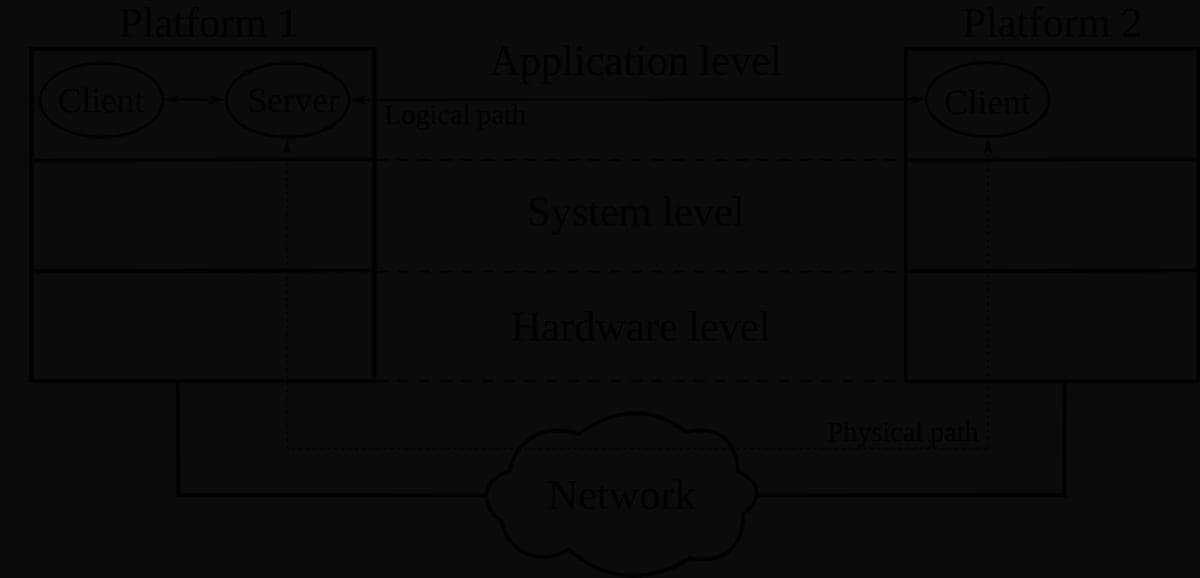
The trap is that a raw port has no sessions, no authentication and, on most firmware, no queue. The printer serves one connection; a second client trying to print at the same moment is either refused or left waiting, and your application sees a connection that hangs rather than an error that explains itself.
Before touching the application, prove which layer is broken. Each of these takes seconds and eliminates a whole category of cause.
# Is the print port even open? Three seconds of truth.
nc -vz -w 3 192.168.1.50 9100

# Print a line without any application in the way.
printf 'NETWORK TEST\n\n\n\n\x1dVB\x00' | nc -w 5 192.168.1.50 9100

# Who else is holding the single print session open?
ss -tnp | grep ':9100'

# Is the printer answering ARP, i.e. is it on this subnet at all?
arp -n | grep 192.168.1.50
In my experience the fourth check finds the problem more often than the other three combined. Shops accumulate print configurations: a spare till, a laptop set up during a trial, a Windows queue that retries forever. Any one of them can hold the session your POS needs.
Never leave a network receipt printer on DHCP. A lease renewal after a power cut moves the printer to a new address, every till fails at once, and the symptom is indistinguishable from a dead printer. Reserve the address on the router or set it statically, and write it on a label stuck to the printer.
The most confusing failure is the one where your code reports success and no paper moves. It happens when the printer disappears — unplugged, power-cycled, switch rebooted — while your process still holds a TCP connection. Nothing informs the operating system, so writes go into a send buffer and return happily until the connection eventually times out, minutes later.
// A half-open socket is the classic ghost failure: the printer was
// unplugged, the switch never told us, and write() happily succeeds
// into a dead connection. Bound every stage.
const CONNECT_TIMEOUT_MS = 3000;
const WRITE_TIMEOUT_MS = 8000;
const KEEPALIVE_DELAY_MS = 1000;

socket.setNoDelay(true);           // receipts are small; do not Nagle them
socket.setKeepAlive(true, KEEPALIVE_DELAY_MS);
socket.setTimeout(WRITE_TIMEOUT_MS);

// Never reuse a socket across receipts. One job, one connection,
// one close — the close is what tells the printer the job ended.
Two habits eliminate it. Open a connection per receipt rather than holding one open, so a dead connection is discarded within one sale rather than persisting all day. And set explicit timeouts and keepalive on the socket, so the kernel probes the peer instead of trusting a link that no longer exists.
When a shop calls, this sequence gets to a cause in roughly five minutes without needing to be on site.
Writing this sequence into the support runbook did more for our print reliability than any code change, because it stopped the reflex of restarting the POS software as the first response to a network fault.
Given that the network will fail sometimes, the design goal is not to prevent it but to ensure a failed print never loses a sale and never prints twice. That is a database problem, not a printing problem, and the schema below is the whole idea.
-- The print queue that makes a timeout survivable.
create table print_jobs (
  id              uuid primary key,
  payment_id      uuid not null unique,   -- one receipt per payment, ever
  printer_host    text not null,
  payload         bytea not null,
  attempts        int  not null default 0,
  state           text not null default 'queued',
  last_error      text,
  created_at      timestamptz not null default now(),
  printed_at      timestamptz
);

-- The unique constraint on payment_id is the whole idempotency story:
-- a retried API call cannot enqueue a second receipt, and a worker
-- crash between "sent" and "printed_at" leaves a row a human can see.
The unique constraint on the payment identifier is the load-bearing part. It makes a retry safe, which in turn makes aggressive retrying safe, which is what lets a shop keep selling through a two-minute network blip and get every receipt afterwards.
Expose the queue depth and the age of the oldest unprinted job as a health metric, and alert on the age rather than the depth. A shop with twelve queued receipts at closing time is fine; a shop with one receipt that has been queued for six minutes has a printer nobody has noticed is offline.
Network printing is not automatically the better choice. Three situations where I still run USB or serial deliberately.
Port 9100 is a beautifully simple interface with one hard rule — one session at a time — and most network printing incidents are that rule being broken by something nobody remembered installing. Diagnose from the network up rather than the application down, keep a per-receipt connection with real timeouts, and put an idempotent queue behind it so the worst case is a delay instead of a lost receipt.